



• 7/26/12 3:32 pm
- 12.9k views • 0 today
- save_alt 3k downloads
- Game Version
- Minecraft 1.2.5
- Resolution
- 16x
- Progress
- 100% complete
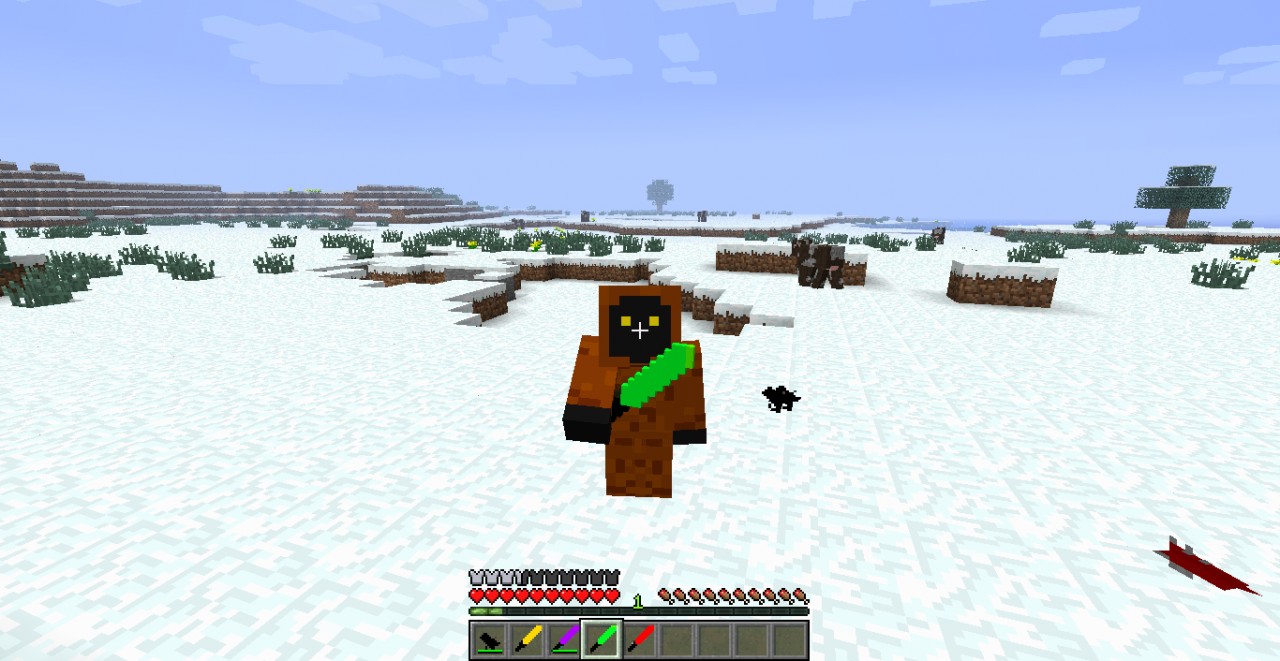
- Changes include
- Armor
- Art
- Environment
- Font
- GUI
- Items
- Misc
- Mobs
- Particles
- Terrain


4
Quick Insallation tut
1Start Minecraft Then go to texturepack
2press open texture pack folder
3drag the downloaded file to the texture pack folder
4then choose StarWars..........
5And Play
1Start Minecraft Then go to texturepack
2press open texture pack folder
3drag the downloaded file to the texture pack folder
4then choose StarWars..........
5And Play
More like this
 StarWars Craft32x Minecraft 1.5.2 Experimental Texture Pack
 excitingstoney
6/25/13 11:21
• posted 6/17/13 2:03
92.8k 34.7k 40x 123812
excitingstoney
6/25/13 11:21
• posted 6/17/13 2:03
92.8k 34.7k 40x 123812


 alkatonic
 austy
austy1201387
4





 cadbane86140




 Compy_Compsognathus
 ovo gamer

 User6643674D
 crackmine_kingstor_drossy_cake
Have something to say?