

• 3/22/12 6:53 pm
- 320 views • 0 today
- 2
- 0

20
For those of you that are confused and frustrated on the new 1.2.5 update and your server is still 1.1 - 1.2.4 (may not work with some plugins, plugins are undetermined if they will work)
Steps
Picture Tutorial Below

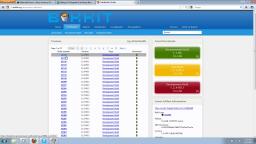
They are still updating the bukkit, but you can run a dev and update as needed!

The file location after download simply "CUT" and "PASTE" where your server folder is!
The File After its "PASTE" in the Minecraft Server Folder!

The CMD prompt shows the server running fine! And yours will too!!!!
Questions, Comments, Diamond, Like, Share!!!!
Steps
- Go to http://dl.bukkit.org/downloads/craftbukkit/ Download the newest 1.2.5 Dev Bukkit.
- Depending if your Server is home based or a V.S. also known as Virtual Server (bought from the internet).
this may need added by your VS admins. May require some wait time sorry! - If it is Home Based (port forwarded or Hamachi) simply put the .JAR file in your server where the Server Properties, White-List, Ban-IP, etc files are. If you have a previous CraftBukkit.JAR build simply rename it to what you have already and run server.
- HAVE FUN!
Picture Tutorial Below

They are still updating the bukkit, but you can run a dev and update as needed!

The file location after download simply "CUT" and "PASTE" where your server folder is!
The File After its "PASTE" in the Minecraft Server Folder!

The CMD prompt shows the server running fine! And yours will too!!!!
Questions, Comments, Diamond, Like, Share!!!!
More like this
 Plugin Tutorial : WorldGuard 1.2.5Tutorial Blog
 Zack-48
4/13/12 8:28
• posted 4/9/12 7:32
7.2k 5x 163
Zack-48
4/13/12 8:28
• posted 4/9/12 7:32
7.2k 5x 163

-
-
 rradt2001
 RainbowDerp
 LokiLolz
 TheDudeGuy
698270
6


![Doku - ReMIX.... P!SSING ME OFF!! [RANT] Minecraft Blog](https://static.planetminecraft.com/files/resource_media/screenshot/1218/dupMh_2147335_thumb.jpg)












 MaximusPrime23
 HyperCat
 GBpchan
Have something to say?