
• 9/5/12 7:43 am
- 750 views • 0 today
- 1
- 0

3
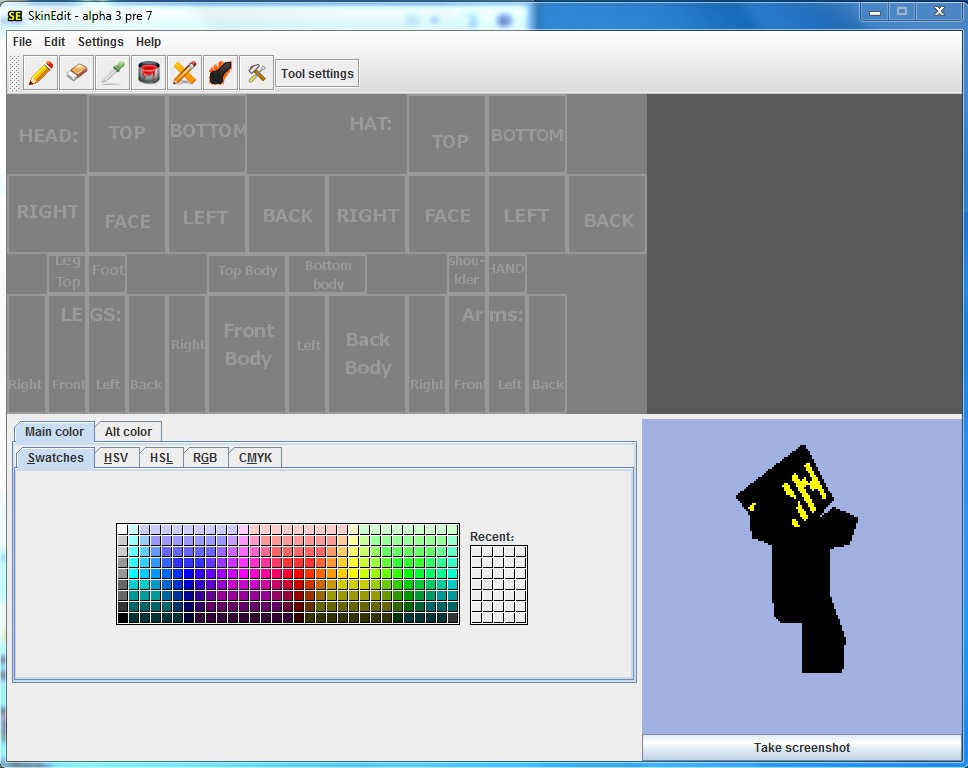
this is a tutorial that will show you how to install skinedit and it will also teach you the basics....
Part 1: Downloading and installing SkinEdit
1.enter this site: http://orcsinthebasement.com/skinedit
2.click "Download SkinEdit"
3.open the rar that you downloaded
4.extract all files to a folder
5.create a new folder called "skins"(optional)
6.open MCskinedit.jar
Part 2:creating skins basics
coming soon!
Part 3: Using the Partpicker
coming soon!
Part 4: creating new parts
coming soon!
Part 1: Downloading and installing SkinEdit
1.enter this site: http://orcsinthebasement.com/skinedit
2.click "Download SkinEdit"
3.open the rar that you downloaded
4.extract all files to a folder
5.create a new folder called "skins"(optional)
6.open MCskinedit.jar
Part 2:creating skins basics
coming soon!
Part 3: Using the Partpicker
coming soon!
Part 4: creating new parts
coming soon!
More like this

 ProLuke9700
 Jadey
Jadey
 CuteMurphy

 Snowybladestorm
1392512
6


 AmplleFawn7332





 Xeno_X1
 princess tratinczica
 Aedan5
 uzvarua
Have something to say?