

• 10/10/26 2:00 pm
scheduled
- 3 views
- 1
- 0
25
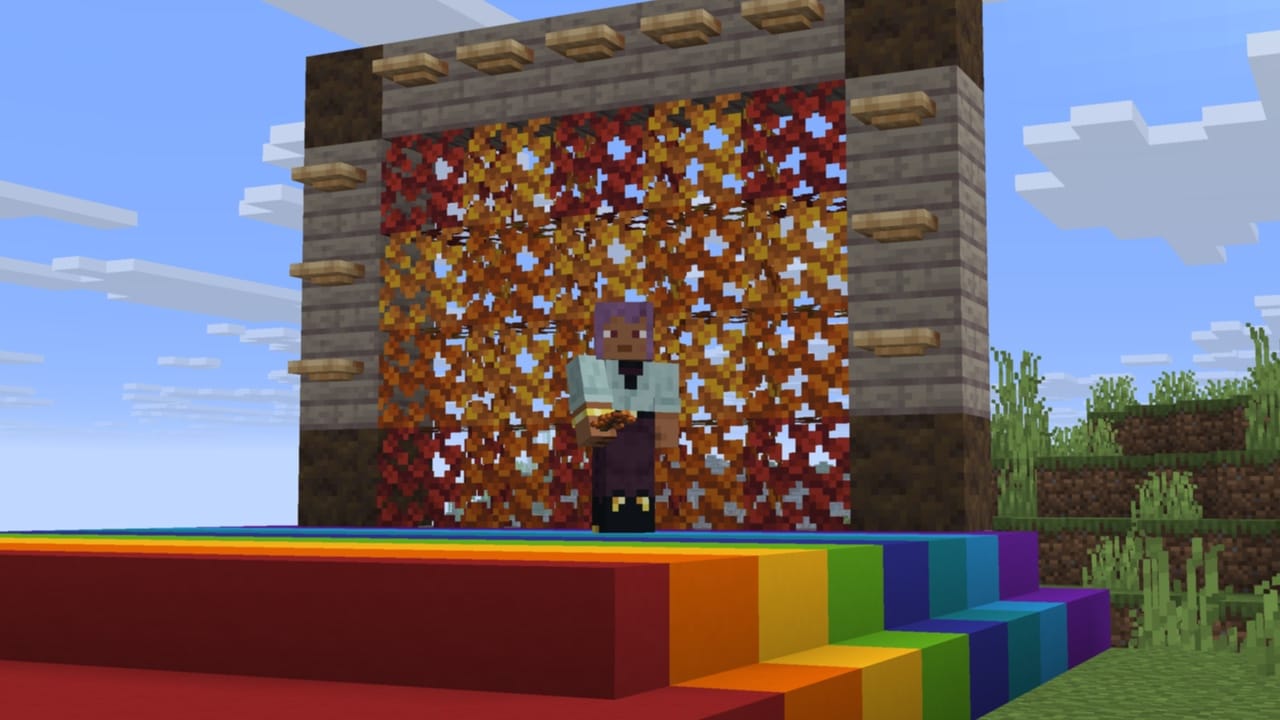
Wilderness Bound is out now in Minecraft Java Edition! Pack your supplies and set off on an expedition into the dappled forest where the trails end and adventure begins. Seek out abandoned camps, build outposts among the poplar trees, sleep under the stars on straw beds, and share campfire stories atop cushions. Just remember that the wilderness rewards the prepared - and maps are lighter than regrets!
Happy camping!
Syntax:
Syntax:
Syntax:

Instead of taking a list of 4 item IDs, this component now takes an object with 4 optional item stack fields named:
Represents items that Villagers can eat. Villagers will pick up items with this component in addition to items in the #villager_picks_up tag.
Represents the visibility percentage provided by an item with the appropriate minecraft:equippable component, modifying the range at which mobs are able to detect an entity.
The format of elements in the trim_material registry has been updated:
The format of elements in the instrument registry have been updated:

The sherds field no longer stores a list of 4 item IDs. Instead, the new format is an object with 4 optional item stack fields named:
The following fields are now stored as integers rather than shorts:
The following new fields have been added:
The following fields are now stored as integers rather than shorts:
The following new fields have been added:
Fields:
Fields:
[list]
[*]value - an inline value or a namespaced ID of a minecraft:context_float_provider type[/*]
[*]test - one of:[list]
[*]an inline value (including a single float) or a namespaced ID of a minecraft:context_float_provider type[list]
[*]Will test if the result of value is equal to the provided test value[/*]
[/list][/*]
[*]an object with fields:[list]
[*]min - an optional inline value (including a single float) or a namespaced ID of a minecraft:context_float_provider type[/*]
[*]max - an optional inline value (including a single float) or a namespaced ID of a
Happy camping!
New Features
- Added Dappled Forest Biome
- Added Poplar Trees
- Added fallen Poplar Trees
- Added Red Poplar Leaves, Orange Poplar Leaves, and Yellow Poplar Leaves blocks
- Added Poplar wood set
- Added Shelf Mushrooms
- Added Red Shrubs
- Added Abandoned Camp structures
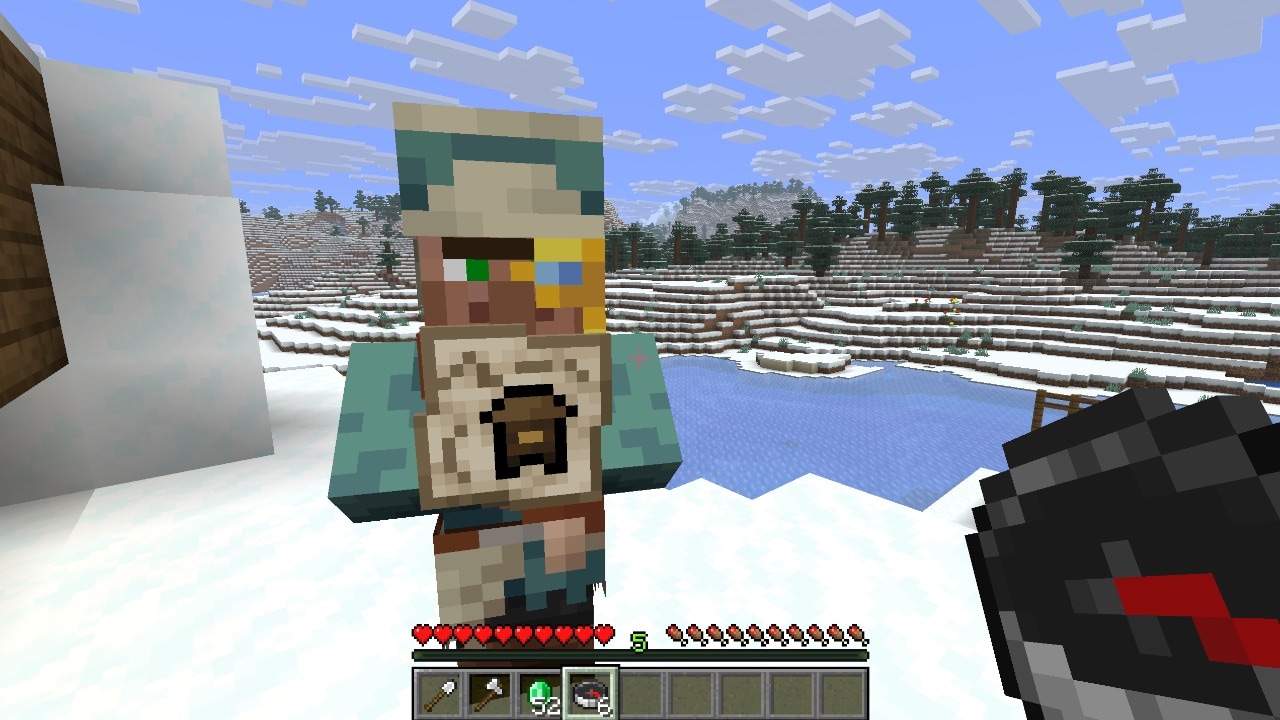
- Added new Explorer Maps
- Added Cushions
- Added Straw Beds
- Added Wool Stairs and Wool Slabs for all Wool blocks
- Added Concrete Stairs and Concrete Slabs for all Concrete blocks
- Players in spectator mode can now interact with portals to teleport
- Improvements to Realms, including the ability to create and manage Invite Codes
- Added Gothic language support
Dappled Forest Biome
- A new type of forest biome which can be found near cold biomes
- Poplar Trees and fallen Poplar Trees generate here
- Shelf Mushrooms can be found here, placed on Poplar Trees and fallen Poplar Trees
- Red Shrubs generate here
- The following passive and neutral mobs spawn in the Dappled Forest, using their cold variants where applicable:
- Sheep
- Chicken
- Cow
- Pig
- Rabbit
- Fox
- A Dappled Forest variant of the new Abandoned Camp structure can be found here
Poplar Trees
- A new type of tree which comes in three color variations:
- Red Poplar Leaves
- Orange Poplar Leaves
- Yellow Poplar Leaves
- Each variant of the tree has its own variant of falling leaf particles matching the color of the leaves
- Poplar Leaves drop Poplar Saplings which will randomly grow into any of the three different variants
- Poplar Saplings can be found in trades with the Wandering Trader
- Shelf Mushrooms and Leaf Litter naturally generate on or around Poplar Trees
- The trunk of the trees are made of Poplar Logs
- Poplar Logs can be crafted into a new set of Poplar wood blocks
Shelf Mushroom
- A new type of mushroom that generates on Poplar Trees and fallen Poplar Trees
- Can be found in two sizes, small and large
- A small Shelf Mushroom can be grown into a large Shelf Mushroom by using Bone Meal
- A large Shelf Mushroom drops two Shelf Mushroom items when broken
- Can be used like other mushrooms to make Stews
- Can be found in trades with the Wandering Trader
- Shelf Mushrooms have a slight bounciness when stepped on, similar to Beds
- The Shelf Mushroom makes a bouncing sound when a living entity bounces on it
Red Shrub
- A new type of decorative plant block that can be found in small patches in the Dappled Forest
- Can be used in the Composter
- Using Bone Meal on a Red Shrub grows a Red Shrub in a random adjacent space if possible
Abandoned Camp Structure
- A new kind of structure which can be found in the following biomes:
- Meadow
- Cherry Grove
- Forest
- Birch Forest
- Old Growth Birch Forest
- Flower Forest
- Windswept Forest
- Dappled Forest
- Taiga
- Snowy Taiga
- Old Growth Spruce Taiga
- Old Growth Pine Taiga
- Sparse Jungle
- Bamboo Jungle
- Swamp
- Savanna
- Wooded Badlands
- Pale Garden
- Each of these biomes has its own variant of the structure with a design based on the biome
- Certain structure pieces are generic for all biome variants of the structure
- Various Chests and Barrels with loot can be found at Abandoned Camps
Cushion
- The Cushion is an item that the player can place in the world and interact with to sit on
- Can be crafted in 16 colored variants
- Cushions are crafted by using 3 Wool Slabs of the same color
Cushion Placement Rules
- A Cushion can be placed on any flat surface
- Cushions always align horizontally to the grid, but vertically sit on top of the supporting surface
- Cushions cannot be moved by pistons
- Cushions break if the supporting block is removed
- Cushions do not have collision and can overlap with other objects (except other Cushions)
Straw Bed
- The Straw Bed is a new type of bed which can be used to sleep through the night without setting your spawn point
- It can only be used once and will be destroyed after use
- It cannot be used in the Nether or the End and will be destroyed if you try to sleep on it there
- It is crafted by using 3 Hay Bales and will give you 4 Straw Beds
- There's a new statistic in the Statistics window for the amount of times you've slept in a Straw Bed
Wool Stairs and Wool Slabs
- Each colored Wool block now has a new Stair and Slab variant
- Wool Stairs and Wool Slabs can be used like other Wool blocks to dampen vibrations
Concrete Stairs and Concrete Slabs
- Each colored Concrete block now has a new Stair and Slab variant
- Concrete Slabs and Stairs can also be crafted using a Stone Cutter
Abandoned Camp Explorer Maps
- New Explorer Maps have been added to the Abandoned Camps
- Added maps showing the location of other Abandoned Camps in the following biomes:
- Bamboo Jungle
- Cherry Grove
- Birch Forest
- Dappled Forest
- Flower Forest
- Pale Garden
- Swamp
- Windswept Forest
- Added maps for the following structures:
- Ancient City
- Trial Chambers
- Mineshaft
- Desert Pyramid
- Jungle Pyramid
- Warm Ocean Ruins
- Woodland Mansion
Realms
- Realm owners can now create and manage Invite Codes
- Each Realm can have up to five Invite Codes
- Invite Codes can be configured to be active/inactive and deleted
- The expiration of an Invite Code can also be configured
- Players can now easily join a Realm by entering an Invite Code in a new "Join Realm" screen, found in the Realms main menu
- Added render distance and simulation distance sliders to the Realm configuration settings
- Added a new Realms introduction screen showcasing Realms key features
- Accessible from the "Add Realm" button
- Automatically shown when entering Realms if a trial is available
Changes
- The Main Menu now has an updated background panorama showing the new Dappled Forest biome with an Abandoned Camp
- Removed fallen leaf particles from Spruce Trees
- Suspicious Stews can now be crafted with 2 of any mushroom
- Mushroom Stew can now be crafted with 2 of any mushroom
- The player icon on maps has been updated to always show the direction the player is facing
- New Villager trades, unlocked from a Villager leveling up their profession, will now update even if the player is in the process of trading with them
- Persistent mobs' random walk/swim behaviors will now deactivate when players are not nearby, in the same way as non-persistent mobs
- Replaced the current "Improved Transparency" approach with a new order-independent transparency algorithm which is expected to be much better at solving translucency issues
- Added a rebindable debug key combination "F3 + X" to toggle "Improved Transparency"
- When using a Shield together with a Hoe or a Shovel, raising the Shield will take precedence over tilling and path making
- Changed the Adventure Mode icon in the Game Mode Switcher to the Buried Treasure Map
- Improvements to performance when trying to locate structures
- Improvements to chunk generation performance
Explorer Maps
- Explorer Maps are now their own items instead of renamed Filled Maps, and each has its own icon:
- Ocean Monument Map
- Woodland Mansion Map
- Buried Trial Chambers Map
- Jungle Pyramid Map
- Swamp Hut Map
- Desert Village Map
- Plains Village Map
- Savanna Village Map
- Snowy Village Map
- Taiga Village Map
- Buried Treasure Map
- Buried Ancient City Map
- Buried Mineshaft Map
- Desert Pyramid Map
- Abandoned Camp Map
- Warm Ocean Ruins Map
- These items cannot be obtained from the Creative inventory
- Existing Explorer Maps in old worlds are converted to the matching new item on load
- The following Explorer Maps have been renamed to have more consistent naming
- Ocean Monument Explorer Map → Ocean Monument Map
- Swamp Hut Explorer Map → Swamp Hut Map
- Trial Chambers Explorer Map → Buried Trial Chambers Map
- Woodland Mansion Explorer Map → Woodland Mansion Map
- Jungle Pyramid Explorer Map → Jungle Pyramid Map
- Explorer Maps can still be cloned in a Crafting Table, and the copies keep their own item type
- Explorer Maps and Buried Treasure Maps can no longer be zoomed out, neither in a Crafting Table nor at a Cartography Table
- Buried Treasure Maps could previously be zoomed out at both
- Explorer Maps could previously be zoomed out at a Cartography Table
- Only maps in the #minecraft:extendable_maps tag can be zoomed out
- Map and Empty Map have new icons
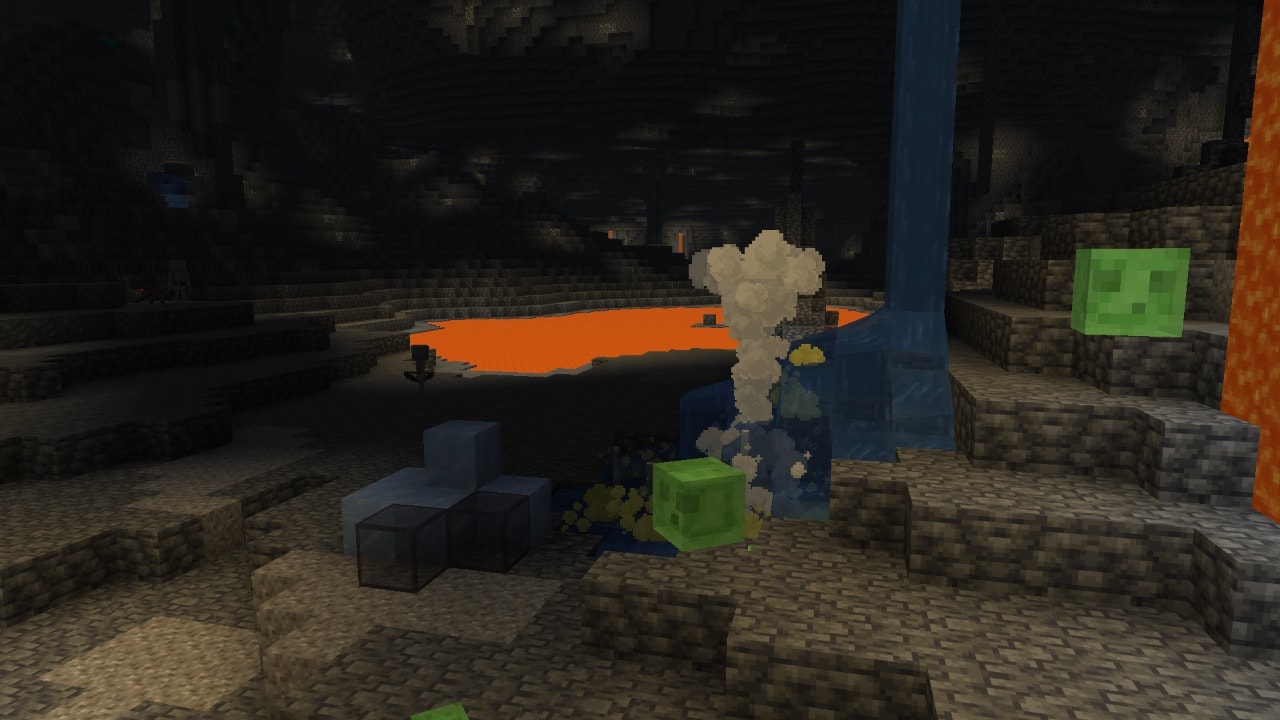
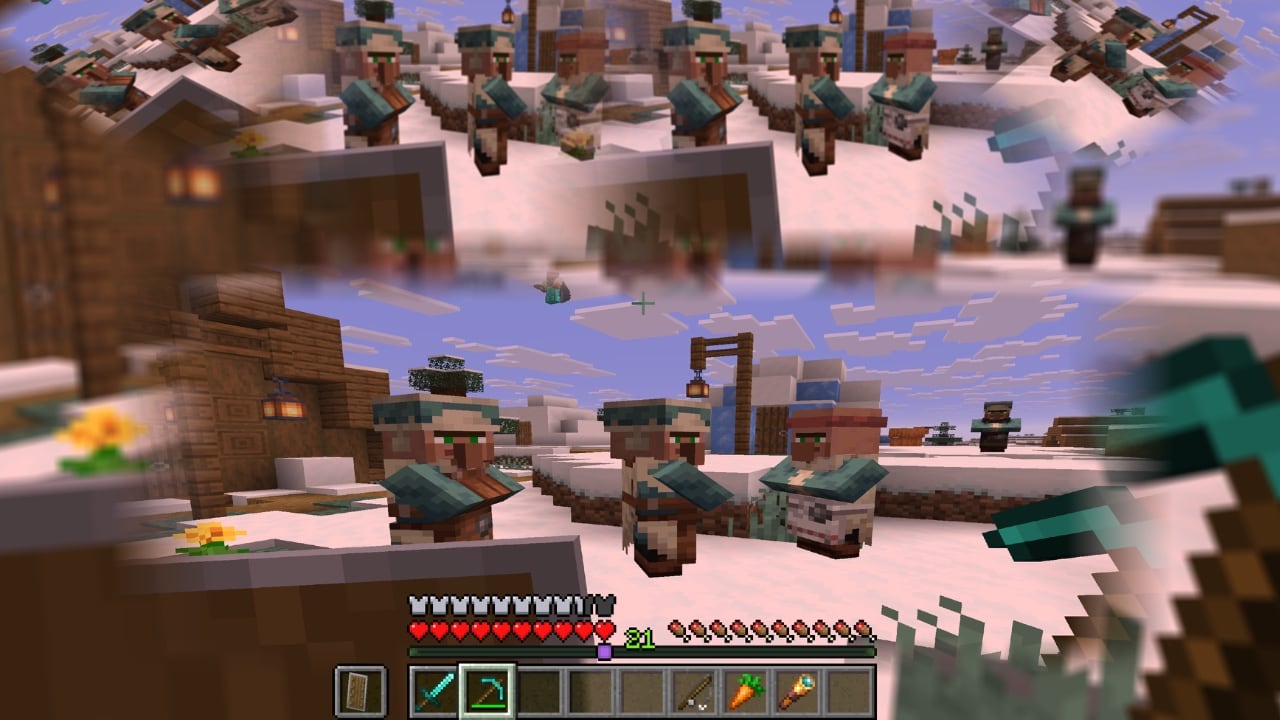
Order-independent Transparency (OIT)
- Generally, translucent surfaces need to be rendered back-to-front to avoid visual issues
- In order to do so, the translucent geometry has to be sorted before rendering
- This is very expensive and even with perfect sorting of individual triangles, intersecting triangles are not possible to render correctly
- Before this release, the "Improved Transparency" video setting attempted to mitigate translucency-related visual issues
- It did this by rendering different types of translucent objects (entities, particles, water, etc.) to different textures that were later combined to create the final image
- This allowed us to fix some of the issues with some performance impact
- However, it introduced some other less noticeable issues
- Now, the "Improved Transparency" video setting will instead enable a new order-independent transparency algorithm (which we will refer to as OIT)
- This makes it possible to render translucent objects in any order without sorting
- It fixes all existing major translucency-related visual issues (such as certain objects disappearing when viewed through translucent objects)
- However, the algorithm is an approximation, and so it introduces some new minor visual artifacts (such as the color of clouds being somewhat incorrect when viewed through multiple layers of translucent surfaces)
- We expect OIT to have a higher performance impact than the previous implementation of "Improved Transparency"
- When "Improved Transparency" is turned off, the behavior hasn't meaningfully changed and the game will still prioritize performance over correctness while sorting geometry as necessary
Developer's Note: Special thanks to Rubén Osorio López, Jozufozu, and the Minecraft modding community in general for sharing the information that helped us to deliver this.
Minor Tweaks to Blocks, Items, and Entities
- Endermen will now take damage from projectiles if they're riding something
- Teleporting randomly after eating a Chorus Fruit now shows particles into the direction of the teleportation
- Endermen and Shulkers no longer teleport onto Bedrock
- Armadillos no longer try to roll up when submerged in liquids
- Data set on a Spawn Egg will now transfer to a Mob Spawner when a player with operator permissions uses the Egg on the Spawner
- Sherds dropped from breaking a Decorated Pot will now preserve data, for example custom names
- Enchantments now apply to items being damaged from protecting an undead mob from the sun
- Teleporting with an Ender Pearl now resets the momentum of the player being teleported
UI
- Removed the Raw Input mouse setting
- Mouse input now always uses relative mouse mode while playing in-game
- Key bindings now use physical keys instead of keyboard-layout-specific key codes
- Borderless Fullscreen is now the default fullscreen mode
- Switching between Borderless and Exclusive Fullscreen no longer requires restarting the game
- The cursor is now confined to the window while Exclusive Fullscreen is active
- The minimum window size is now 320 by 240 pixels
- On macOS, holding a key while entering text now displays the native accent and candidate popup
- On Linux systems, the game will now use and prefer Wayland natively if available
- Fixed an issue where Realm owners could not select automatic region preference as their Realm region
- Added a "Quit Shortcuts" option in Controls settings, which controls whether keyboard shortcuts can close the game (Alt + F4 on Windows/Linux, Cmd + Q and Cmd + W on macOS)
- On by default
- On macOS, added a "Right Click Emulation" option in Controls settings, which treats Control + left-click as a right-click
- Off by default
- On macOS, added a "Menu/Dock Visibility" option in Video Settings, which controls whether the macOS Menu bar and Dock can be revealed by moving the mouse to the edge of the screen while in fullscreen
- Added support for Realms to use additional server regions in Canada, Mexico, South Africa, and Arizona, USA if they become available in the future
Debug Overlay
- The debug overlay now supports a separate GUI scale from the rest of the game
- This is customizable through the Debug Options screen, F3 + F6
- The default scale is "Auto", which tries to stay at a higher resolution than normal
- Another option is "Unchanged", which matches your regular GUI scale
- The rest of the options work the same as in the normal "GUI Scale", controlling the scale directly
- Added a "player_speed" debug entry that displays the speed of the player in blocks per tick
- The debug overlay now shows the display refresh rate
World Options
- The World Options button has been moved to where the Open to Lan button used to be, accessible from the pause menu
- The World Options screen is divided into two sections: "General" and "Multiplayer"
- The "General" section contains the following options:
- Default Game Mode: the default game mode of the world (equivalent to the /defaultgamemode command)
- Personal Game Mode: your active game mode in the current world (equivalent to the /gamemode command, or F3 + F4)
- Allow Commands: Controls whether you can use commands in this world or not
- Difficulty: Controls the difficulty of the world (equivalent to the /difficulty command)
- Edit Game Rules: Opens the Game Rules screen, which allows you to view and edit the game rules of the world
- Restrictions: View your restrictions in the world
- The "Multiplayer" section contains the following options:
- LAN: changes the multiplayer scope of the world
- Port: the port number to use when opening the world to LAN
- Command Access: controls whether players that join your world can use commands or not
- Force Game Mode: controls whether other players' game mode is forced to match the default game mode of the world or not
- The "General" section contains the following options:
- The World Options screen is divided into two sections: "General" and "Multiplayer"
- The Online button used to access the Online Options screen will now always be shown in the Options menu instead
Accessibility
- Subtitles now point to the most recent sound in range
Creative Inventory
- Reordered mineral item and block ordering to have non-tiered ingredients up first, then tiered ingredients that craft into equipment last
- Ingredients
- Non-tiered minerals
- Unrefined tiered minerals
- Refined tiered minerals
- Nuggets
- Ingots
- Building Blocks
- Non-tiered mineral blocks and variants
- Refined tiered mineral blocks and variants
- Copper block family
- Copper Blocks continue to be pushed to the end of the order in Building Blocks since they have a large list of content
- Ingredients
- Improved the ordering of the Natural Blocks tab so that all inner ordering of group content sequentially progresses from Overworld → Nether → End to stay consistent with other tabs
Technical Changes
- The Data Pack version is now 121.0
- The Resource Pack version is now 97.1
- Some log lines that server software might look out for have been removed
- The Minecraft Server Management Protocol can be used instead
- If you are missing access to specific events, please create a feature request on the Feedback site
- The definition field from the blocks.json data generation report has been removed
- Terrain blocks are now rendered with MultiDrawIndirect on supported devices
- level.dat now contains a version_history list with prior data versions of the file
Windowing and Input Backend
- Minecraft now uses SDL3 instead of GLFW for window management, input, and platform integration
- Keyboard input now uses SDL scancodes for physical key positions and SDL keycodes for layout-dependent text editing shortcuts
Server Properties
- The white-list property is now true by default
Minecraft Server Management Protocol 3.1.0
- Added notifications indicating when the server performs a full world upgrade on startup
- minecraft:notification/world/upgrade_started
- minecraft:notification/world/upgrade_progress
- minecraft:notification/world/upgrade_finished
- minecraft:notification/world/upgrade_failed
Data Pack Versions 108.0 Through 121.0
- Commands like /give, /unpublish, and /tick should now properly signal errors
- Pottery sherds are now data-driven
- Entries stored in the minecraft:pot_decorations component and minecraft:decorated_pot block entity are now full item stacks
- Signs no longer automatically execute click events in custom text
- Potion recipes are now data-driven
- The minecraft:number_provider and minecraft:number_provider_type registries have been split into separate registries for integer calculations (minecraft:context_int_provider, minecraft:context_int_provider_type) and float calculations (minecraft:context_float_provider, minecraft:context_float_provider_type)
- Loot table types that have a dedicated registry now support registry element and tag references
- This means that the majority of fields of such types that previously accepted single elements will now accept either a namespaced ID or an inline value, while fields that previously accepted lists can now accept an inline value, a single namespaced ID, a list of namespaced IDs, a list of inline values, or a hash-prefixed tag ID
- Affected types:
- minecraft:advancement
- minecraft:item_modifier
- minecraft:loot_table
- minecraft:context_int_provider
- minecraft:context_float_provider
- minecraft:predicate
- minecraft:recipe
- minecraft:slot_source
- Existing reference types for predicates, item modifiers, and slot sources are now obsolete and have been removed
- The codec for element lists/tags now allows mixing inline values and references
- For example, item modifiers like [{type:set_count, ...}, "minecraft:some_modifier"] are now allowed
- The following Block State fields have been renamed
- Name is now id
- Properties is now properties
- The default Block State of a Block can now be referred to in a compact form directly by the Block id
Commands
Added posteffect
- Allows adding or removing "post effects" to players
- These are postprocessing shaders that are applied to the player's screen, after the game has finished normal rendering
- Post effects exist on the client (in resource packs), not the server – the server cannot know if one will actually apply
- Post effects themselves were already part of the resource pack format, but only a few hardcoded ones were available to use
Developer's Note: This now makes custom shaders fully available to use from resource packs, but please be aware that shaders are still subject to be changed at-will, and the features involved (the command, post effects, or shaders) may be redesigned in the future.
Syntax:
- /posteffect add <player> <posteffect> - adds the post effect to the player, if it doesn't already exist
- /posteffect clear <player> - removes all post effects from the player, if any exist
- /posteffect list <target> - lists all post effects applied to the player, if any exist
- /posteffect remove <player> <posteffect> - removes the post effect from the player, if it exists
Changes to publish
- The gamemode argument has been removed
- Instead, the default game mode of the world should be set using the defaultgamemode command or the Game Mode button in the World Options screen, while player-specific game modes should be set using the gamemode command
Added compute
- Evaluates minecraft:context_int_provider and minecraft:context_float_provider values in various contexts
- In all contexts, origin is set to the current command context position, while this entity is set to @s
- If the evaluation fails (for example due to division by zero), this command will fail
Syntax:
- /compute <target> integer <int_provider> OR
- /compute <target> float <float_provider> [<scale>], where:
- <target> - one of:
- default - runs the provider in the minecraft:command_compute_default context, where only common arguments (position and this entity) are available
- block <pos> - runs the provider in the minecraft:command_compute_position context, where block state and block position are set based on the block at position <pos>
- entity <entity selector> - runs the provider in the minecraft:command_compute_entity context, where target_entity is set to the selector result
- <int_provider> - either an element of the minecraft:context_int_provider registry or an inline value
- <float_provider> - either an element of the minecraft:context_float_provider registry or an inline value
- <scale> - optional scale value, defaults to 1.0
- The final result will be multiplied by <scale> and rounded towards negative infinity
- <target> - one of:
Changes to data
- Added new source to /data modify ... append|insert|merge|prepend|set called compute
- It evaluates a minecraft:context_int_provider or minecraft:context_float_provider value and then provides the result either as an integer or a float tag
- Example: /data modify storage foo bar set compute entity @n[type=minecraft:armor_stand] integer {type:score,target:{type:context,target:target_entity},score:baz}
Syntax:
- compute <target> (integer <int_provider> | float <float_provider>), where the syntax of target, int_provider, float_provider is the same as in the /compute function
- Note: unlike /compute, there is no scale, since the result is directly stored as a float, instead of being returned from the command as an integer
Changes to give
- When the amount of items passed to the give command is above the limit, the command will now signal an error instead of just printing an error message and returning 0
Changes to tellraw
- The nbt component in a raw chat message will only be resolved up to 64k times
Changes to tick
- The following subcommands will now signal an error instead of just printing an error message and returning 0:
- tick step
- tick step stop
- tick sprint stop
Changes to team
- The result of the team join and team leave subcommands now reflects the exact count of entities that have joined or left (i.e. excluding entities for which teams have not changed)
Changes to item
- Now takes a slot source as an argument in place of anywhere a slot was previously used
- It will be evaluated with the minecraft:command_slot_source loot type
- Can be a slot source in either inline or reference form
- Can be a slot source targeting multiple slots
- The replace sub-command has new semantics:
- The contents of each destination slot are replaced with the corresponding source item one by one in the order they are provided by the slot source
- When there are more destination slots than there are source items, the remaining slots are ignored
- Example: replace [12345] with (ABC) → [ABC45]
- When there are fewer destination slots than there are source items, the remaining items are ignored
- Example: replace [123] with (ABCDE) → [ABC]
- String notation slot ranges in the form <slot_type> or <slot_type>.<slot_number> are still permitted
- Can be a single slot, such as armor.chest
- Can be multiple slots, such as container.*
- Acts as shorthand for a minecraft:slot_range slot source using that slot range
- Example: hotbar.4 is the same as {type:"minecraft:slot_range",slots:"hotbar.4"}
- The entity argument in the from entity item source can now be a selector targeting multiple entities
- When more than a single entity is targeted, the slots sourced from each are concatenated
- Added new fill and override sub-commands, each with syntax identical to /item replace
- /item fill
- Fills each destination slot with a source item
- When there are more destination slots than there are source items, the items repeat until every slot is filled
- Example: fill [12345] with (ABC) → [ABCAB]
- /item override
- Overrides the contents of each destination slot with the corresponding source item
- When there are more destination slots than there are source items, the remaining slots are cleared
- Example: override [12345] with (ABC) → [ABC__] (where _ represents an empty slot)
- /item fill
Changes to execute
- Added new slots condition sub-command
- Counts the number of slots from the slot source that are present on the targeted block or entity
- The slot source will be evaluated with the minecraft:command_slot_source loot type
- Syntax:
- /execute if|unless slots block <pos> <slot source>
- /execute if|unless slots entity <targets> <slot source>
- The items condition sub-command now takes a slot source as argument instead of a slot
- The slot source will be evaluated with the minecraft:command_slot_source loot type
- Syntax:
- /execute if|unless items block <pos> <slot source> <item predicate>
- /execute if|unless items entity <targets> <slot source> <item predicate>
Changes to place
- The feature sub-command now allows inline definition of the Feature
Changes to spreadplayers
- Whether a block is safe to spread a player to is now controlled by the #entities_can_teleport_to block tag
Changes to swing
- When used on a player, the player's attack strength will no longer be reset
- Added a new optional argument to set the swing animation to play
- Allowed values: none, whack, stab
- If omitted, defaults to whack
- Added a new argument to set the duration of the swing animation, if provided
- Format: positive time value (by default in ticks)
- If omitted, defaults to 6t
Environment Attributes
Added minecraft:gameplay/natural_mob_spawns
- Defines mob spawns in an Environment Attribute Source
- During worldgen placement, only Dimensions and Biomes will apply this Environment Attribute
- Format: object with fields:
- spawns_by_category - map of spawn category to weighted list of spawn data
- Spawn data format: object with fields:
- type - entity type, the entity to spawn
- count - int provider, amount to spawn
- Spawn data format: object with fields:
- spawn_costs - map of entity type to object with fields:
- energy_budget - float, energy change allowed per spawn
- charge - float, how much existing mobs will attract or repulse other charged mobs
- spawns_by_category - map of spawn category to weighted list of spawn data
- Available attribute modifiers:
- overlay
- For each mob category, overrides the lower layer's spawn settings with the higher layer's, unless the category is not included
- Merges each layer's spawn costs together, overriding the lower layer's spawn costs with the higher layer's if both define the same entity type
- overlay
- Default: Empty
Added minecraft:gameplay/creature_world_gen_spawn_probability
- Sets the probability to run an iteration in which mobs defined to spawn in the creature mob category will spawn during world generation
- Only Dimensions and Biomes will apply this Environment Attribute
- Format: float with range [0,1)
- Default: 0.1
Changed minecraft:gameplay/bed_rule
- Field explodes has been renamed to destroy_on_use
- Added destroy_on_leave - optional boolean, if true, the Bed will be destroyed when leaving it
- If omitted, defaults to false
Added minecraft:gameplay/straw_bed_rule
- Same format as minecraft:gameplay/bed_rule, but used for the Straw Bed
Changed minecraft:visual/ambient_particles
- Now supports interpolation between Timeline keyframes (probabilities will be crossfaded)
- Introduced support for new modifier: append
- Unlike override which totally replaces the particle list, this modifier concatenates all elements with the layers below
Data Components
Added minecraft:provides_pottery_pattern
- Describes the pottery pattern stored on a stack
- Format:
- namespaced ID pointing to an element of the minecraft:decorated_pot_pattern registry
Added minecraft:cooking_fuel
- Describes an item that can be used as fuel for a Furnace, Smoker, or Blast Furnace
- Format: object with fields
- burn_time - inline integer number, or a namespaced ID pointing to an element of the minecraft:context_int_provider registry representing the time in ticks for which this fuel will burn
- speed_multiplier - inline float number, or a namespaced ID pointing to an element of the minecraft:context_float_provider registry representing the speed of the cooking/smelting
- Cooking fuel items with remainders will be handled as follows:
- If there is fuel remaining in the fuel slot, the remainder item will be dropped on the ground
- If the fuel has run out, the remainder item will remain in the fuel slot
Added minecraft:brewing_fuel
- Describes an item that can be used as fuel for a Brewing Stand
- Format: object with fields
- uses - inline integer number, or a namespaced ID pointing to an element of the minecraft:context_int_provider registry representing the number of times this fuel will brew before being consumed
- speed_multiplier - inline float number, or a namespaced ID pointing to an element of the minecraft:context_float_provider registry representing the speed of the brewing
- Brewing fuel items with remainders will be handled as follows:
- If there is fuel remaining in the fuel slot, the remainder item will be dropped on the ground
- If the fuel has run out, the remainder item will remain in the fuel slot
- This behavior matches items placed in the input and reagent slots of the brewing stand
- Note: the #brewing_fuel item tag has been removed and will no longer function to register new brewing fuels
Changed minecraft:pot_decorations
Instead of taking a list of 4 item IDs, this component now takes an object with 4 optional item stack fields named:
- back
- left
- right
- front
Changed minecraft:trim_material
- The format of inline material definitions has been updated as described below
Added minecraft:block_transformer
- Allows an item to transform blocks into other blocks on player interaction
- Format:
- a namespaced ID of a minecraft:block_transformer registry type
Added minecraft:sign_text_front and minecraft:sign_text_back
- Two identical components that represent text on the front and back of a sign
- Contents will be displayed in the item's tooltip
- The format is the same as the front_text and back_text fields on the minecraft:sign and minecraft:hanging_sign block entities, i.e.
- messages - a list of text components
- filtered_messages - an optional list of text components, if omitted, it will be set to the same value as messages
- messages and filtered_messages must have the same entry count
- color - optional dye color, default: black
- has_glowing_text - optional boolean, default: false
Added minecraft:waxed
- A marker for blocks with contents that are waxed
- No fields
Added minecraft:cushion/color
- Applied to Cushion entities when they get placed using an item
- Format: one of 16 dye colors
Added minecraft:compostable
- Represents the ability to compost an item and how it adds layers to the composter
- Format: object with fields
- layers - inline integer number, or namespaced ID pointing to an element of the minecraft:context_int_provider registry
Added minecraft:villager_food
Represents items that Villagers can eat. Villagers will pick up items with this component in addition to items in the #villager_picks_up tag.
- Format: object with fields
- nutrition - positive integer, how much hunger the item satiates in the Villager once eaten
Added minecraft:mob_visibility
Represents the visibility percentage provided by an item with the appropriate minecraft:equippable component, modifying the range at which mobs are able to detect an entity.
- Format: object with fields
- targeting_entity_types - an entity ID, a list of namespaced entity IDs, or a hash-prefixed entity tag to match
- visibility - float (between 0.0 and 10.0), with 0.0 reducing the range at which mobs detects the entity to 2 blocks while 10.0 increases the detection range tenfold
- While multiple items with this component stack, the maximum vision will still never exceed 10.0
Added minecraft:attack_animation
- The animation to play when the item is being used to attack something
- Format: object with fields:
- type - swing animation type, one of none, whack, stab
- duration - non-negative integer, the length of the animation in ticks
Added minecraft:interact_animation
- The animation to play when the item is being used to interact with something
- Format: Same as minecraft:attack_animation
Changed minecraft:consumable
- Added a new optional field to the teleport_randomly consume effect:
- directional_particles - boolean, whether to show a particle trail into the direction of the teleportation
- If not present, defaults to true
- directional_particles - boolean, whether to show a particle trail into the direction of the teleportation
Removed minecraft:swing_animation
- This has been replaced by minecraft:attack_animation and minecraft:interact_animation
- Setting both of these new components to the same value will be functionally identical to the old component, except for:
- The /swing command - animation type now specified by the command
- Items being dropped by entities
- Setting both of these new components to the same value will be functionally identical to the old component, except for:
Removed minecraft:map_color
- Maps are no longer drawn as a tinted overlay, so there is nothing left for the color to apply to
- Existing maps have the component stripped on load
- See the Resource Pack section for the matching removal of the minecraft:map_color tint source
Trim Materials
The format of elements in the trim_material registry has been updated:
- asset_name has been replaced with palette - Palette Texture ID to be used for this material
- override_armor_assets has been removed
- Overrides are now defined in the Resource Pack Equipment Asset
- See the Resource Pack section for details about Palette Texture IDs
Instruments
The format of elements in the instrument registry have been updated:
- Added durability_damage field - optional non-negative integer, amount of durability to consume on each use
- Updated use_duration field - can now be 0 for no cooldown
Entity Data
- Added invulnerable_time tag which makes an entity temporarily invulnerable for a specific number of ticks
Block Entity Data
Changed minecraft:decorated_pot
The sherds field no longer stores a list of 4 item IDs. Instead, the new format is an object with 4 optional item stack fields named:
- back
- left
- right
- front
Changed minecraft:sign and minecraft:hanging_sign
- By default, commands and other click events contained in Sign text are no longer executed when the block is clicked
- Additionally, text components on newly placed Signs are no longer resolved by default
- A new boolean field called allow_op_features (defaults to false) has been added to restore previous behavior
- Placed Signs and items with the minecraft:block_entity_data component containing Sign data stored in worlds saved before this version will have allow_op_features set to true
- Any newly created Sign will need to have that field set explicitly
- Changed the rules for opening the Sign edit screen after a block is placed:
- Previously, the screen would open unless minecraft:block_entity_data was applied successfully
- Now, the screen will open only if it could be opened normally by clicking the block (i.e. it's not waxed and only has editable text on the front side)
- Signs will now accept and return the minecraft:sign_text_front, minecraft:sign_text_back, and minecraft:waxed components
Changed minecraft:brewing_stand
The following fields are now stored as integers rather than shorts:
- Changed the BrewTime field from a short to an integer, this is the amount of time that the current brewing process has taken so far
- Changed the Fuel field from a byte to an integer, this is the amount of fuel remaining
The following new fields have been added:
- total_brew_time - integer, the total amount of time the current brewing process will take
- total_fuel - integer, represents the amount of fuel that was added in the last refuel
- speed_multiplier - float, used to speed up or slow down the next brewing process
Changed minecraft:furnace, minecraft:smoker, and minecraft:blast_furnace
The following fields are now stored as integers rather than shorts:
- Changed the cooking_time_spent field from a short to an integer, this is the amount of time that the current cooking process has taken so far
- Changed the cooking_total_time field from a short to an integer, this is the total amount of time the current cooking process will take
- Changed the lit_time_remaining field from a short to an integer, this is the amount of burn time remaining
- Changed the lit_total_time field from a short to an integer, this is the total amount of burn time that was added in the last refuel
The following new fields have been added:
- speed_multiplier - float, used to speed up or slow down the next brewing process
Advancements
Validation
- Visible root advancements (i.e. ones that have a display field, but no parent field) must always declare a background field in the display structure
- Only root advancements can have a background field in the display structure
Rewards
- The loot sub-field in the rewards field now accepts an inline value, a single namespaced ID, a list of namespaced IDs, a list of inline values, or a hash-prefixed tag ID of a minecraft:loot_table type
Triggers
- Multiple fields that accepted a list of loot conditions are now stricter:
- The previous functionality of a list of conditions being equivalent to a single minecraft:all_of condition has been removed
- Additionally, the type field is now mandatory (previously it defaulted to minecraft:entity_properties)
- Some fields that previously accepted only inline loot conditions now also accept a namespaced ID of a minecraft:predicate
- The player field, available on all triggers except minecraft:impossible, now accepts an inline value or a namespaced ID of a minecraft:predicate type
- To avoid duplication, this field is not mentioned in entries below
Changed minecraft:any_block_use
- The location field now accepts an inline value or a namespaced ID of a minecraft:predicate type
Changed minecraft:bee_nest_destroyed
- The block field has been renamed to blocks and now accepts a single namespaced ID, a list of namespaced IDs, or a hash-prefixed tag ID of a minecraft:block type
- Added field state that matches block state properties (same format as minecraft:enter_block)
Changed minecraft:bred_animals
- The child, parent, and partner fields now accept an inline value or a namespaced ID of a minecraft:predicate type
Changed minecraft:brewed_potion
- The potion field now accepts a minecraft:potion_contents data component predicate
Changed minecraft:cured_zombie_villager
- The villager and zombie fields now accept an inline value or a namespaced ID of a minecraft:predicate type
Changed minecraft:default_block_use
- The location field now accepts an inline value or a namespaced ID of a minecraft:predicate type
Changed minecraft:effects_changed
- The source field now accepts an inline value or a namespaced ID of a minecraft:predicate type
Changed minecraft:enter_block
- The block field has been renamed to blocks and now accepts a single namespaced ID, a list of namespaced IDs, or a hash-prefixed tag ID of a minecraft:block type
Changed minecraft:fall_after_explosion
- The cause field now accepts an inline value or a namespaced ID of a minecraft:predicate type
Changed minecraft:fishing_rod_hooked
- The entity field now accepts an inline value or a namespaced ID of a minecraft:predicate type
Changed minecraft:placed_block
- The location field now accepts an inline value or a namespaced ID of a minecraft:predicate type
Changed minecraft:item_used_on_block
- The location field now accepts an inline value or a namespaced ID of a minecraft:predicate type
Changed minecraft:allay_drop_item_on_block
- The location field now accepts an inline value or a namespaced ID of a minecraft:predicate type
Changed minecraft:player_killed_entity
- The entity field now accepts an inline value or a namespaced ID of a minecraft:predicate type
- The killing_blow.tags.id field now accepts a single namespaced ID, a list of namespaced IDs, or a hash-prefixed tag ID of a minecraft:damage_type type
Changed minecraft:entity_killed_player
- The entity field now accepts an inline value or a namespaced ID of a minecraft:predicate type
- The killing_blow.tags.id field now accepts a single namespaced ID, a list of namespaced IDs, or a hash-prefixed tag ID of a minecraft:damage_type type
Changed minecraft:kill_mob_near_sculk_catalyst
- The entity field now accepts an inline value or a namespaced ID of a minecraft:predicate type
- The killing_blow.tags.id field now accepts a single namespaced ID, a list of namespaced IDs, or a hash-prefixed tag ID of a minecraft:damage_type type
Changed minecraft:lightning_strike
- The bystander and lightning fields now accept an inline value or a namespaced ID of a minecraft:predicate type
Changed minecraft:player_generates_container_loot
- The loot_table field has been renamed to loot_tables and now accepts a single namespaced ID, a list of namespaced IDs, a list of inline values, or a hash-prefixed tag ID of a minecraft:loot_table type
- If a tag or a list is used, the trigger will run when any listed loot table is generated
Changed minecraft:thrown_item_picked_up_by_player
- The entity field now accepts an inline value or a namespaced ID of a minecraft:predicate type
Changed minecraft:thrown_item_picked_up_by_entity
- The entity field now accepts an inline value or a namespaced ID of a minecraft:predicate type
Changed minecraft:player_hurt_entity
- The entity field now accepts an inline value or a namespaced ID of a minecraft:predicate type
- The damage.type.tags.id field now accepts a single namespaced ID, a list of namespaced IDs, or a hash-prefixed tag ID of a minecraft:damage_type type
Changed minecraft:entity_hurt_player
- The damage.type.tags.id field now accepts a single namespaced ID, a list of namespaced IDs, or a hash-prefixed tag ID of a minecraft:damage_type type
Changed minecraft:player_interacted_with_entity
- The entity field now accepts an inline value or a namespaced ID of a minecraft:predicate type
Changed minecraft:player_sheared_equipment
- The entity field now accepts an inline value or a namespaced ID of a minecraft:predicate type
Changed minecraft:crafter_recipe_crafted
- The recipe_id field has been renamed to recipes and now accepts a single namespaced ID, a list of namespaced IDs, or a hash-prefixed tag ID of a minecraft:recipe type
- If a tag or a list is used, the trigger will run when any listed recipe is used
Changed minecraft:recipe_crafted
- The recipe_id field has been renamed to recipes and now accepts a single namespaced ID, a list of namespaced IDs, or a hash-prefixed tag ID of a minecraft:recipe type
- If a tag or a list is used, the trigger will run when any listed recipe is used
Changed minecraft:recipe_unlocked
- The recipe field has been renamed to recipes and now accepts a single namespaced ID, a list of namespaced IDs, or a hash-prefixed tag ID of a minecraft:recipe type
- If a tag or a list is used, the trigger will run when any listed recipe is unlocked
Changed minecraft:slide_down_block
- The block field has been renamed to blocks and now accepts a single namespaced ID, a list of namespaced IDs, or a hash-prefixed tag ID of a minecraft:block type
Changed minecraft:summoned_entity
- The entity field now accepts an inline value or a namespaced ID of a minecraft:predicate type
Changed minecraft:tame_animal
- The entity field now accepts an inline value or a namespaced ID of a minecraft:predicate type
Changed minecraft:target_hit
- The projectile field now accepts an inline value or a namespaced ID of a minecraft:predicate type
Changed minecraft:villager_trade
- The villager field now accepts an inline value or a namespaced ID of a minecraft:predicate type
Slot Sources
- Slot sources can now be defined as files inside a Data Pack, within the slot_source folder
- Can be used in commands which take slot sources as arguments
- minecraft:contents is no longer restricted to only selecting non-empty slots
Changed minecraft:group
- The terms field now accepts an inline value, a single namespaced ID, a list of namespaced IDs, a list of inline values, or a hash-prefixed tag ID of a minecraft:slot_source type
- The inline format of minecraft:group (previously only a list of inline slot sources) can now also accept a list of namespaced IDs, a list of inline values, or a hash-prefixed tag ID of a minecraft:slot_source type
- This format is now consistently available for all fields of a slot source (but not for stand-alone files)
Changed minecraft:filtered
- The slot_source field now accepts an inline value or a namespaced ID of a minecraft:slot_source type
Changed minecraft:contents
- The slot_source field now accepts an inline value or a namespaced ID of a minecraft:slot_source type
Changed minecraft:limit_slots
- The slot_source field now accepts an inline value or a namespaced ID of a minecraft:slot_source type
Changed minecraft:slot_range
- The source field has a new valid type container, which sources slots from a container or inventory provided through loot context
- The source field is now optional
- Defaults to the container source type when absent
Loot Tables
- Added till/rooted_dirt loot table for drops when Rooted Dirt is tilled with a hoe
- Multiple block loot tables now reference predicates for checking if a tool has Silk Touch and is Shears instead of inlining a copy of those checks
- The rolls field now accepts an inline value or a namespaced ID of a minecraft:context_int_provider type
- The bonus_rolls field now accepts an inline value or a namespaced ID of a minecraft:context_float_provider type
Loot Table Types
Added minecraft:command_slot_source
- Currently used to evaluate slot sources with the /item and /execute commands
- It takes the following parameters:
- container, the container or inventory being evaluated
- origin, the position at which the command was executed
- this_entity, the @s entity of the command being executed (optional)
Added minecraft:command_compute_default
- Currently used for the /compute default command
- It takes the following parameters:
- origin, the position at which the command was executed
- this entity, the @s entity of the command being executed (optional)
Added minecraft:command_compute_position
- Currently used for the /compute block command
- It takes the following parameters:
- Everything included in minecraft:command_compute_default
- block_entity, the block entity of the block at the position given in a command
- block_state, the current state of the block at the position given in a command
Added minecraft:command_compute_entity
- Currently used for the /compute entity command
- It takes the following parameters:
- Everything included in minecraft:command_compute_default
- target_entity, the entity selected by the selector given in a command
Added minecraft:container_process
- Currently used to evaluate cooking and brewing fuel values
- It takes the following parameters:
- container, the container or inventory being evaluated
- block_entity, the block entity being fueled
- block_state, the current state of the block being fueled
- origin, the location of the block being fueled
Changed minecraft:advancement_location
- Block entities are now available in context and can be matched by conditions like minecraft:match_block
Changed minecraft:block_interact
- origin is now available in context, as the center of the block being interacted with
Loot Pool Entries
- The conditions field in loot pool entries has been renamed to condition and now accepts an inline value or a namespaced ID of a minecraft:predicate type
- The functions field in loot pool entries has been renamed to modifier and now accepts an inline value (including a list as a short form of minecraft:sequence) or a namespaced ID of a minecraft:item_modifier type
- This field is now present on all loot entries, including previously omitted minecraft:alternatives, minecraft:sequence, and minecraft:group
Changed minecraft:tag
- The name field has been renamed to items and now accepts a single namespaced ID, a list of namespaced IDs, or a hash-prefixed tag ID of a minecraft:item type
Changed minecraft:loot_table
- The value field now accepts a single namespaced ID, a list of namespaced IDs, a list of inline values, or a hash-prefixed tag ID of a minecraft:loot_table type
- Added expand field, working the same as in the minecraft:tag pool entry:
- if true, each entry inside the tag will be added to the outer pool, with weights equal to the weight of this entry
- if false, this pool entry will operate as a single entry in the outer pool
- If this entry gets selected, it will return all items from all referenced loot tables
Loot Functions
- The conditions field is now available in all loot functions and has been renamed to condition
- It now also accepts an inline value or a namespaced ID, but no longer an inline list of conditions
- The functionality of the old condition list format can be achieved by explicitly using the minecraft:all_of loot condition type
- The function field (describing the function type) has been renamed to type
Changed minecraft:sequence
- The functions field now accepts an inline value, a single namespaced ID, a list of namespaced IDs, a list of inline values, or a hash-prefixed tag ID of a minecraft:item_modifier type
- Added an optional condition field which accepts an inline value or a namespaced ID of a minecraft:predicate type
- The inline format of minecraft:sequence (previously only a list of inline functions) can now also accept a list of namespaced IDs, a list of inline values, or a hash-prefixed tag ID of a minecraft:item_modifier type
- This format is now consistently available for all fields of a loot function type (but not for stand-alone files), which means that every such field can accept an inline value, a single namespaced ID, a list of namespaced IDs, a list of inline values, or a hash-prefixed tag ID of a minecraft:item_modifier type
Changed minecraft:modify_contents
- The modifier field now accepts an inline value or a namespaced ID of a minecraft:item_modifier type
Changed minecraft:set_attributes
- Number providers in the amount sub-fields of the modifiers list now accept an inline value or a namespaced ID of a minecraft:context_float_provider type
Changed minecraft:enchanted_count_increase
- The count field now accepts an inline value or a namespaced ID of a minecraft:context_float_provider type
Changed minecraft:enchant_with_levels
- The levels field now accepts an inline value or a namespaced ID of a minecraft:context_int_provider type
Changed minecraft:set_custom_model_data
- Elements in the floats list can now be an inline value or a namespaced ID of a minecraft:context_float_provider type
- Elements in the colors list can now be an inline value or a namespaced ID of a minecraft:context_int_provider type
Changed minecraft:set_enchantments
- Values in the enchantments map can now be an inline value or a namespaced ID of a minecraft:context_int_provider type
Changed minecraft:set_count
- The count field now accepts an inline value or a namespaced ID of a minecraft:context_int_provider type
Changed minecraft:limit_count
- The min and max fields inside the limit structure now accept an inline value or a namespaced ID of a minecraft:context_int_provider type
- The limit field no longer accepts a single number
Changed minecraft:set_damage
- The damage field now accepts an inline value or a namespaced ID of a minecraft:context_float_provider type
Changed minecraft:set_ominous_bottle_amplifier
- The amplifier field now accepts an inline value or a namespaced ID of a minecraft:context_int_provider type
Changed minecraft:set_random_dyes
- The number_of_dyes field now accepts an inline value or a namespaced ID of a minecraft:context_int_provider type
Changed minecraft:set_stew_effect
- The duration field in the elements of the effects list now accepts an inline value or a namespaced ID of a minecraft:context_int_provider type
Changed minecraft:set_loot_table
- Removed unused field type
- The name field has been renamed to loot_table_id
Changed minecraft:exploration_map
- The destination field is no longer optional and now accepts a single namespaced ID, a list of namespaced IDs, or a hash-prefixed tag ID of a minecraft:structure type
- The map_color field has been removed
- The function no longer changes the type of the item it is applied to - it now only adds map data to the existing item
- Previously it required a minecraft:map and produced a minecraft:filled_map
- The item to produce is now chosen by the loot entry or villager trade itself, so a data pack that produced exploration maps has to change its item from minecraft:map to minecraft:filled_map (or one of the explorer map items)
- If no matching structure is found, the item is left without a minecraft:map_id - use minecraft:filtered with minecraft:discard_item to drop those, as the vanilla loot tables and villager trades now do
Removed minecraft:reference
- This function has become obsolete, as any field that takes a function now accepts (among other things) a namespaced ID to other functions
Predicates
- The condition field (describing the predicate type) has been renamed to type
Changed minecraft:all_of
- The terms field now accepts an inline value, a single namespaced ID, a list of namespaced IDs, a list of inline values, or a hash-prefixed tag ID of a minecraft:predicate type
- Note: values of this type can no longer be shortened to a single list, a full object with the type minecraft:all_of needs to be used explicitly
Changed minecraft:any_of
- The terms field now accepts an inline value, a single namespaced ID, a list of namespaced IDs, a list of inline values, or a hash-prefixed tag ID of a minecraft:predicate type
Changed minecraft:inverted
- The term field now accepts an inline value or a namespaced ID of a minecraft:predicate type
Changed minecraft:random_chance
- The chance field now accepts an inline value or a namespaced ID of a minecraft:context_float_provider type
Removed minecraft:value_check
- This condition has been split into integer and float variants
Added minecraft:int_value_check
- Checks a value against some range
Fields:
- value - an inline value or a namespaced ID of a minecraft:context_int_provider type
- test - one of:
- an inline value (including a single integer) or a namespaced ID of a minecraft:context_int_provider type
- Will test if the result of value is equal to the provided test value
- an object with fields:
- min - an optional inline value (including a single integer) or a namespaced ID of a minecraft:context_int_provider type
- max - an optional inline value (including a single integer) or a namespaced ID of a minecraft:context_int_provider type
- Will test if the result of value is between min and max (inclusive)
- an inline value (including a single integer) or a namespaced ID of a minecraft:context_int_provider type
Added minecraft:float_value_check
- Checks value against some range
Fields:
[list]
[*]value - an inline value or a namespaced ID of a minecraft:context_float_provider type[/*]
[*]test - one of:[list]
[*]an inline value (including a single float) or a namespaced ID of a minecraft:context_float_provider type[list]
[*]Will test if the result of value is equal to the provided test value[/*]
[/list][/*]
[*]an object with fields:[list]
[*]min - an optional inline value (including a single float) or a namespaced ID of a minecraft:context_float_provider type[/*]
[*]max - an optional inline value (including a single float) or a namespaced ID of a
More like this


 Minecraft Weekly 1: Wilderness Bound Revealed, Java 26.3 Gets Pre-Releases, and MoreArticle Blog
 Neephestos
•9/6/26 4:02
83x 132
Neephestos
•9/6/26 4:02
83x 132
 Doc1000
 MineMasterGeneral
 MadBadCat
7053951
6










 Xiamian City Community
 AiriSan
 Jetra
Jetra
Have something to say?