
• 12/7/22 2:51 am
- 4.1k views • 0 today
- save_alt 914 downloads
- Compatibility
- Minecraft 1.19
- Changes include
- Functions

1
How to install:
• Hold down your Windows Key while pressing R
• Type %appdata% in the box and open the folder .minecraft
• Locate and open the saves folder
• Open the world file you want to add the datapack to
• Open the folder called datapacks and paste the datapack
Notes:
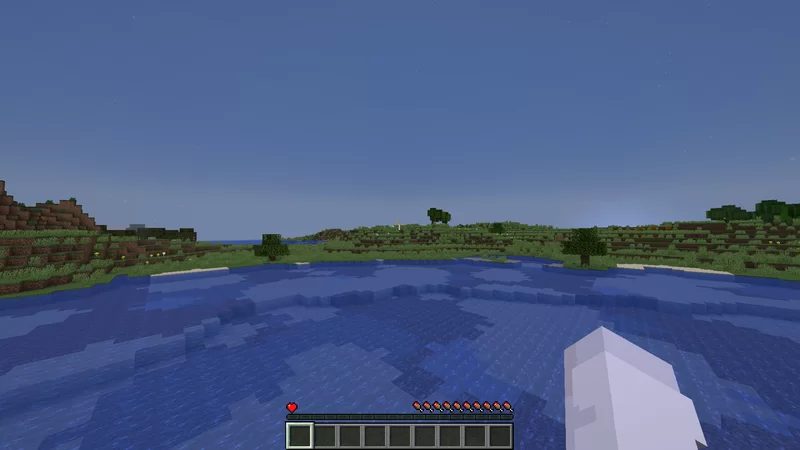
You may have to take one hit before you start taking damage, this is a Minecraft bug while using the attribute command.
• Hold down your Windows Key while pressing R
• Type %appdata% in the box and open the folder .minecraft
• Locate and open the saves folder
• Open the world file you want to add the datapack to
• Open the folder called datapacks and paste the datapack
Notes:
You may have to take one hit before you start taking damage, this is a Minecraft bug while using the attribute command.
More like this
 Minecraft Half Heart ChallengeMinecraft 1.19 Challenge Data Pack
 STM19
•1/16/23 8:18
5.7k 948 1x 1107
STM19
•1/16/23 8:18
5.7k 948 1x 1107 One Hit, One Heart (survival challenge)Minecraft 1.13 - 1.19 Challenge Data Pack
 ICrashedAServer
•7/19/22 3:13
4.1k 742 2x 152
ICrashedAServer
•7/19/22 3:13
4.1k 742 2x 152![Xurvivor [Hardcore Challenge Datapack] Minecraft Data Pack](https://static.planetminecraft.com/files/image/minecraft/data-pack/2021/406/14538334-pack_s.jpg) Xurvivor [Hardcore Challenge Datapack]Minecraft 1.16 - 1.17 Challenge Data Pack
Xurvivor [Hardcore Challenge Datapack]Minecraft 1.16 - 1.17 Challenge Data Pack Naarwhall
•6/18/21 12:11
3.7k 334 5x 11110
Naarwhall
•6/18/21 12:11
3.7k 334 5x 11110 Dog Challenge Management DatapackMinecraft 1.19 Challenge Data PackDamianTheArchen
•2/1/23 10:28
1.7k 12x 131
Dog Challenge Management DatapackMinecraft 1.19 Challenge Data PackDamianTheArchen
•2/1/23 10:28
1.7k 12x 131 ByKlexi's One Heart DatapackMinecraft 1.16 - 1.20 Challenge Data Pack
 ByKlexi
•8/13/23 1:35
948 105x 221
ByKlexi
•8/13/23 1:35
948 105x 221
5790956
119




 illi11





Have something to say?