


• • 8/24/25 2:44 pm • 4 logs
- 1.1k views • 1 today
- save_alt 48 downloads
- Compatibility
- Minecraft 1.21
- Changes include
Added CreditMC-Build Pre-compiler, mcstacker.net, misode'… info


3
Public Server (Season 1 - WIP)
Version: Snapshot 25w34b
Type: Vanilla (No plugins)
Rules: Only rule is no DDoSing of the server or players therein.
Periodically will push patches and versions given necessity.
Seed: 1010064720
IP: 209.133.199.198
🧪⇄ Anarchy 15000 (A15K)
A15K is a distance-based progression system for Minecraft that gates building freedom and scales hostile mobs based on how far you travel from spawn. Players drop exact experience levels in shards, and enchants can be ascended beyond vanilla caps.
Your player level determines how far you can roam — go too far without enough XP and you’re put into Adventure Mode. Designed for long-lived worlds with a growing risk–reward curve.
🌍 Level Progression
- Overworld: 1 required level per 120 blocks from spawn
- Nether: 1 required level per 15 blocks from spawn
- The End: Same scale as Overworld, but starts at level 15,000
Required Level (RL) is computed from your distance to (0,0,0) using the scale above.
💎 Experience Shards & XP Transfer
Player Deaths
- Above level 15, players drop XP Shards containing the exact XP points they had.
- Due to vanilla XP math/scoreboard limits, players over level 15,000 drop shards capped at 15,000 levels (1,010,064,720 points).
Mob Kills
- Hostile mobs drop XP Shards based on the local RL where they were killed → 15 XP points per RL
✨ Enchantment Ascension
Prereqs
- Have at least 1 level
- Hold an enchanted item in main hand (must have enchantments with level numerals like Unbreaking III; not just Mending or Multishot)
- Sneak on an Enchantment Table
Flow (per activation)
- Enchants are processed in order
- For a level x enchant, roll n = 2x² + 15
- Success: enchant +1 level
- Fail: no change - Each check consumes 1 level, success or fail
- Stops after all enchants are processed; item is lore-marked and can’t be ascended again
enchants.md🛡️ Hostile Mob Scaling
All scaling is driven by the Required Level (RL) at the mob’s spawn location.
Stats are applied once on the mob’s first tick (the mob gets the tag) and are not reapplied afterward — moving the mob won’t change its stats.
a15k_mob Multipliers:
A shared multiplicative bonus applies to these attributes using spawn RL:
- Armor
- Armor Toughness
- Attack Knockback
- Knockback Resistance
- Max Health
- Attack Damage
- Movement Speed
- Flying Speed
- Attack Speed
- Follow Range
base × (1 + (14 × RL / 15000))- RL 15,000 ⇒ 15× (+1400% of base)
- Overworld world border (~30,000,000 blocks ⇒ RL 250,000) ⇒ ~234×
- Nether world border (~30,000,000 blocks ⇒ RL 2,000,000) ⇒ ~1868×
Floors were removed. Attributes now scale purely by the multiplier above.
📊 Player UI & Commands
View Stats
/trigger a15k_stats Shows:
- Player Level, Total Points, Required Level, Distance (labels with hover tips)
- Mob Scaling: shown as percent over base (e.g., +1400.0% at RL 15,000). Hover lists affected attributes.
- At ≥ 15,000, Total Points shows a max shard warning
/trigger a15k_bar Toggles a compact HUD:
- Required Level
- Distance from spawn
4 Update Logs
Update #4 : by whamabam 08/24/2025 2:44:25 pmAugust 24, 2025 @ 6:44 pm UTC
Ascension roll changed to
- Removed mob floor attributes (e.g., armor/armor toughness, etc.).
- Mob scaling now reaches 15× at RL 15,000 and ~234× at the Overworld world border (~30,000,000 blocks).
- Stats trigger tellraw updated (cleaner header/colors; shows 15× curve as +1400% at 15,000).
- Reload tellraw restyled to match the stats theme.
2x² + 15 (was)x³ + 15 - Updated max levels for several enchants (moved the 2B caps under 255).- Removed mob floor attributes (e.g., armor/armor toughness, etc.).
- Mob scaling now reaches 15× at RL 15,000 and ~234× at the Overworld world border (~30,000,000 blocks).
- Stats trigger tellraw updated (cleaner header/colors; shows 15× curve as +1400% at 15,000).
- Reload tellraw restyled to match the stats theme.
LOAD MORE LOGS
More like this
 Soul Link (1.20 - 1.20.1, 1.21 - 26.1)Minecraft 1.20 - 1.21 Game Mechanic Data Pack
 GalSergey
1/12/25 7:30
• posted 9/1/22 5:31
10.1k 635 12x 32627
GalSergey
1/12/25 7:30
• posted 9/1/22 5:31
10.1k 635 12x 32627![Sniffers+ [23w07a] {Rideable Sniffer + Sniffer Saddles!} Minecraft Data Pack](https://static.planetminecraft.com/files/image/minecraft/data-pack/2023/140/16526045-fb-dcbb-e-a-afadfcb_s.jpg) Sniffers+ [23w07a] {Rideable Sniffer + Sniffer Saddles!}Minecraft 1.19 Mob Data Pack
Sniffers+ [23w07a] {Rideable Sniffer + Sniffer Saddles!}Minecraft 1.19 Mob Data Pack NotKaraKurt
2/21/23 9:25
• posted 2/19/23 7:31
7.4k 732 13x 3147
NotKaraKurt
2/21/23 9:25
• posted 2/19/23 7:31
7.4k 732 13x 3147![[New Crossbow Enchantment] - Repeating Minecraft Data Pack](https://static.planetminecraft.com/files/image/minecraft/data-pack/2022/977/16379108-banner_s.jpg) [New Crossbow Enchantment] - RepeatingMinecraft 1.19 Weapons and Armor Data Pack
[New Crossbow Enchantment] - RepeatingMinecraft 1.19 Weapons and Armor Data Pack SajNinja_PMC
•12/5/22 8:11
4.2k 231 2x 51920
SajNinja_PMC
•12/5/22 8:11
4.2k 231 2x 51920 Creeper Launcher ver.2Minecraft 1.17 Weapons and Armor Data Pack
 Sisyamo
•9/26/21 7:26
2.5k 209x 332
Sisyamo
•9/26/21 7:26
2.5k 209x 332![Magical[#1-Armor] v1 Minecraft Data Pack](https://static.planetminecraft.com/files/image/minecraft/data-pack/2024/368/17546540-screenshot_s.jpg) Magical[#1-Armor] v1Minecraft 1.20 Weapons and Armor Data Pack
Magical[#1-Armor] v1Minecraft 1.20 Weapons and Armor Data Pack Nonsense0909688
•2/14/24 10:39
1k 35x 334
Nonsense0909688
•2/14/24 10:39
1k 35x 334
6700372
119





 waffflelover






![Level=Block [26.2] Minecraft Data Pack](https://static.planetminecraft.com/files/image/minecraft/data-pack/2026/289/20095895_s.jpg)
 EpicBuilderHD
Have something to say?
Oo also how did you do the custom enchantments too, cause that was another thing I was looking at.
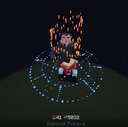
X=(1.0+0.25⋅sin(2π⋅3t))⋅cos(2π⋅2.25t)
Y=2.2⋅t
Z=(1.0+0.25⋅sin(2π⋅3t))⋅sin(2π⋅2.25t)
Therefore we get;
execute positioned ~ ~.25 ~ rotated as @s rotated ~ 0 run function a15k:fx/shard
function fx/shard
{REPEAT (Array(120).fill(0).map(function(_,i){return i;})) as i { # t=i/119; theta=2π*TURNS*t; r=R_BASE+R_WAVE*sin(2π*WAVE_CYCLES*t); y=HEIGHT*t particle minecraft:ominous_spawning ^<% ((1.0 + 0.25*Math.sin(2*Math.PI*3*(i/119))) * Math.cos(2*Math.PI*2.25*(i/119))).toFixed(3) %> ^<% (2.2*(i/119)).toFixed(3) %> ^<% ((1.0 + 0.25*Math.sin(2*Math.PI*3*(i/119))) * Math.sin(2*Math.PI*2.25*(i/119))).toFixed(3) %> 0 0 0 0.01 1 force}}
As far as the custom enchants are concerned, I am first creating an invisible armor stand and setting its mainhand item to the ascendable item.Then, I check and store the level of the enchants one at a time and roll a dice with n number sides as the enchant given this equation;x^3 + 15. For these functions I also used REPEAT in MC-B as I did not have to hard code the enchant list. Essentially, I just macro the enchant level probability into /random and if it is zero, we +1 the enchant, if its not, we move to the next enchant. The "rolls" are the total xp levels the player has at the time of ascension and each time the system checks an enchant and rolls the dice for the corresponding level, a roll in consumed regardless of the outcome. This iterates until there are no rolls left to consume and then I summmon some dirt and just data modify the components from the armor stand directly to the dirt, kill the armor stand, and reset the players points while playing the effects
Check the functions: a15k:ascend and the triggers in the player_tick that derive it for more on that.
All the files for the pack are pre-compiled within "src/a15k.mcb" except for the entity type tags list with the hostile mobs. It's all commented but as I make more changes I'll make a video explaining in detail my thought process in development and the server I am working on to run this pack. Stay tuned!
its cool that your using macros for enchanting cause i thought it was like a tagging system with data merging components to be applied directly to the player.
I found out that there is a particle website that creates particles just like your equation right there. This looks really cool!
I will have to keep the github repository in mind when updating some of my code :3
If you're using geometric patterns for particle effects and you understand javascript, I highly recommend using MC-B. Even if your not doing stuff with REPEAT, it is so nice to be able to define functions within other functions. Makes commenting and debugging a breeze.