


• • 6/12/22 3:28 am • 1 logs
- 8.8k views • 0 today
- save_alt 952 downloads
- Compatibility
- Minecraft 1.18
- to version
- Minecraft 1.20
- Changes include
- Advancements
- Functions
- Recipes
- 22
- 20
- 13

Required Resource Pack

3
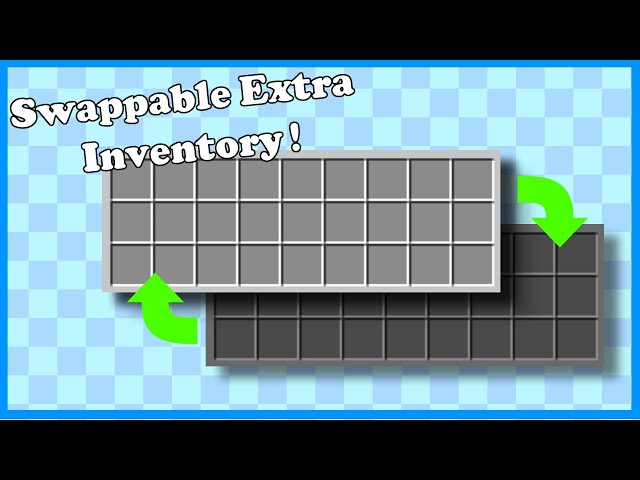
If you ever wanted more inventory in Minecraft. But don't want to use something as OP as bagpacks. This is the place to get it.
(Resource pack not required. But it adds a cool texture if you use it!)
Fully functioning extra inventory. Extensive testing was conducted, so there aren't any glitches. Safely allows you to swap between 2 Inventories.
This pack adds a new item called the "Inventory Crystal". To use it, hover over it in the inventory and drop it on the ground. Make sure to drop them one at a time.
(Resource pack not required. But it adds a cool texture if you use it!)
Fully functioning extra inventory. Extensive testing was conducted, so there aren't any glitches. Safely allows you to swap between 2 Inventories.
This pack adds a new item called the "Inventory Crystal". To use it, hover over it in the inventory and drop it on the ground. Make sure to drop them one at a time.
1 Update Logs
Updated with Resource Pack : by Eltons_Stuff 06/12/2022 3:28:25 amJune 12, 2022 @ 7:28 am UTC
Added a custom resource pack that changes the appearance of inventory crystals to something more fitting.
More like this
 Tank Data PackMinecraft 1.19 Game Mechanic Data Pack
 Dominexis
2/26/23 6:45
• posted 3/25/21 1:19
62.4k 16.2k 192x 2130120
Dominexis
2/26/23 6:45
• posted 3/25/21 1:19
62.4k 16.2k 192x 2130120 Autocrafting Data PackMinecraft 1.16 Game Mechanic Data Pack
 Hasenzahn1
8/22/20 3:18
• posted 7/16/20 12:12
20.2k 1.9k 58x 63338
Hasenzahn1
8/22/20 3:18
• posted 7/16/20 12:12
20.2k 1.9k 58x 63338 Chairs and Benches DatapackMinecraft 1.19 Game Mechanic Data Pack
 EvanFox
•3/26/23 3:36
1.8k 266 5x 51210
EvanFox
•3/26/23 3:36
1.8k 266 5x 51210![Pumpkin Spice [DataPack 1.19.2] Minecraft Data Pack](https://static.planetminecraft.com/files/image/minecraft/data-pack/2021/492/14992318-image_s.jpg) Pumpkin Spice [DataPack 1.19.2]Minecraft 1.15 - 1.19 Game Mechanic Data Packwalonia
•10/15/21 1:48
1.6k 84 1x 175
Pumpkin Spice [DataPack 1.19.2]Minecraft 1.15 - 1.19 Game Mechanic Data Packwalonia
•10/15/21 1:48
1.6k 84 1x 175
5597844
119











 orp888
 AhmedTurysta

Have something to say?
I'm assuming you didn't remap the "Drop Item" keybind, and it is q to drop items.
Are you using other datapacks along side it?
Please try the following.
run
/function ex_inv:debug/on_debug_msg
and then trying using the crystals.
Then try
/datapack disable "file/ex_inv"
and then
datapack enable "file/ex_inv" first
And try using the crystals again. If you could send screenshots or videos of you doing these, it will further aid me in helping you.
Also try running
/function ex_inv:debug/swap_inv
and see if the inventory gets swapped.
Click here for video
www.planetminecraft.com/data-pack/minecraft-inventory-shrink/