



• 8/15/19 7:03 pm
- 7.2k views • 0 today
- save_alt 296 downloads
- Compatibility
- Minecraft 1.14
- Changes include
- Functions


14
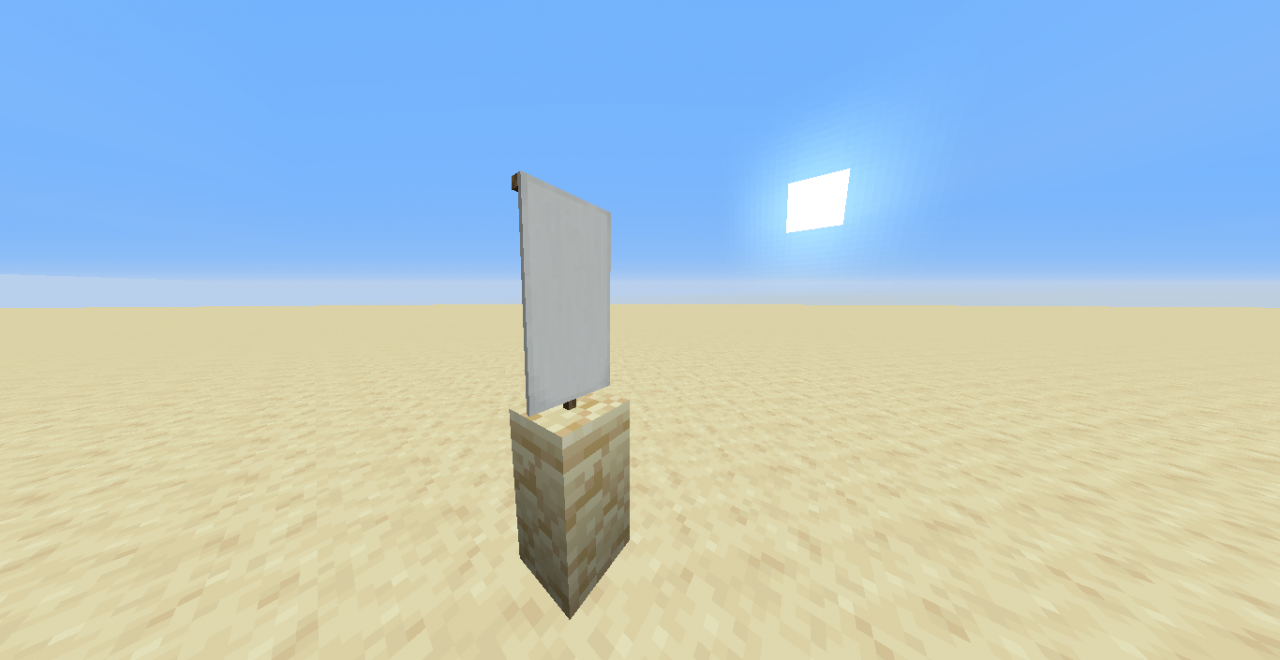
This data pack lets you place items for decoration.
How to use
To use this data pack type "/trigger ItemPlacement" in the chat. A menu will pop up in the chat open the chat to use it. To place an item hold the item you want to place in your hand and click the "Place Item" button in the chat. To manipulate the item you can use buttons underneath "MOVE:" and "ROTATE:". To remove an item click the "Remove Item" button in the chat. When you manipulate or delete items you do it with the item that is closest to you.
How to install
Write %appdata% in the top text bar in your file manager.
Find the .minecraft folder and open it.
Open the saves folder.
In there find the folder of the minecraft world you want this data pack in and open it.
Drag the downloaded zip file in the datapacks folder.
Find the .minecraft folder and open it.
Open the saves folder.
In there find the folder of the minecraft world you want this data pack in and open it.
Drag the downloaded zip file in the datapacks folder.
More like this

 OP ItemsMinecraft 1.17 Weapons and Armor Data Pack
 doctorduck2000
•11/5/21 9:25
5.7k 646 3x 1046
doctorduck2000
•11/5/21 9:25
5.7k 646 3x 1046 Magical ItemsMinecraft 1.16 Weapons and Armor Data Pack
 piercecco
9/1/20 1:03
• posted 8/31/20 8:41
3.1k 151 5x 124
piercecco
9/1/20 1:03
• posted 8/31/20 8:41
3.1k 151 5x 124
 No Illegal ItemsMinecraft 1.13 - 1.20 Server Utility Data Pack
 Netherverse
•8/17/23 11:51
1.4k 61 3x 142
Netherverse
•8/17/23 11:51
1.4k 61 3x 142
 TPG1145
4376762
119






 Korbin12_27
 Myyoyo



 Monteroshi
 IVCYKTR

![274: DP End credits - Updated [Minecraft Datapack Tutorials] Minecraft Data Pack](https://static.planetminecraft.com/files/image/minecraft/data-pack/2026/985/20085973-thumbnail_s.jpg)
 InfernalDevice
Have something to say?
gives the player the book to have all the functions. thank you. Awesome datapack though!
Edit: How will it know what item you want to place if you have the book in your hand?