


• • 9/24/26 1:11 pm • 14 logs
- 1.8k views • 31 today
- save_alt 433 downloads • 7 today
- Compatibility
- Minecraft 1.21
- to version
- Minecraft 26.2
- Changes include
- Functions



48
Render Distance+
1.21.6-26.2
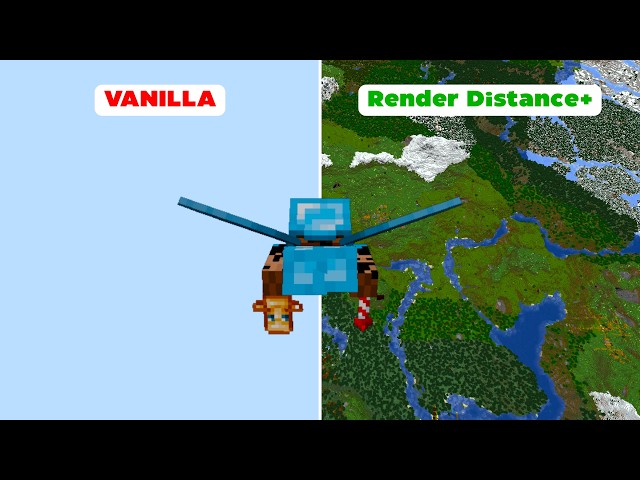
Render Distance+ is a powerful Minecraft datapack that completely overhauls the default render distance by leveraging the power of Voxy and Chunky. This datapack 100% automates the Chunky chunk loading workflow, saving you a lot of continuous command inputs.
- Fully customizable directly in-game
- Performance-friendly background loading
- Requires no high-end hardware to run efficiently
- Works seamlessly on Survival & Hardcore without enabling cheats
- User-Friendly GUI designed for effortless configuration
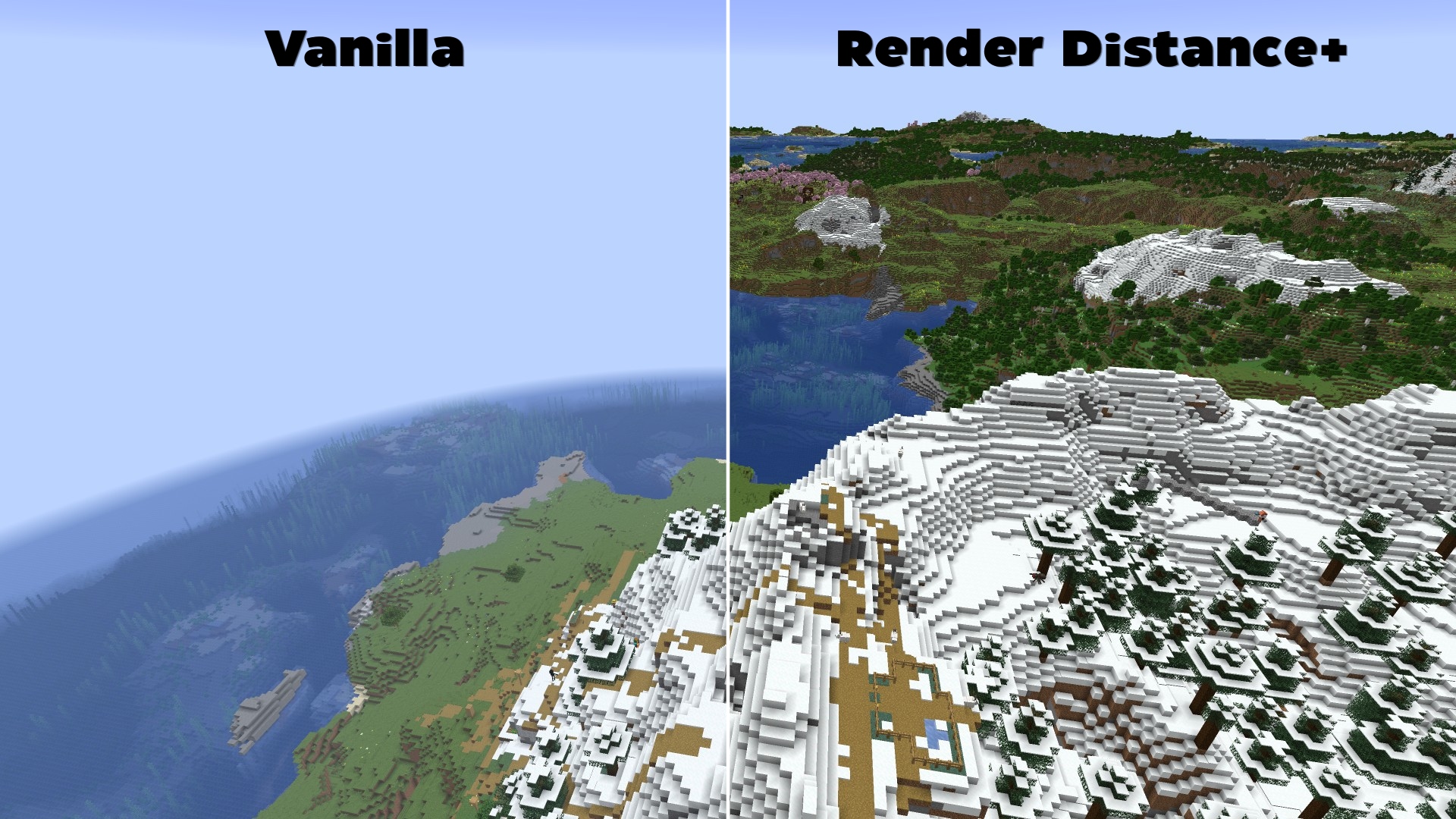
Features & Why Render Distance+ is Essential
To get the absolute most out of Voxy's rendering engine, users normally need to manually configure Chunky to pre-load chunks. Traditionally, this is a tedious and complex process involving multiple terminal commands, radius calculations, and constant server/world reloading.
Render Distance+ solves this problem entirely:
- 100% Automated Background Loading: The datapack dynamically handles all the heavy Chunky commands in the background while the player explores the world.
- Full Dimension Support: Works automatically across all vanilla dimensions (The Overworld, The Nether, and The End).
- In-Game Settings GUI: No need to edit config files. Change your generation speed, maximum target distance, and toggle features directly via an intuitive in-game interactive chat GUI.
📥How to Install Render Distance+
Before installing, ensure you have both the Voxy and Chunky mods installed in your modpack.- Download the Versions.zip file.
- Extract the file and open it.
- Chose your Minecraft Version.
- When creating a new world in Minecraft, click on the Datapacks tab.
- Drag and drop your chosen file into the menu, move it to the selected column, and create your world.
How to install this datapack on an existing world?
- Select your world in the Minecraft singleplayer menu and click on Edit.
- Click on Open World Folder and navigate to the datapacks folder.
- Copy your chosen Version directly into this folder.
- Join your world and type /reload to initialize the system.
How to Check if Render Distance+ is Installed Correctly
Once inside your world, open the chat and type: /reloadIf the installation was successful, a custom text-based configuration GUI will immediately pop up in your chat, allowing you to begin your automated chunk-loading setup.
Requirements (Mods)
- Chunky (Required for background generation)
- Voxy (Required for high render distances)
- Sodium (Required by Voxy)
🐛How to Report Issues
Please use the Issue Tracker or go to github.com/Kletterstein92/Render-Distance-Plus/issues to report any bugs or other errors14 Update Logs
1.1.0 : by Kletterstein 09/24/2026 1:11:54 pmSeptember 24 @ 5:11 pm UTC
GUI/New Features
A brand new page got added. This new page includes six new features: Report Issue on GitHub, Enable/Disable the new debug log, Enable/Disable debug log, and go back to the previous page.
The first page got overhauled. You can now so more key informations by hovering over texts.
Bug Fixes
The debug scoreboard did reset after disabling // Status: Closed!
Fixed some multiplayer issues in the code.
LOAD MORE LOGS
More like this
 Merge XP OrbsMinecraft 1.13 - 1.20 Quality of Life Data Pack
 EstebanZD
•4/23/22 9:33
10.5k 2k 2x 2911
EstebanZD
•4/23/22 9:33
10.5k 2k 2x 2911 Custom Paintings (Includes Animated Paintings)Minecraft 1.21 Quality of Life Data Pack
 BelgieYT
•5/28/24 12:08
6.1k 588 6x 11616
BelgieYT
•5/28/24 12:08
6.1k 588 6x 11616 Simple Short Distance TeleportersMinecraft 1.20 Quality of Life Data Pack
 CreepermeYT
•12/18/23 7:34
1.6k 104x 177
CreepermeYT
•12/18/23 7:34
1.6k 104x 177 Calculate distance (26.2)Minecraft 1.21 - 26.2 Quality of Life Data Pack
 FendtFanFahrer
2/7/26 6:38
• posted 2/1/26 10:18
359 24x 243
FendtFanFahrer
2/7/26 6:38
• posted 2/1/26 10:18
359 24x 243 Simple Animal Pens 1.21.11 - 26.3+Minecraft 1.21 - 26.3 snapshot Quality of Life Data Pack
 dvirov
•12/20/25 1:00
364 18x 222
dvirov
•12/20/25 1:00
364 18x 222
7015216
119






 CoJeMC






 orp888

 MoonDogg750
 ThebloodbeastMC
 BoterBramKroket
Have something to say?
Cool data pack!
My tip: Start with 250 and see how high you can go. If it still lags even at 250, you can lower the render distance using the trigger. But I've made every effort to make the data pack as performance-friendly as possible so that it also runs on less powerful computers.