



• 5/9/12 9:59 am
- 1.7k views • 0 today
- save_alt 97 downloads
- Game Version
- Minecraft 1.2.5
- Progress
- 85% complete


5
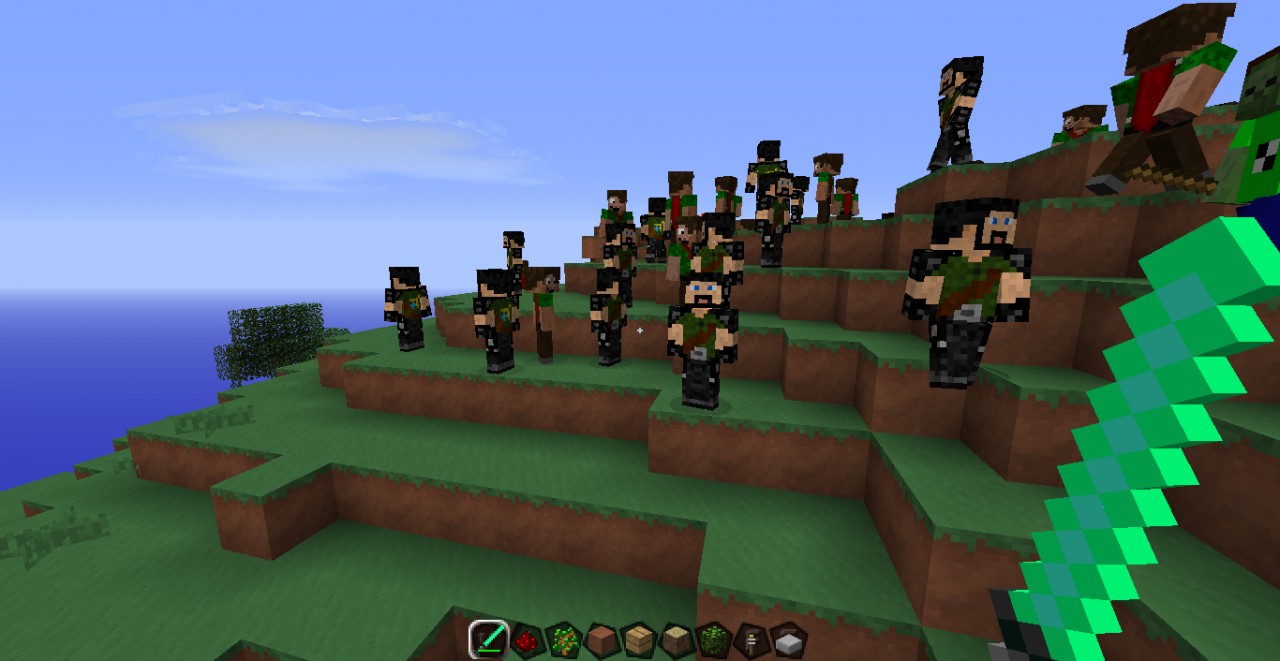
my new mod!
installation tutorial
1.locate minecraft.jar
2.open with archiving program
3.delete meta-inf
4.open modloader
5.open DTSskinmod
6.drag contents of modloader into minecraft.jar
7.in your DTSskinmod zip file open up the folder of the mob you want
8.drag contents of that folder into minecraft.jar
give a diamond for more! :)
and look the wedsite www.dts.n.nu
youtube--->http://www.youtube.com/user/stoffeDTS?feature=g-all-c
installation tutorial
1.locate minecraft.jar
2.open with archiving program
3.delete meta-inf
4.open modloader
5.open DTSskinmod
6.drag contents of modloader into minecraft.jar
7.in your DTSskinmod zip file open up the folder of the mob you want
8.drag contents of that folder into minecraft.jar
give a diamond for more! :)
and look the wedsite www.dts.n.nu
youtube--->http://www.youtube.com/user/stoffeDTS?feature=g-all-c
More like this
 Minecraftlover's Mod (ModLoader)Minecraft 1.5 Aesthetic Mod
 minecraftlover402
•3/28/13 5:00
9k 1k 5x 111
minecraftlover402
•3/28/13 5:00
9k 1k 5x 111


 pfrog20
 mattia54
868328
7


 Aedan5
 SeattleBones







 DollEyedNurse

 XavierTomasino
 IAmARandom
Have something to say?