

• 2/24/26 9:39 am
- 383 views • 2 today
- save_alt 0 downloads
- Game Version
- Minecraft 1.21.11
- Progress
- 100% complete

5

ShowCase
How to use
Crafting
Click to reveal
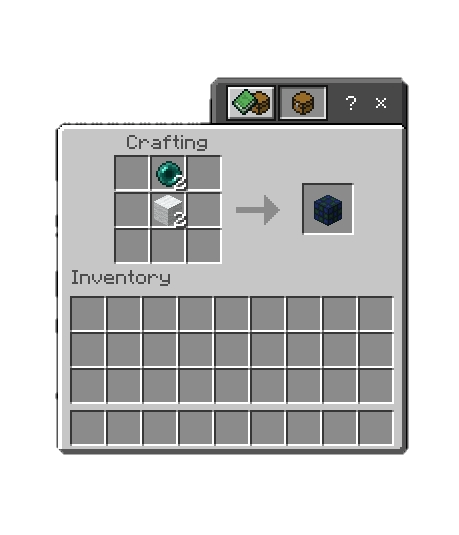
Creating elevator
Click to reveal
place two elevator blocks and click on each of them, Menu will appear put the name of your elevator then Sneak to go lower, Jump to go higher
Main Menu
Click to reveal
Sneak + Click on one of elevator blocks to open Main menu
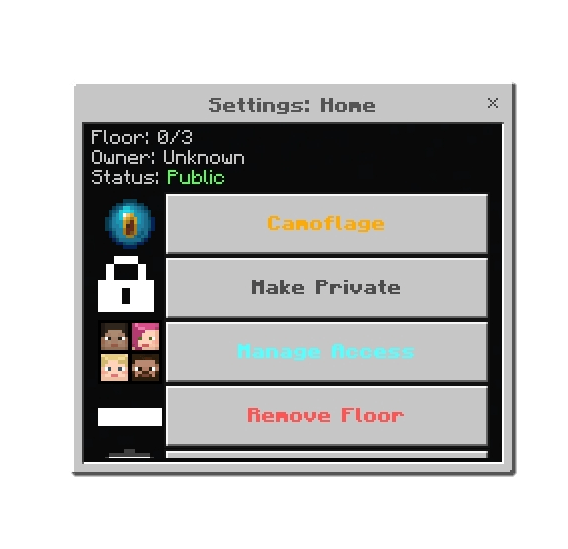
You can add more floors by selecting an elevator block to an existing elevator
CamoFlage
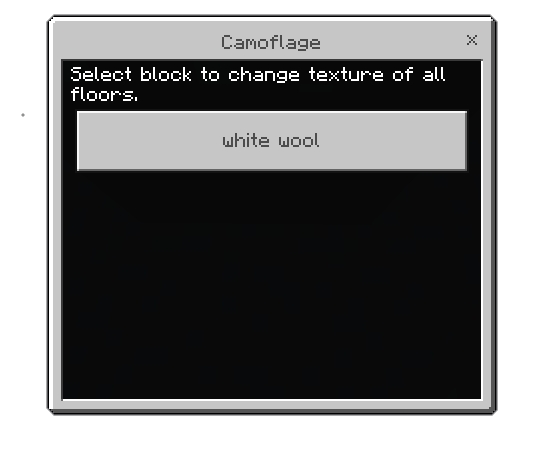
You can change the texture of the elevator block by selecting the block in your inventory
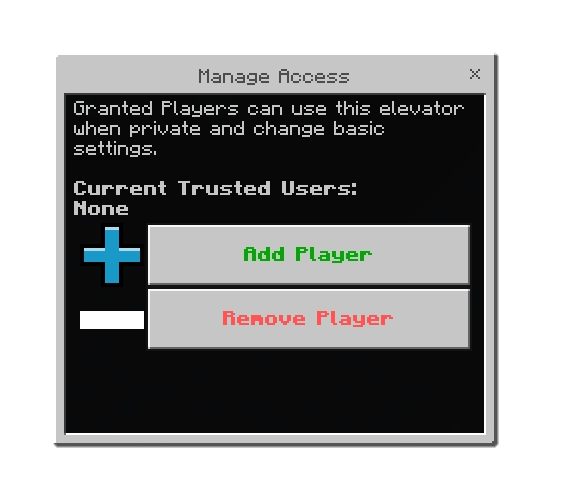
Through the Menu you can also change elevator to public, give access to other players, and delete the elevator
Admin Panel
There is no admin panel but if you have an admin tag you can use/control/delete any elevator in the world/server
Support
If you had any problem with the addon you can join our discord server
More like this
![[1.7.3] Camouflage Mod v1.3 Minecraft Mod](https://static.planetminecraft.com/files/resource_media/screenshot/1129/Red Glass_208459_thumb.jpg) [1.7.3] Camouflage Mod v1.3Minecraft 1.7 beta Functional Mod
[1.7.3] Camouflage Mod v1.3Minecraft 1.7 beta Functional Mod sor1n
•7/22/11 2:27
15.7k 1.7k 24x 2126
sor1n
•7/22/11 2:27
15.7k 1.7k 24x 2126 XDispenser by r3dkevin25 and RyanV97Minecraft 1.5 beta Functional Mod
 RyanV97
•5/4/11 2:24
9.7k 331 752
RyanV97
•5/4/11 2:24
9.7k 331 752![[1.7.3] TorchCraft V1.0 Minecraft Mod](https://static.planetminecraft.com/files/resource_media/screenshot/1127/TorchCraft_158370_thumb.jpg)
 Gunpowder+ (V1.3.2)Minecraft 1.12.2 Functional Mod
 LuanRedjeans
3/7/23 9:45
• posted 3/4/22 1:20
3.2k 134x 862
LuanRedjeans
3/7/23 9:45
• posted 3/4/22 1:20
3.2k 134x 862 Delicious Mod v. 1.3Minecraft 1.2.5 Functional Mod
 Sylwek150c
7/30/12 1:36
• posted 7/24/12 9:00
3k 243 8x 171
Sylwek150c
7/30/12 1:36
• posted 7/24/12 9:00
3k 243 8x 171
 bsmithies
6864563
7





 adminwolf99
 Two-Bird
 ASoldVinylRecord
 IllusorBobrik


 Hardmuscle
 MidasVertex



Have something to say?