
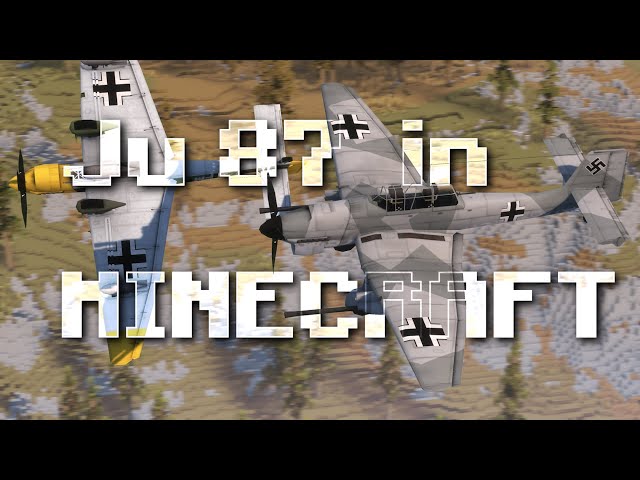


• 1/17/26 12:42 am
- 642 views • 1 today
- save_alt 143 downloads
- Game Version
- Minecraft 1.7.10
- Progress
- 90% complete

479
NOTE: The BK 37 should be on the Ju 87 G, not the Ju 87 B-2, but I didn't have time to rearrange the model and texture to turn it into a Ju 87 G, but I wanted to add the BK 37, maybe in the future I'll make the Ju 87 G-2.

PAINTINGS


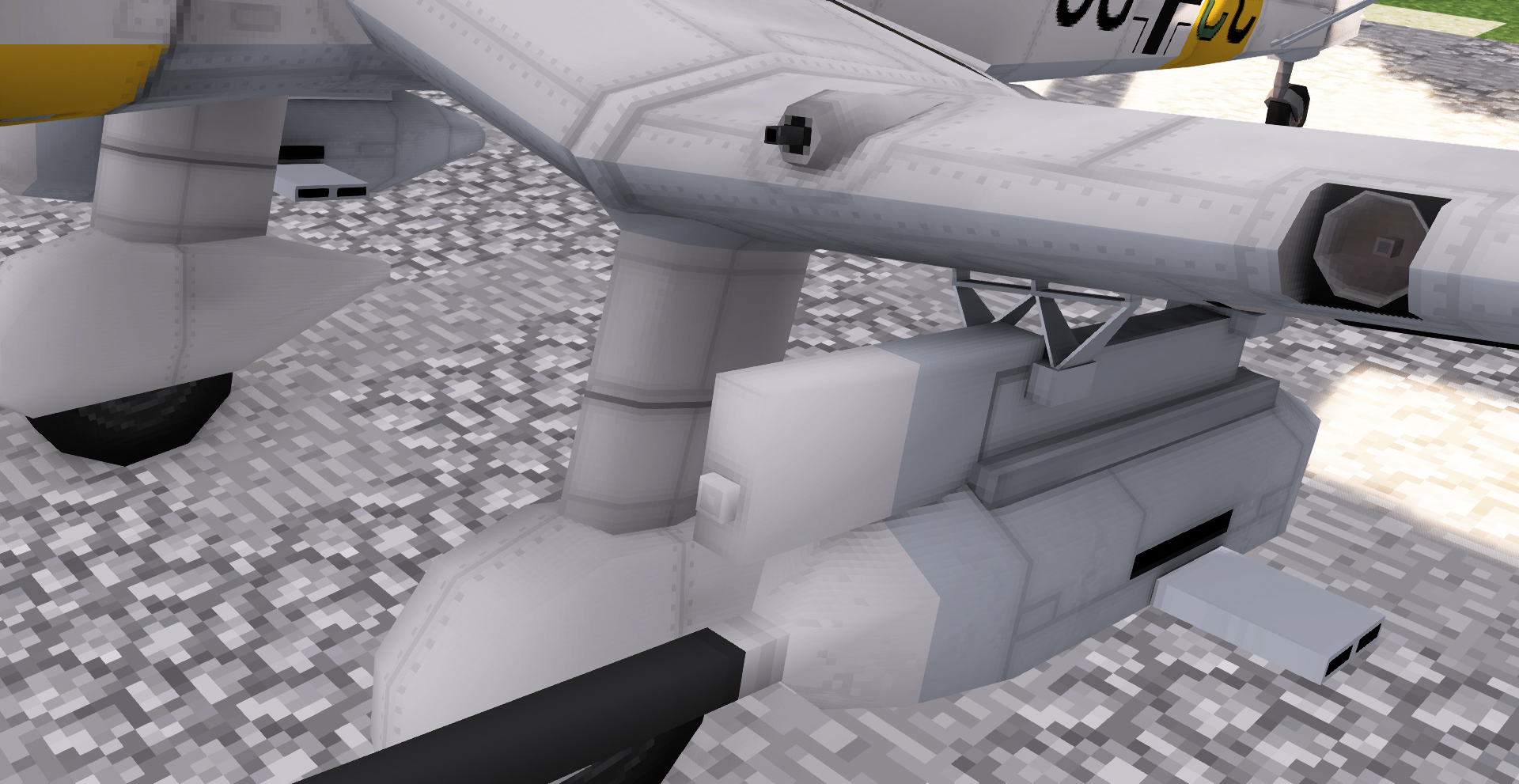
ARMAMENT
2 MG 17 - 7,92 mm Machine gun
1 SC 500 - Free-fall bomb (with airburst capability)
2 SC 250 - Free-fall bomb (with airburst capability)
2 BK 37 - 37 mm cannon
1 MG 15 - 7.92 mm machine gun (For the rear gunner)
(It has a second replenishment for gameplay reasons)




INSTALLATION [1.7.10]
To use this extra content you must first have the mcheli mod (MC Helicopter mod) installed. Installing it is easy.
How to install mcheli (MC Helicopter mod 1.7.10):
1. Download the compressed folder "MC1.7.10_mcheli_1.0.4" from the following link:
drive.google.com/drive/u/0/folders/0B3bqAThdt2qiWlhWNm5MUDhvTmc?resourcekey=0-bDBllpEZc41q9hp2dyXMrw
2. Move the "mcheli" folder (it is inside the compressed folder) to your "mods" folder.
Done, up to here you already have the mcheli 1.7.10.
To install the package in 1.7.10:
1.Download the package by clicking on "Download mod", the package is in a compressed folder.
2.Move the "mcheli" folder (Inside the folder of the variant you chose) to the "mods" folder.
The package will automatically be added to the mod.
Done.
INSTALLATION [1.12.2]
You need to install first the mcheli port for 1.12.2 developed by Murachiki27
1. Download the latest version
https://x.com/mcheliext/status/1780291943651778817
2. Move the downloaded mod to your "mods" folder.
Done, up to here you already have the mcheli 1.12.2.
(It is still in beta, so there are still notable bugs)
To install the package in 1.12.2:
1. Download the package by clicking on "Download mod", the package is in a compressed folder.
2. In your ".minecraft" folder (you can locate with "Windows + R" and searching for "%appdata%") create a folder "mcheli_addons"
3. Open the .zip file you downloaded
4. Move the "mcheli" folder inside to the new "mcheli_addons" folder
5. Rename "mcheli" to "Su-35"
Done.

PAINTINGS
ARMAMENT
2 MG 17 - 7,92 mm Machine gun
1 SC 500 - Free-fall bomb (with airburst capability)
2 SC 250 - Free-fall bomb (with airburst capability)
2 BK 37 - 37 mm cannon
1 MG 15 - 7.92 mm machine gun (For the rear gunner)
(It has a second replenishment for gameplay reasons)
Images from other angles
Cockpit
INSTALLATION [1.7.10]
To use this extra content you must first have the mcheli mod (MC Helicopter mod) installed. Installing it is easy.
How to install mcheli (MC Helicopter mod 1.7.10):
1. Download the compressed folder "MC1.7.10_mcheli_1.0.4" from the following link:
drive.google.com/drive/u/0/folders/0B3bqAThdt2qiWlhWNm5MUDhvTmc?resourcekey=0-bDBllpEZc41q9hp2dyXMrw
2. Move the "mcheli" folder (it is inside the compressed folder) to your "mods" folder.
Done, up to here you already have the mcheli 1.7.10.
To install the package in 1.7.10:
1.Download the package by clicking on "Download mod", the package is in a compressed folder.
2.Move the "mcheli" folder (Inside the folder of the variant you chose) to the "mods" folder.
The package will automatically be added to the mod.
Done.
INSTALLATION [1.12.2]
You need to install first the mcheli port for 1.12.2 developed by Murachiki27
1. Download the latest version
https://x.com/mcheliext/status/1780291943651778817
2. Move the downloaded mod to your "mods" folder.
Done, up to here you already have the mcheli 1.12.2.
(It is still in beta, so there are still notable bugs)
To install the package in 1.12.2:
1. Download the package by clicking on "Download mod", the package is in a compressed folder.
2. In your ".minecraft" folder (you can locate with "Windows + R" and searching for "%appdata%") create a folder "mcheli_addons"
3. Open the .zip file you downloaded
4. Move the "mcheli" folder inside to the new "mcheli_addons" folder
5. Rename "mcheli" to "Su-35"
Done.
More like this
 Stairs | MCHeli ContentMinecraft 1.7.10 New Content Mod
 ATOM_14A
7/2/22 12:53
• posted 7/31/20 4:03
16.4k 4.4k 23x 94144
ATOM_14A
7/2/22 12:53
• posted 7/31/20 4:03
16.4k 4.4k 23x 94144 Mcheli Junker Ju 87 "Stuka"Minecraft 1.7.10 New Content Mod
 Mr_Iron_Golum
•6/16/22 11:48
8.3k 1.9k 9x 11319
Mr_Iron_Golum
•6/16/22 11:48
8.3k 1.9k 9x 11319 T-72B3 "Veteran" | MCHeli ContentMinecraft 1.7.10 New Content Mod
 RitPennachio
•8/8/23 4:44
4.4k 990 5x 31413
RitPennachio
•8/8/23 4:44
4.4k 990 5x 31413 Strf 9040B | MCHeli ContentMinecraft 1.7.10 New Content ModRitPennachio
•8/8/23 4:44
2.4k 561 1x 21613
Strf 9040B | MCHeli ContentMinecraft 1.7.10 New Content ModRitPennachio
•8/8/23 4:44
2.4k 561 1x 21613 Target Drone | MCHeli ContentMinecraft 1.7.10 New Content ModATOM_14A
•1/17/26 12:42
806 146 5x 1044
Target Drone | MCHeli ContentMinecraft 1.7.10 New Content ModATOM_14A
•1/17/26 12:42
806 146 5x 1044
6827700
7







 Mortality SMP



 Luquicio
 Taso54
![Runic Curiosities [Magic & Items] Minecraft Mod](https://static.planetminecraft.com/files/image/minecraft/mod/2026/073/20092168-icon_s.jpg)
 SavistarIT

Have something to say?