



• 6/5/13 5:28 pm
- 794 views • 0 today
- save_alt 67 downloads
- Progress
- 100% complete


8
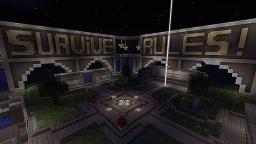
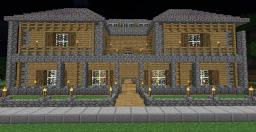
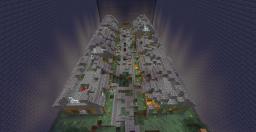
Hey guys yet another project from me this time it is a mob arena that took about 2 days to build its a destroyed town that has been infected by monsters and you have to defend your town from them. this is used with the plugin mob arena or you can add spawners and dont have to use the plugin the choice is all yours. It also includes a built in shop for players to buy stuff. (If using the plugin make sure they spawn in the helicopter)
Remember to diamond for more projects!
Add The Schematic To Your Minecraft Hosted Server:
> Go to your server control panel (This Tutorial Uses The Multicraft Control Panel)
> Go to files | FTP File access
> Type in your password
> Find the plugins folder and click on it
> Find a folder named "WorldEdit"
> Find another folder inside "WorldEdit" called "Schematics" (If the folder is not in there log onto your server and select a random structure and type "//Schematic Save "
> Than go back into your "WorldEdit" folder and by the left hand side there should be an option to "Upload" Click on that and it will take you to a screen that has two options; Files To Upload | Archives To Upload And Unpack. Under "Files To Upload click Browse, Than find your .Schematic file and double click on that. Than it will take you back to that screen. Once there press Upload and your file should be uploaded in the next 30 seconds (60 seconds at the most)
> Than ingame type "//Schematic load MiniGamesHub" And than type "//Paste" (You might have to reload, or restart your server before you go through the pasting process)
Enjoy :)
Add The Schematic To Your Port Forwarded Server:
> Look in your Plugins folder and find a folder called "WorldEdit"
> Go inside that folder and find another folder called "Schematics" (If the folder is not in there log onto your server and select a random structure and type "//Schematic Save " Than go back into your "WorldEdit" folder and simply drag the ".Schematic" file into your schematic folder. Than ingame type "//Schematic load MiniGamesHub" And than type "//Paste" (You might have to reload, or restart your server before you go through the pasting process)
Enjoy :)
Remember to diamond for more projects!
Add The Schematic To Your Minecraft Hosted Server:
> Go to your server control panel (This Tutorial Uses The Multicraft Control Panel)
> Go to files | FTP File access
> Type in your password
> Find the plugins folder and click on it
> Find a folder named "WorldEdit"
> Find another folder inside "WorldEdit" called "Schematics" (If the folder is not in there log onto your server and select a random structure and type "//Schematic Save "
> Than go back into your "WorldEdit" folder and by the left hand side there should be an option to "Upload" Click on that and it will take you to a screen that has two options; Files To Upload | Archives To Upload And Unpack. Under "Files To Upload click Browse, Than find your .Schematic file and double click on that. Than it will take you back to that screen. Once there press Upload and your file should be uploaded in the next 30 seconds (60 seconds at the most)
> Than ingame type "//Schematic load MiniGamesHub" And than type "//Paste" (You might have to reload, or restart your server before you go through the pasting process)
Enjoy :)
Add The Schematic To Your Port Forwarded Server:
> Look in your Plugins folder and find a folder called "WorldEdit"
> Go inside that folder and find another folder called "Schematics" (If the folder is not in there log onto your server and select a random structure and type "//Schematic Save " Than go back into your "WorldEdit" folder and simply drag the ".Schematic" file into your schematic folder. Than ingame type "//Schematic load MiniGamesHub" And than type "//Paste" (You might have to reload, or restart your server before you go through the pasting process)
Enjoy :)
More like this


 monstrus
 agf543whgr
 JoelCohen
2203027
2


 AirFish Studio


 User5498372G

 Alex_Mindy_Studios


 Sinhn
Sinhn
 MineDesigns
 Wet
Wet
 MrLionUS
 Finch_10
Have something to say?