





8
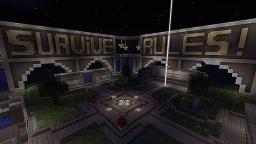
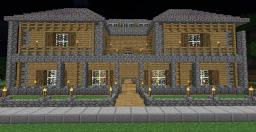
Maximum-Craft server spawn. This spawn is an AMAZING spawn using multiverse portals. it has different things at spawn including, Portals, a jail, rules, Donation info, staff ranks, And much more!. This spawn was built by the owner kai4502. [WARNING] If you use this spawn please give all credit to kai4502 and let me see how you used the spawn on your server. :) Thanks Remember to diamond!.
Add The Schematic To Your Minecraft Hosted Server:
> Go to your server control panel (This Tutorial Uses The Multicraft Control Panel)
> Go to files | FTP File access
> Type in your password
> Find the plugins folder and click on it
> Find a folder named "WorldEdit"
> Find another folder inside "WorldEdit" called "Schematics" (If the folder is not in there log onto your server and select a random structure and type "//Schematic Save "
> Than go back into your "WorldEdit" folder and by the left hand side there should be an option to "Upload" Click on that and it will take you to a screen that has two options; Files To Upload | Archives To Upload And Unpack. Under "Files To Upload click Browse, Than find your .Schematic file and double click on that. Than it will take you back to that screen. Once there press Upload and your file should be uploaded in the next 30 seconds (60 seconds at the most)
> Than ingame type "//Schematic load MiniGamesHub" And than type "//Paste" (You might have to reload, or restart your server before you go through the pasting process)
Enjoy :)
Add The Schematic To Your Port Forwarded Server:
> Look in your Plugins folder and find a folder called "WorldEdit"
> Go inside that folder and find another folder called "Schematics" (If the folder is not in there log onto your server and select a random structure and type "//Schematic Save " Than go back into your "WorldEdit" folder and simply drag the ".Schematic" file into your schematic folder. Than ingame type "//Schematic load MiniGamesHub" And than type "//Paste" (You might have to reload, or restart your server before you go through the pasting process)
Enjoy :)
Add The Schematic To Your Minecraft Hosted Server:
> Go to your server control panel (This Tutorial Uses The Multicraft Control Panel)
> Go to files | FTP File access
> Type in your password
> Find the plugins folder and click on it
> Find a folder named "WorldEdit"
> Find another folder inside "WorldEdit" called "Schematics" (If the folder is not in there log onto your server and select a random structure and type "//Schematic Save "
> Than go back into your "WorldEdit" folder and by the left hand side there should be an option to "Upload" Click on that and it will take you to a screen that has two options; Files To Upload | Archives To Upload And Unpack. Under "Files To Upload click Browse, Than find your .Schematic file and double click on that. Than it will take you back to that screen. Once there press Upload and your file should be uploaded in the next 30 seconds (60 seconds at the most)
> Than ingame type "//Schematic load MiniGamesHub" And than type "//Paste" (You might have to reload, or restart your server before you go through the pasting process)
Enjoy :)
Add The Schematic To Your Port Forwarded Server:
> Look in your Plugins folder and find a folder called "WorldEdit"
> Go inside that folder and find another folder called "Schematics" (If the folder is not in there log onto your server and select a random structure and type "//Schematic Save " Than go back into your "WorldEdit" folder and simply drag the ".Schematic" file into your schematic folder. Than ingame type "//Schematic load MiniGamesHub" And than type "//Paste" (You might have to reload, or restart your server before you go through the pasting process)
Enjoy :)
Additional Notes
BEST SPAWN EVER1 Update Logs
Update #1 : by thelegacyproject 08/07/2013 4:14:20 pmAugust 7, 2013 @ 8:14 pm UTC
Updated server ip
More like this


 K I F F
2139443
2





 AirFish Studio






 DreamWanderer
 CraftyFoxe
 IXFYADX
 Kirbycope
 MazaVili
Have something to say?
Submission Rules