


11
As a kid, I always wanted to build and solve a maze inside Minecraft. The block-ish feeling that I got from the game was perfect, in my opinion, for having hedge mazes. And so I started building, again and again, but never coming to an end, always stopping before completion. It was simply too much work. Worry no more!
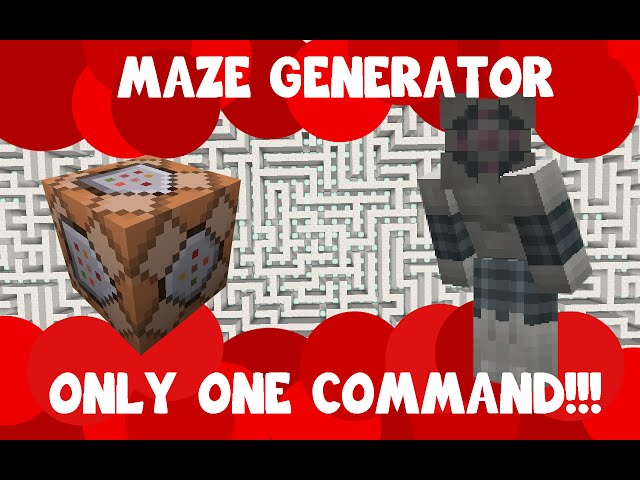
With this command block contraption, you will be able to generate random mazes inside Minecraft! It's as simple as this:
- Take a command block (type /give @p command_block in chat to get it)
- Paste the text at this link into the command block interface
- Use a redstone block to power it!
- Have fun! A-MAZING!
NOTICE: This contraption uses the new 1.9 mechanics and will only work in the current snapshots. Make sure your MC version is the right one :D
The main features are:
- Ability to choose the size of the maze
- Possibility to use a custom shaped grid to generate the maze
- Neat user interface to help you out!
If you are in doubt on how to use the contraption, check the YouTube video attached to this project!
For more info, you can see a more in depth description on my website
TRIVIA: The command itself is more than 20000 characters long!
UPDATE: added a demo world, where you can see a huge 150x150 maze generated with the contraption, and cleaned the code a bit. Not it runs a bit smoother and faster, especially on older computers!
With this command block contraption, you will be able to generate random mazes inside Minecraft! It's as simple as this:
- Take a command block (type /give @p command_block in chat to get it)
- Paste the text at this link into the command block interface
- Use a redstone block to power it!
- Have fun! A-MAZING!
NOTICE: This contraption uses the new 1.9 mechanics and will only work in the current snapshots. Make sure your MC version is the right one :D
The main features are:
- Ability to choose the size of the maze
- Possibility to use a custom shaped grid to generate the maze
- Neat user interface to help you out!
If you are in doubt on how to use the contraption, check the YouTube video attached to this project!
For more info, you can see a more in depth description on my website
TRIVIA: The command itself is more than 20000 characters long!
UPDATE: added a demo world, where you can see a huge 150x150 maze generated with the contraption, and cleaned the code a bit. Not it runs a bit smoother and faster, especially on older computers!
2 Update Logs
Update #2 : by Aschie4589 04/23/2016 6:26:16 pmApril 23, 2016 @ 10:26 pm UTC
Updated again the code so it works for Minecraft 1.9/1.9.2
Added a link to my website for more info
Added a link to my website for more info
LOAD MORE LOGS
More like this
 Dungeon Generator in one only command! | Random dungeons!Redstone Device Map
 IJAMinecraft
•6/26/15 2:06
16.4k 35x 43210
IJAMinecraft
•6/26/15 2:06
16.4k 35x 43210 Random Maze GeneratorRedstone Device Map
 CARTech_Mc
7/28/16 5:38
• posted 8/16/15 9:32
9k 860 23x 42114
CARTech_Mc
7/28/16 5:38
• posted 8/16/15 9:32
9k 860 23x 42114
 Thirst using only One Command!!!Redstone Device Map
 MidnightLupaz
•6/30/15 12:13
2.4k 321 3x 262
MidnightLupaz
•6/30/15 12:13
2.4k 321 3x 262
 Mazesycx
 X_119
X_1193556680
2





 Korin2026
 FreeRun4iK


Have something to say?
but you'll have to follow the link to the website, where the new code is!
Interesting code you have there. What language is that? Is it plain old Java?
How long will it typically take to generate the maze once the code has been entered into the command block?
Yes, it will work in 1.10. You can check out my website, where I explain a bit better which versions you can use this code in...
As for the language: I'm just using the normal commands you can use in Minecraft, just a bigger and nicer one :) all statements and instructions are nested inside only one command, and so you can install it quickly!
Keep up the Good Work!
-AeroCryptik
P.S. Is it possible you can make it to where you can spawn something in the swap between a few choices of building Material