


• 2/1/23 11:03 am
- 1.2k views • 0 today
- save_alt 119 downloads
- Progress
- 100% complete

11
Redstone benchmark
by
37Meliodas
Hello everyone,
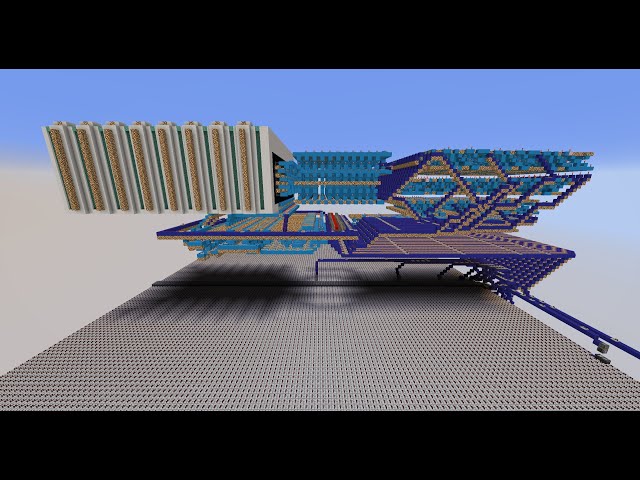
With this machine you can measure the performance of your computer. The more points you get to keep around 20 TPS, the better.
And this is how the machine works.
With the lever you can turn on the machine. Shortly thereafter, one of the 16 lamps lights up at the front of the display, showing you how many points you want to go up or down. You can use the left and right arrows to increase or decrease the value. With the forward arrow you can add the value to your points or with the backward arrow you can subtract the value. The display shows you which value is currently active.
The higher the value, the harder your PC or server has to work. Increase the value by a few points. Then you can measure your TPS with /debug start and after a while with /debug stop. If you have 20 TPS you can add a few points, if you have less than 20 TPS you have to deduct a few points. The goal is to get as many points at 20 TPS as possible.
TIP:
Don't go up too many points at once.
The more programs are active on your PC, the worse for your points.
If the TPS are too volatile you will need to take multiple readings to make sure what your actual reading is.
Have fun with the record hunt
by
37Meliodas
Hello everyone,
With this machine you can measure the performance of your computer. The more points you get to keep around 20 TPS, the better.
And this is how the machine works.
With the lever you can turn on the machine. Shortly thereafter, one of the 16 lamps lights up at the front of the display, showing you how many points you want to go up or down. You can use the left and right arrows to increase or decrease the value. With the forward arrow you can add the value to your points or with the backward arrow you can subtract the value. The display shows you which value is currently active.
The higher the value, the harder your PC or server has to work. Increase the value by a few points. Then you can measure your TPS with /debug start and after a while with /debug stop. If you have 20 TPS you can add a few points, if you have less than 20 TPS you have to deduct a few points. The goal is to get as many points at 20 TPS as possible.
TIP:
Don't go up too many points at once.
The more programs are active on your PC, the worse for your points.
If the TPS are too volatile you will need to take multiple readings to make sure what your actual reading is.
Have fun with the record hunt
More like this


 Redstone CreationsRedstone Device Map
 Troy6711
3/22/12 12:49
• posted 3/20/12 4:14
1k 232 4x 721
Troy6711
3/22/12 12:49
• posted 3/20/12 4:14
1k 232 4x 721

 Barrier-Red
5843146
2










 KorinMC
 Jarvikami

Have something to say?