

• 7/31/14 10:09 pm
- 237 views • 0 today
- save_alt 4 downloads
- Progress
- 100% complete

16
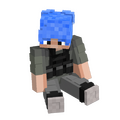
this is my first minecraft wallpaper! if your dont know how to make it your wallpaper, see the how to install steps below!
HOW TO INSTALL
1:click the download
2:it will send you to a link called filedropper
3:in this link there will be a download button, so ckick on that
4: it will make you prove your a human by showing these letters or numbers that you have to type
5: if you get it right, the file will be downloaded and at the bottem of your screen there should be the download file
6: click the download file. it will take you to the image. right click on the picture
7:and then select the set as desktop background option.
8:then it should be up and working!
HAVE FUN! :D
HOW TO INSTALL
1:click the download
2:it will send you to a link called filedropper
3:in this link there will be a download button, so ckick on that
4: it will make you prove your a human by showing these letters or numbers that you have to type
5: if you get it right, the file will be downloaded and at the bottem of your screen there should be the download file
6: click the download file. it will take you to the image. right click on the picture
7:and then select the set as desktop background option.
8:then it should be up and working!
HAVE FUN! :D
More like this

 Bradzley
 MinecraftAdorer
 ThunderBolt25
 Wilson2005
 KeeganTMPL
3013472
2


 MinecrafterMP









 Roaring20s
 Blackwater
 CraftyFoxe
 MazaVili
Have something to say?