
- 6
- 1
- 6

1
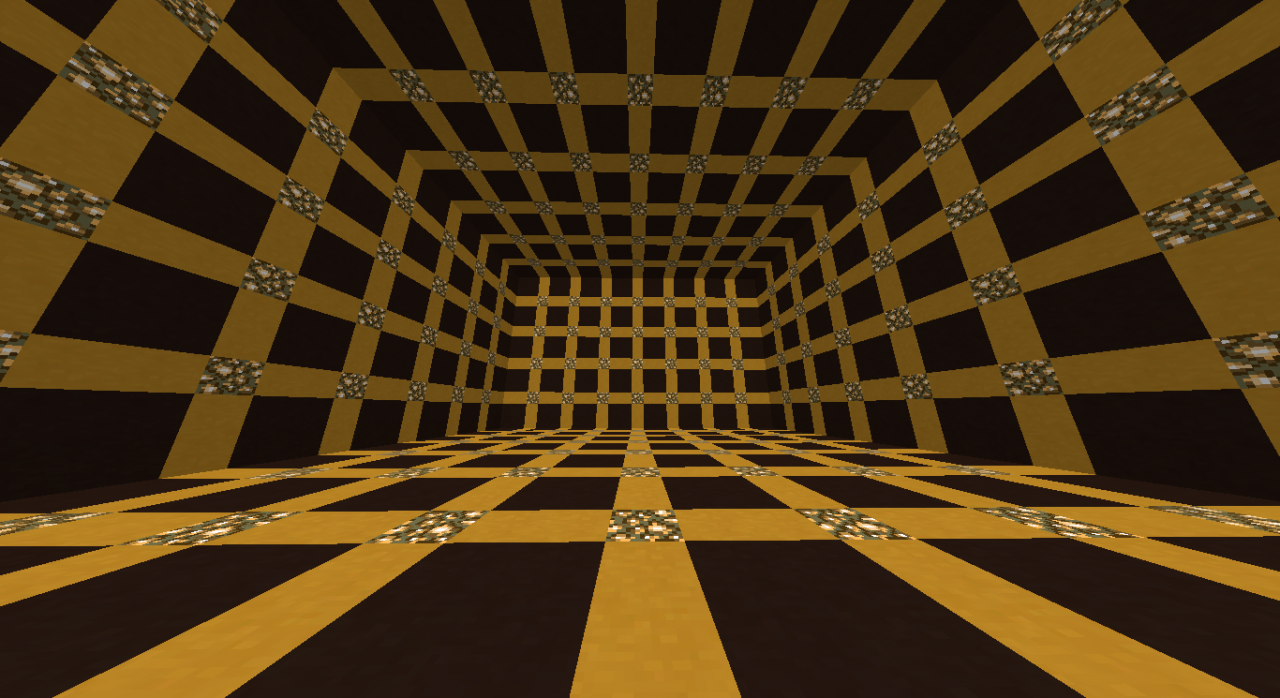
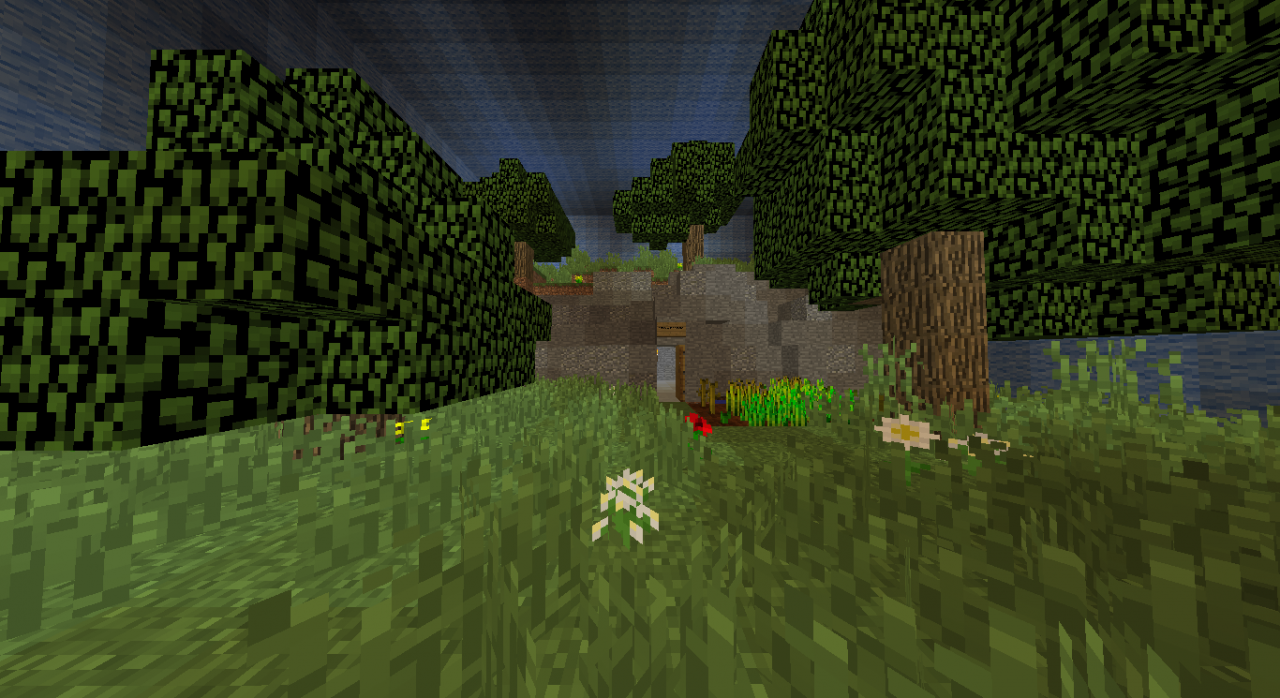
This project is a recreation of the Holodeck from Star Trek. It uses a clone instead of tp, so the size is limited. New holoprograms can be easily created by a experienced one. For those who doesn't know how to create a new holoprogram, follow the following steps:
1. Put yourself in Creative Mode and get out of the holoprogram selection room.
2. Execute this command, but not near of any of the holoprogram templates (/clone -1013 1 129 -998 10 144 <Your X> <Your Y> <Your Z>.
3. That will create the default program and you can start to make your own program.
4. When you end making the program, copy the coordinates from the 2 corners (indicated by the diamond blocks, starting from the bottom).
5. Move to the bottom of the holodeck (indicated by the diamond block) and copy the coordinates of that block.
6. Execute this command (/clone <Program X1> <Program Y1> <Program Z1> <Program X2> <Program Y2> <Program Z2> <Holodeck X> <Holodeck Y> <Holodeck Z>
7. If the holodeck changed to your program correctly, now we can proceed.
8. Get a command block and put the command that you executed. Put it on a position behind a button in the program selection room.
9. Done!
Notes:
1. Please make sure that you accomplish with the holoprogram's size.
2. This is my first project, so don't comment ("too basic", "ez", for example).
The progress of this map is currently at 50%, the idea and commands are done, althrough it needs more programs. Suggest them in the comments section!
When this map is completed, the download will be published.
1. Put yourself in Creative Mode and get out of the holoprogram selection room.
2. Execute this command, but not near of any of the holoprogram templates (/clone -1013 1 129 -998 10 144 <Your X> <Your Y> <Your Z>.
3. That will create the default program and you can start to make your own program.
4. When you end making the program, copy the coordinates from the 2 corners (indicated by the diamond blocks, starting from the bottom).
5. Move to the bottom of the holodeck (indicated by the diamond block) and copy the coordinates of that block.
6. Execute this command (/clone <Program X1> <Program Y1> <Program Z1> <Program X2> <Program Y2> <Program Z2> <Holodeck X> <Holodeck Y> <Holodeck Z>
7. If the holodeck changed to your program correctly, now we can proceed.
8. Get a command block and put the command that you executed. Put it on a position behind a button in the program selection room.
9. Done!
Notes:
1. Please make sure that you accomplish with the holoprogram's size.
2. This is my first project, so don't comment ("too basic", "ez", for example).
The progress of this map is currently at 50%, the idea and commands are done, althrough it needs more programs. Suggest them in the comments section!
When this map is completed, the download will be published.
3 Update Logs
Update #3 : by l3st4t 07/29/2016 10:39:21 pmJuly 30, 2016 @ 2:39 am UTC
Update Log:
# Starting to work in a resource pack for this map.
# Just added bedrock in the holoprograms to disallow escaping from it. With the resource pack it will look like the holodeck grid, meanwhile without it it will be with the default look.
# Starting to work in a resource pack for this map.
# Just added bedrock in the holoprograms to disallow escaping from it. With the resource pack it will look like the holodeck grid, meanwhile without it it will be with the default look.
LOAD MORE LOGS
More like this
 Star Trek prototype warp coreRedstone Device Map
 Momentaneously
•10/25/13 10:03
3.9k 211 6x 1121
Momentaneously
•10/25/13 10:03
3.9k 211 6x 1121


 sackbotz123
 Star_Trek_Builds
 gecko_craft115
 Drylified
3745021
2


 Two-Bird








 MrNin
MrNin

 __nikto__


Have something to say?
A. use the copy and paste with command blocks OR
B. uses structure blocks to copy and paste
I think it is complex for your first Project :)