


• 8/13/22 8:47 pm
- 525 views • 0 today
- save_alt 62 downloads
- Progress
- 100% complete

35
A map i made for you guys to test your texture packs or others!!!
------------------------------------------------------------------------------------------------------------------------------------------------------------------------------------------------------------------------------------------------------------------------
How to use it: once you download it you need to right click on the world file then click on extract all then go to minecraft files > then go to saves > then move the world file into the saves file >
------------------------------------------------------------------------------------------------------------------------------------------------------------------------------------------------------------------------------------------------------------------------
if you are using tlauncher click on the files button in the bottom right corner of the launcher > then move the file into saves > after that restart the launcher and click enter game > then the world should be there.
------------------------------------------------------------------------------------------------------------------------------------------------------------------------------------------------------------------------------------------------------------------------
if you know how to do it, do it your way!
------------------------------------------------------------------------------------------------------------------------------------------------------------------------------------------------------------------------------------------------------------------------
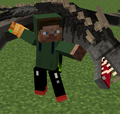
In the screenshots i was using BedlessNoob 200K Resource pack
------------------------------------------------------------------------------------------------------------------------------------------------------------------------------------------------------------------------------------------------------------------------
------------------------------------------------------------------------------------------------------------------------------------------------------------------------------------------------------------------------------------------------------------------------
How to use it: once you download it you need to right click on the world file then click on extract all then go to minecraft files > then go to saves > then move the world file into the saves file >
------------------------------------------------------------------------------------------------------------------------------------------------------------------------------------------------------------------------------------------------------------------------
if you are using tlauncher click on the files button in the bottom right corner of the launcher > then move the file into saves > after that restart the launcher and click enter game > then the world should be there.
------------------------------------------------------------------------------------------------------------------------------------------------------------------------------------------------------------------------------------------------------------------------
if you know how to do it, do it your way!
------------------------------------------------------------------------------------------------------------------------------------------------------------------------------------------------------------------------------------------------------------------------
In the screenshots i was using BedlessNoob 200K Resource pack
------------------------------------------------------------------------------------------------------------------------------------------------------------------------------------------------------------------------------------------------------------------------
More like this

 thefungi
 576Miner576
 Zombie_1_man
 NetherOverlordYT
 thunderbolt_jay
5678650
2






 Adamic39

 GipsKing
 TornadoEllie
 29bburkle


Have something to say?