



• 8/9/21 7:45 pm
- 3.7k views • 0 today
- save_alt 196 downloads
- Game Version
- Minecraft 1.18
- Resolution
- 16x
- Progress
- 100% complete
- Changes include


108
Description
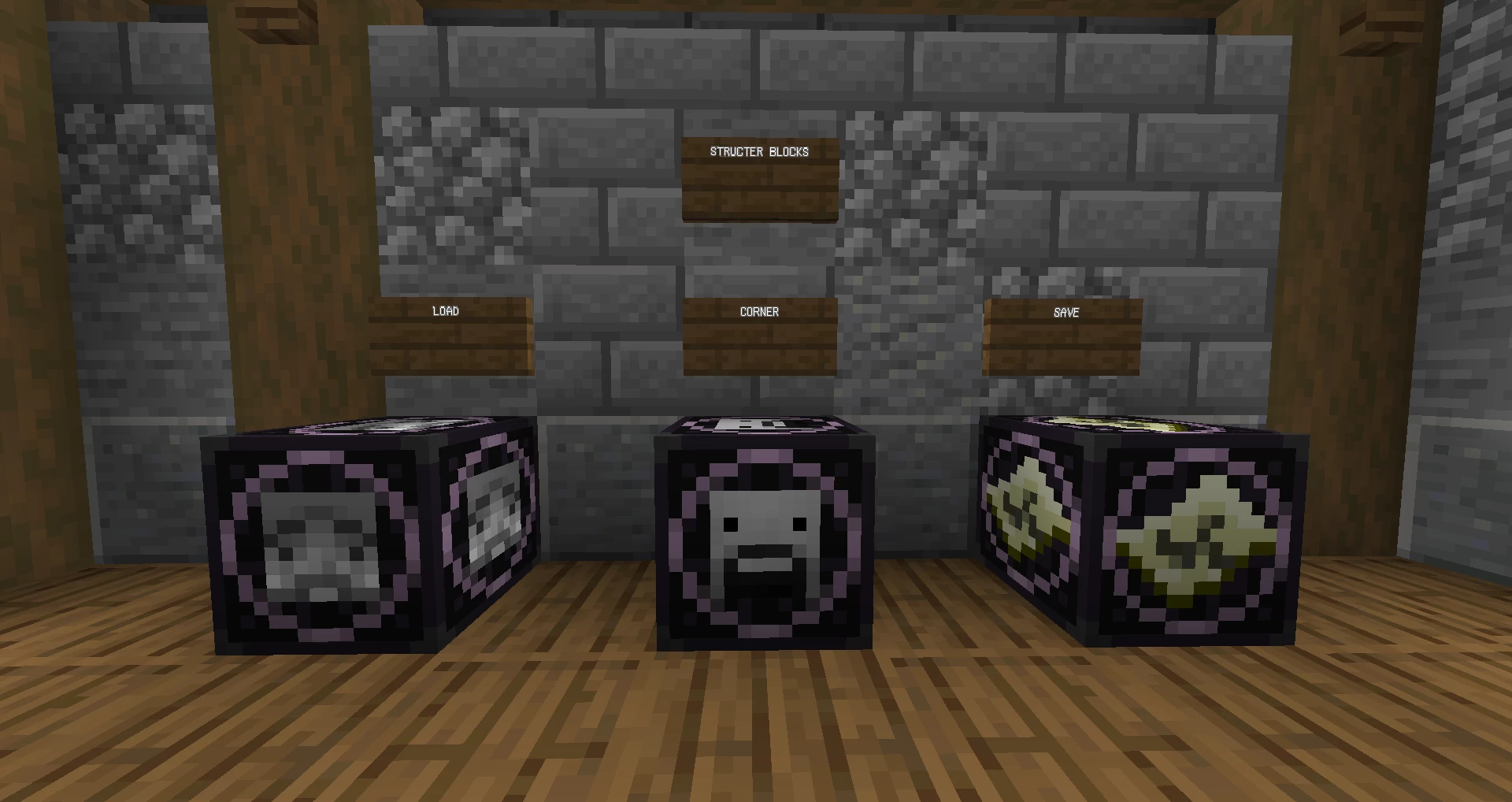
Changed command blocks textures and some structer block textures. (I don't really like this pack tbh the chain command block texture is bit so strange)
Credit me if you are going to:
Make a Bedrock port for it
Use the model/textures in you own texture pack
Build modifications upon the texture pack
You don''t have to necessarily ask for permission before uploading, but if you wish to, you could.
Programme:
Blockbench is the programme that I used to make my models, great tool for texture-pack makers!
Copyrights:
You could use this texture pack or model and post it anywhere you want as long as changes are made (except for personal purpose), and ports are accpeted (for example java to bedrock), just don't forget to credit me.
DOWNLOAD & INSTALL
1.Click the download button(blue button below)
2.Drag the zip file into <AppData\Roaming\.minecraft\resourcepacks>
3.Run the minecraft launcher
(In-game operations)
4.Click the resource pack you just download (from "available"to "selected")
5.Move your resource pack to the top of the "available"list
6.Click the "Done" buttons and click <Back to Game> to run your resource pack.
(1.16+)
Changed command blocks textures and some structer block textures. (I don't really like this pack tbh the chain command block texture is bit so strange)
Credit me if you are going to:
Make a Bedrock port for it
Use the model/textures in you own texture pack
Build modifications upon the texture pack
You don''t have to necessarily ask for permission before uploading, but if you wish to, you could.
Programme:
Blockbench is the programme that I used to make my models, great tool for texture-pack makers!
Copyrights:
You could use this texture pack or model and post it anywhere you want as long as changes are made (except for personal purpose), and ports are accpeted (for example java to bedrock), just don't forget to credit me.
DOWNLOAD & INSTALL
1.Click the download button(blue button below)
2.Drag the zip file into <AppData\Roaming\.minecraft\resourcepacks>
3.Run the minecraft launcher
(In-game operations)
4.Click the resource pack you just download (from "available"to "selected")
5.Move your resource pack to the top of the "available"list
6.Click the "Done" buttons and click <Back to Game> to run your resource pack.
(1.16+)
5249335
4


 SeattleBones










 NekuroMC
 AdamkoAxoDragon
 AdamixGaming
 lit_muneeb

Have something to say?
the command blocks look more vanilla and not like some sort of god computer (though it act like one)
industrialized piston is at 58 favorites (what the-), but this and the anvil tweaks pack haven't even reached 10