

• • 10/4/25 6:12 pm • 5 logs
- 9.6k views • 1 today
- save_alt 755 downloads
- Game Version
- Minecraft Bedrock
- Resolution
- 16x
- Progress
- 100% complete
- Changes include
- Models
23


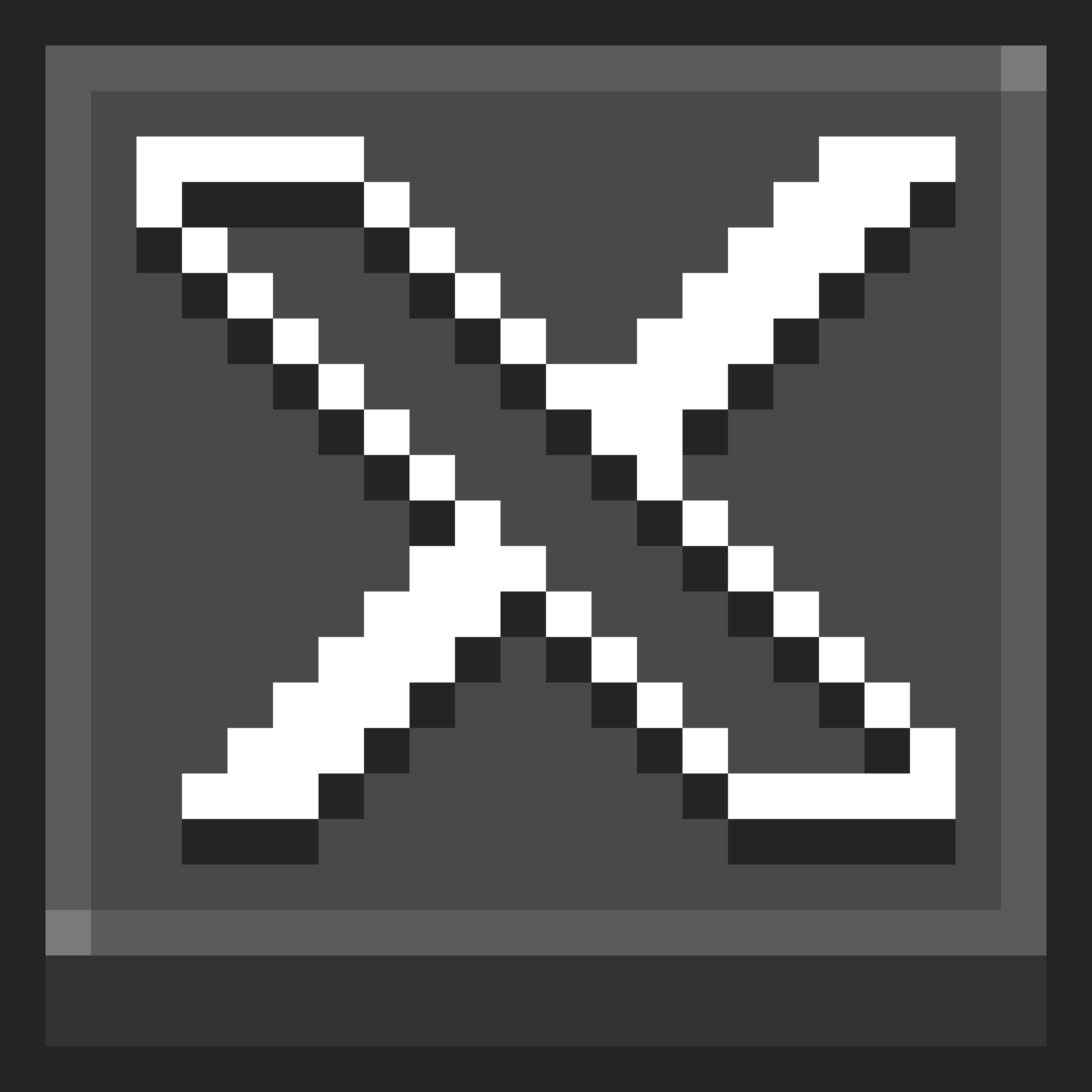
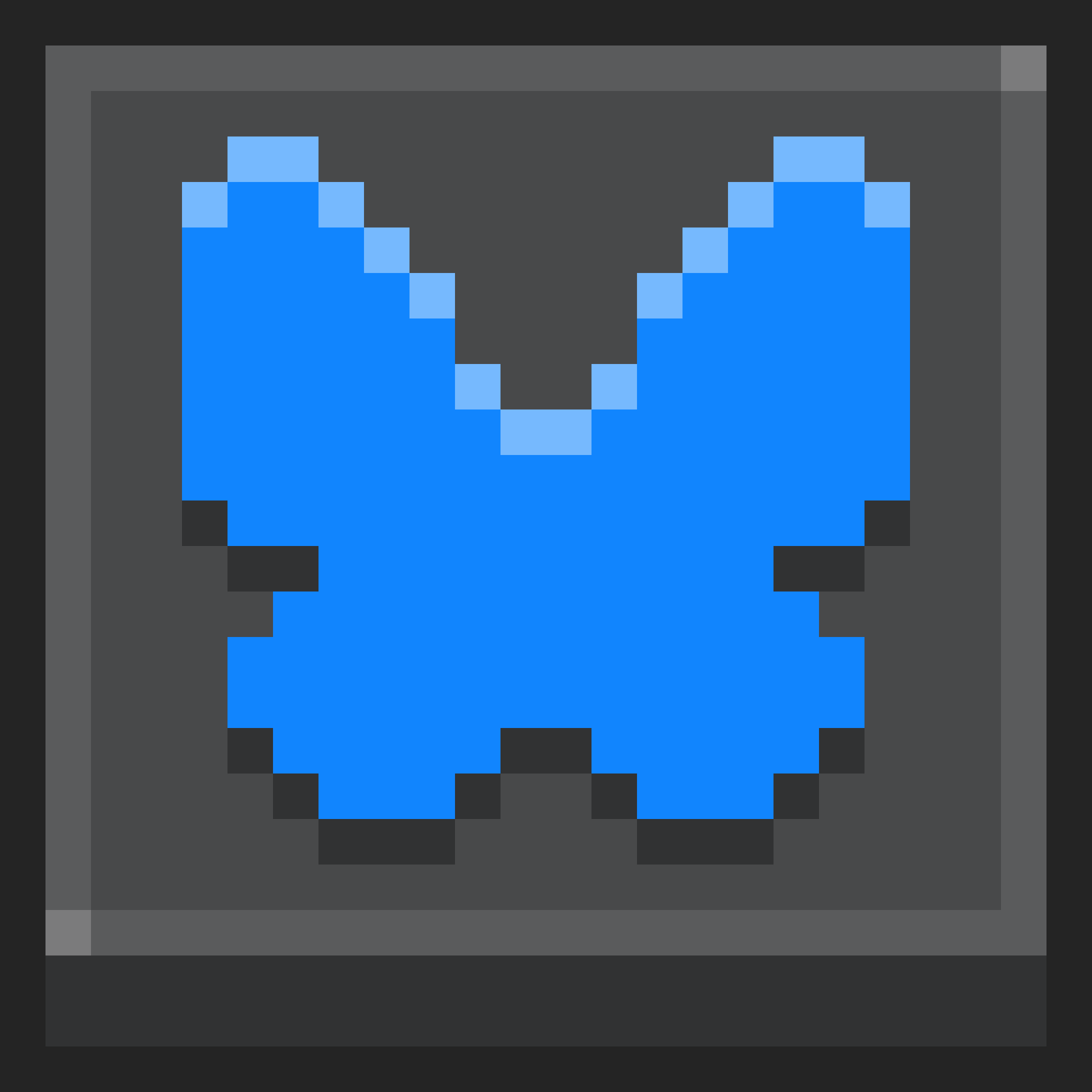
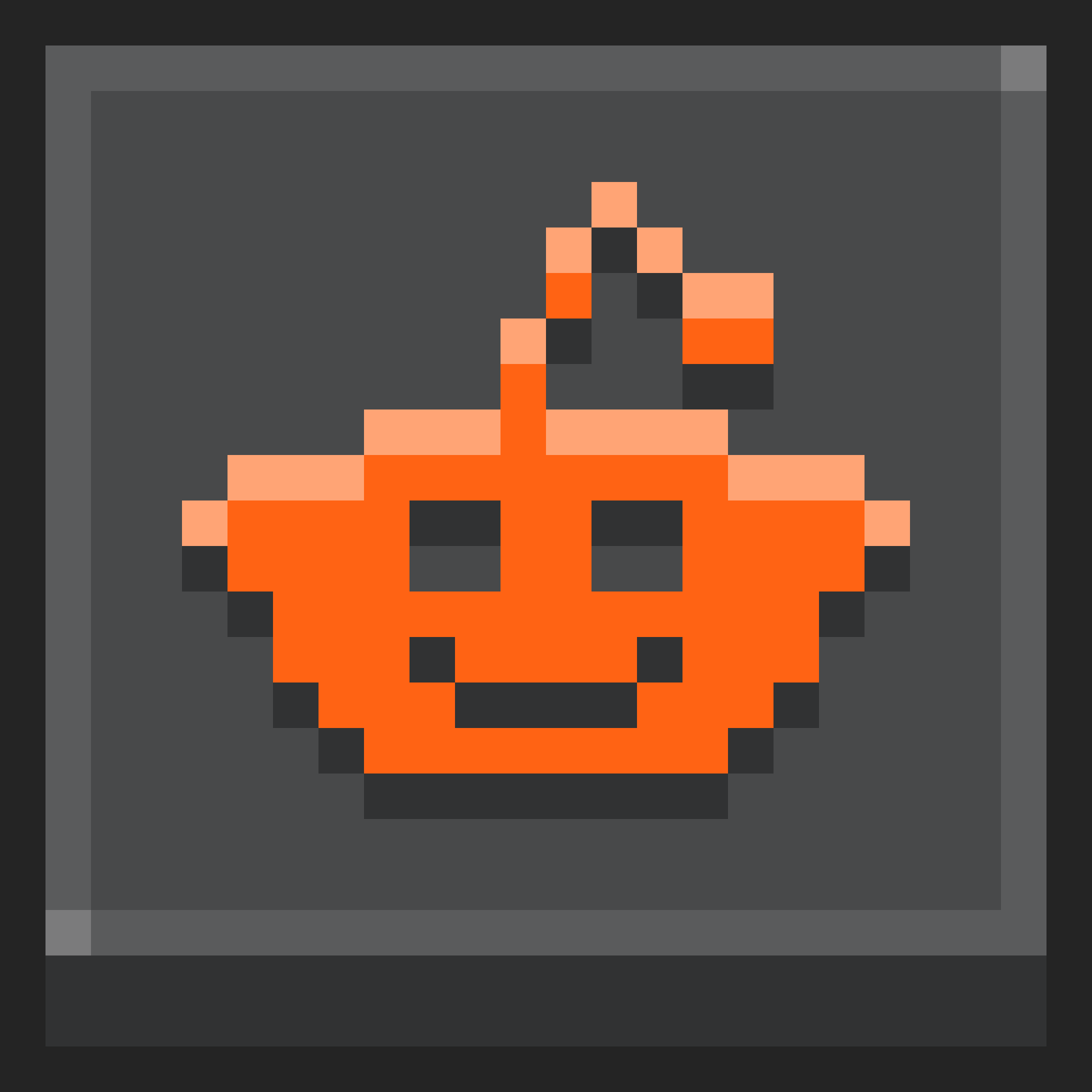

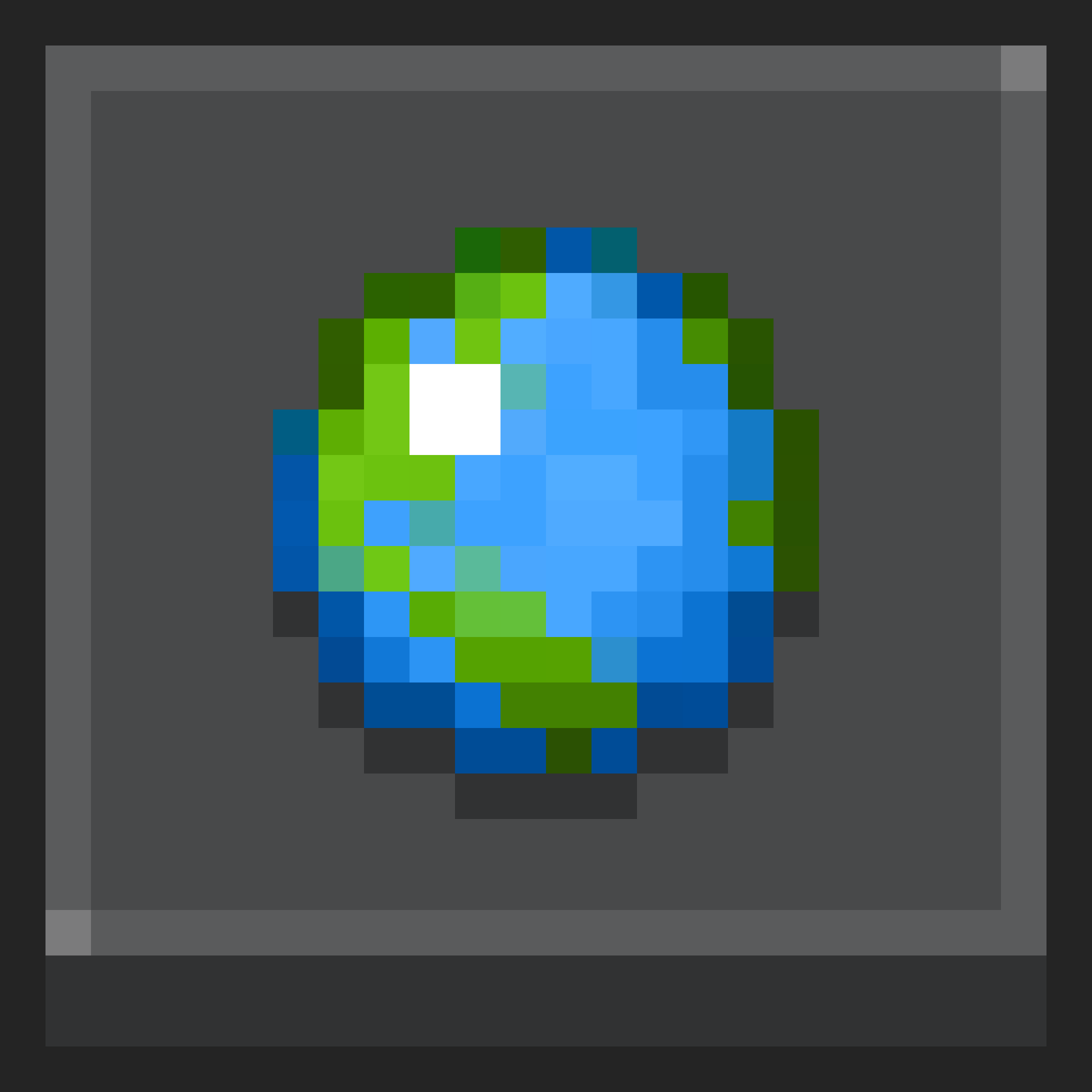

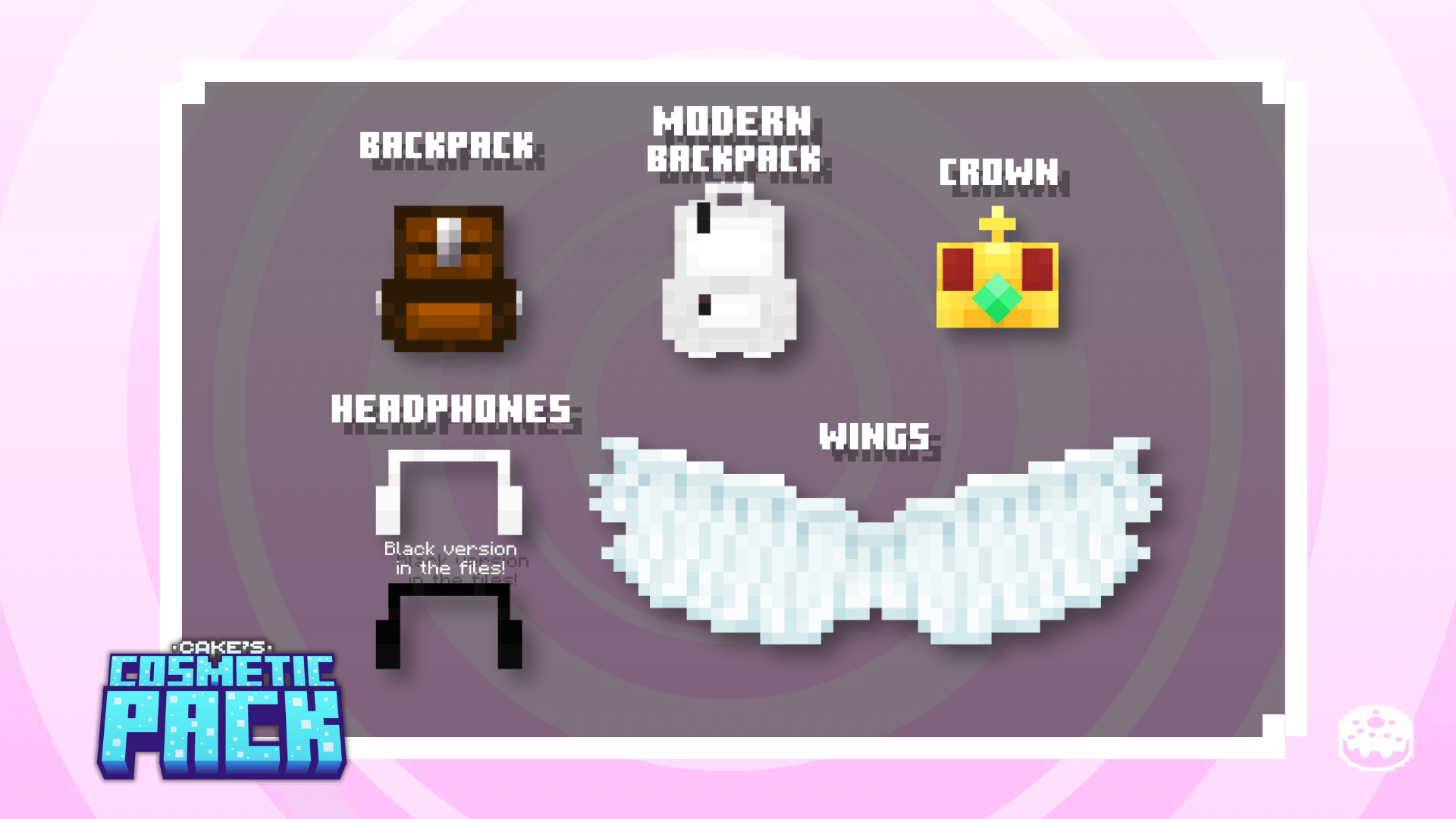
Cake’s Cosmetic Pack is a one of a kind pack that adds 5 new cosmetics along with support for your own cosmetics. There are 5 slots included in the main pack as well.
Here is a preview of the available cosmetics.
How does this work?
This pack changes the cape’s model to the desired cosmetic. It also heavely uses the render controller for certain cosmetics. Not only that, the pack is made with compatibility in mind, allowing many packs to work natively with little to now issues whatsoever. Examples include animation packs and other packs that depend on the player's entity file.The pack also fixes the noticeable problems of MCPE-126660, a bug affecting data-driven items on certain devices.
You can also have cosmetics from other packs dependent on the base pack with full compatibility, so long as you make sure to have the bare minimum.
Changing cosmetics
To change cosmetics, press the subpack button (gears icon) after selecting the pack to choose a cosmetic. Choosing is as simple as moving the slider. On the base pack, 5 slots are dedicated to custom cosmetics and aren't intended for regular gameplay if there is no new cosmetics.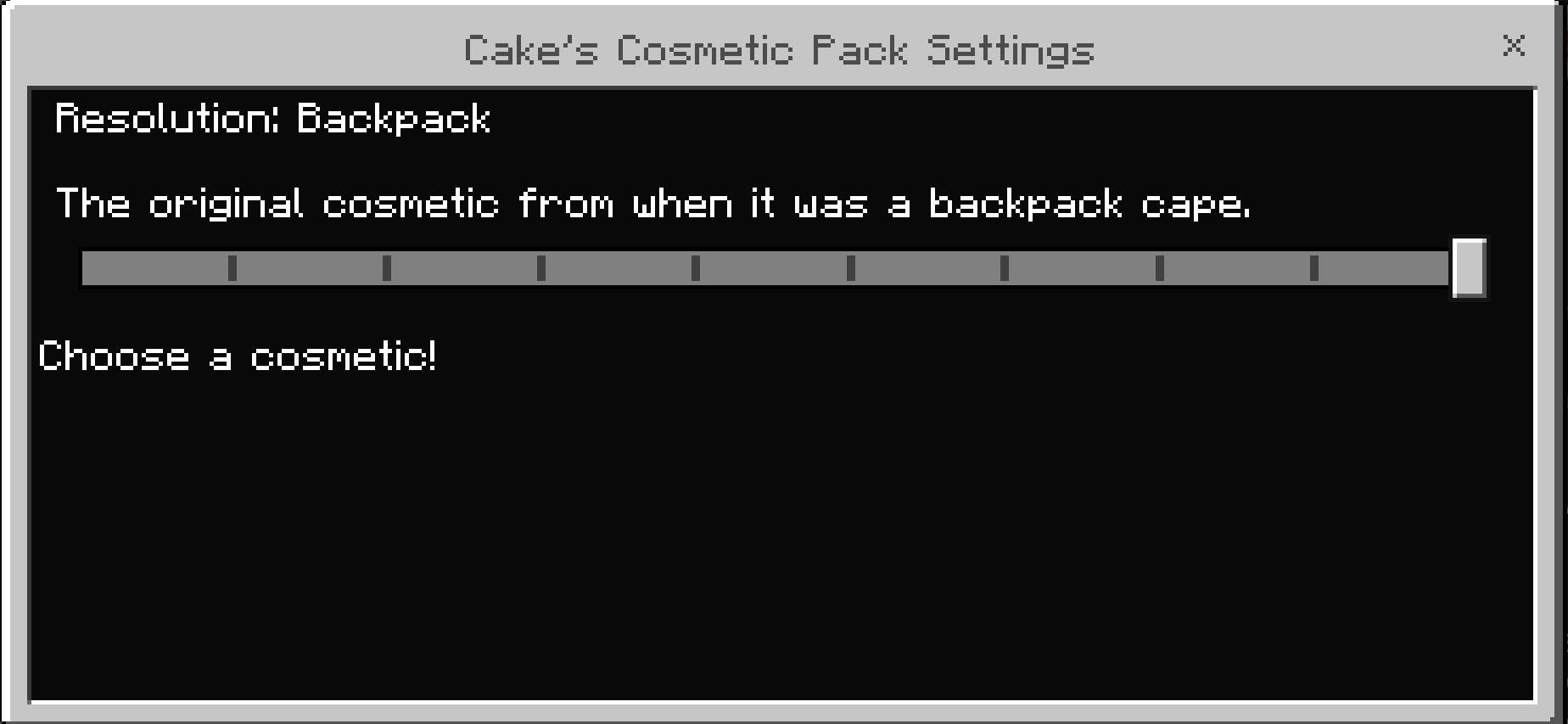
Companion packs
Companion packs are a way to support updates to the pack without updating the main pack. To use one, activate the pack above the main pack for the cosmetic to properly appear in-game. All other packs should be below other packs. Here is an example as to how to order the packs.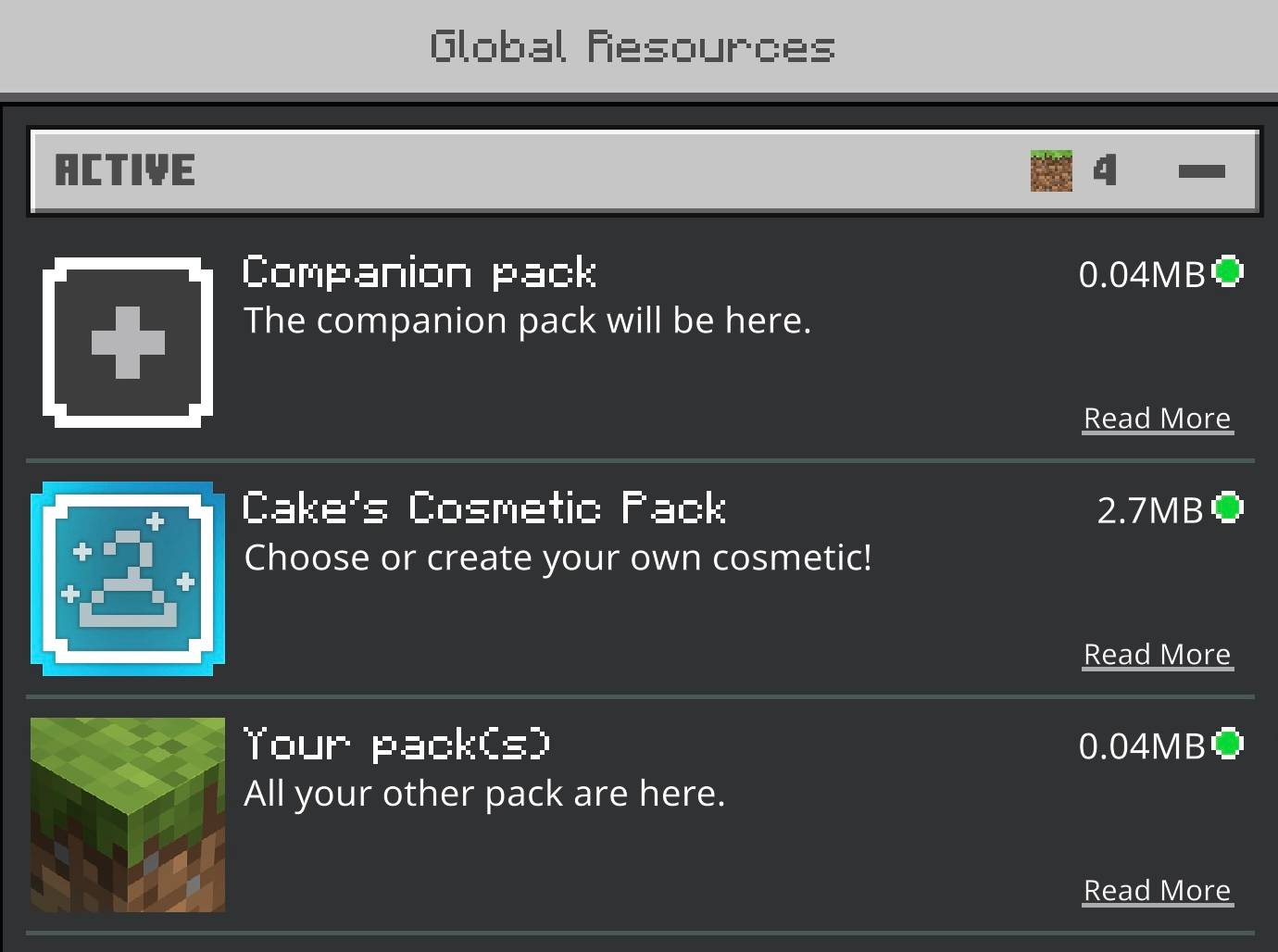
Live Download Count

Tutorials
Below is a list of all Tutorials provided in the pack. These can also be found at Tutorials.txt inside of the pack’s documents.Tutorial.
Tutorials
1st Tutorial: Creating Custom Cosmetics
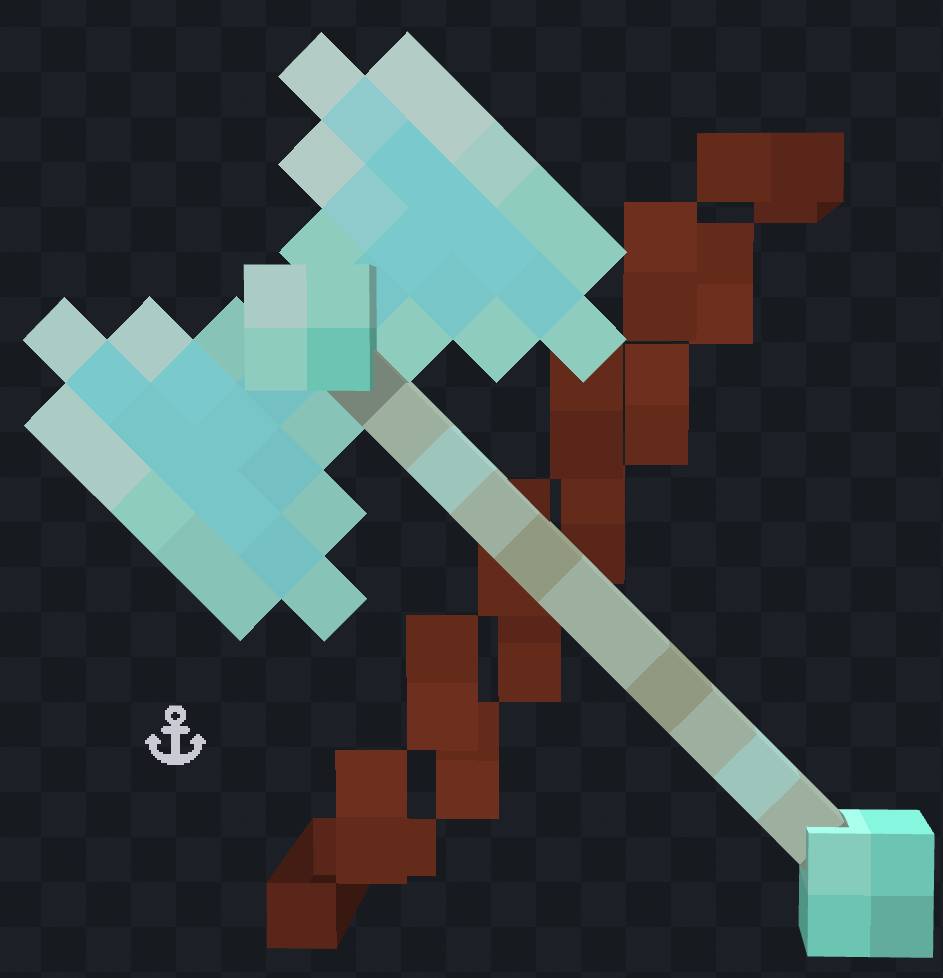
• Creating a custom model may seem daunting, but it isn’t so bad once you figure it out. For this tutorial, I will be using Blockbench to create the model on iOS, which means that im on mobile. If your curious, the whole pack is made on mobile. Impressive, i know.
• What you'll need:
-- Blockbench (recommended)
-- A file manager (defaults are recommended)
1. Locate the “Cake’Cosm” folder in the “resource_packs” directory. Use the following file path to find it with a file editor: (screenshot only shows iOS filepath)
-- iOS: On My iDevice/Minecraft/games/com.mojang/resource_packs/Cake'sCosm
-- Android: Android/com.mojang.minecraftpe/files/games/com.mojang/resource_packs/Cake’Cosm
-- Windows: C:/Users/(your pc username)/AppData/Local/Packages/Microsoft.MinecraftUWP_8wekyb3d8bbwe/LocalState/games/com.mojang/resource_packs/Cake’sCosm
-- Console: Good luck
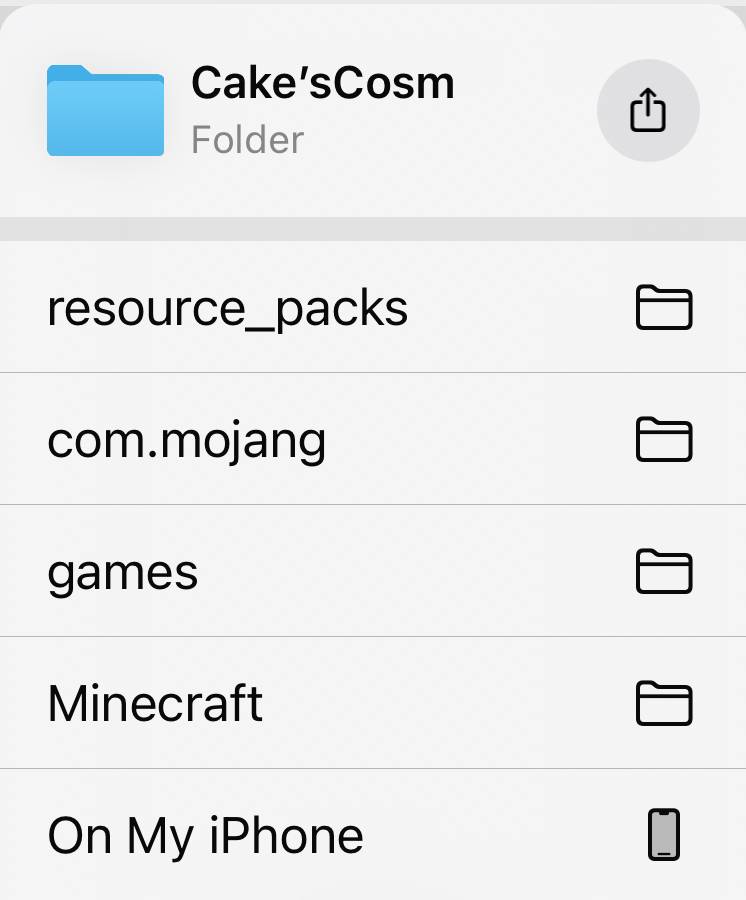
-- No coding experience is needed for this tutorial. Use a text editor or a trustworthy alternative file manager if necessary.
2. Inside the pack’s contents, select a custom slot inside the “subpack” folder. These slots are numbered from 1 to 6. For this tutorial, I will use slot 1.
-- If you want to, you can create a pack to have your custom cosmetic on. Just make sure that you have the minimum for a pack.
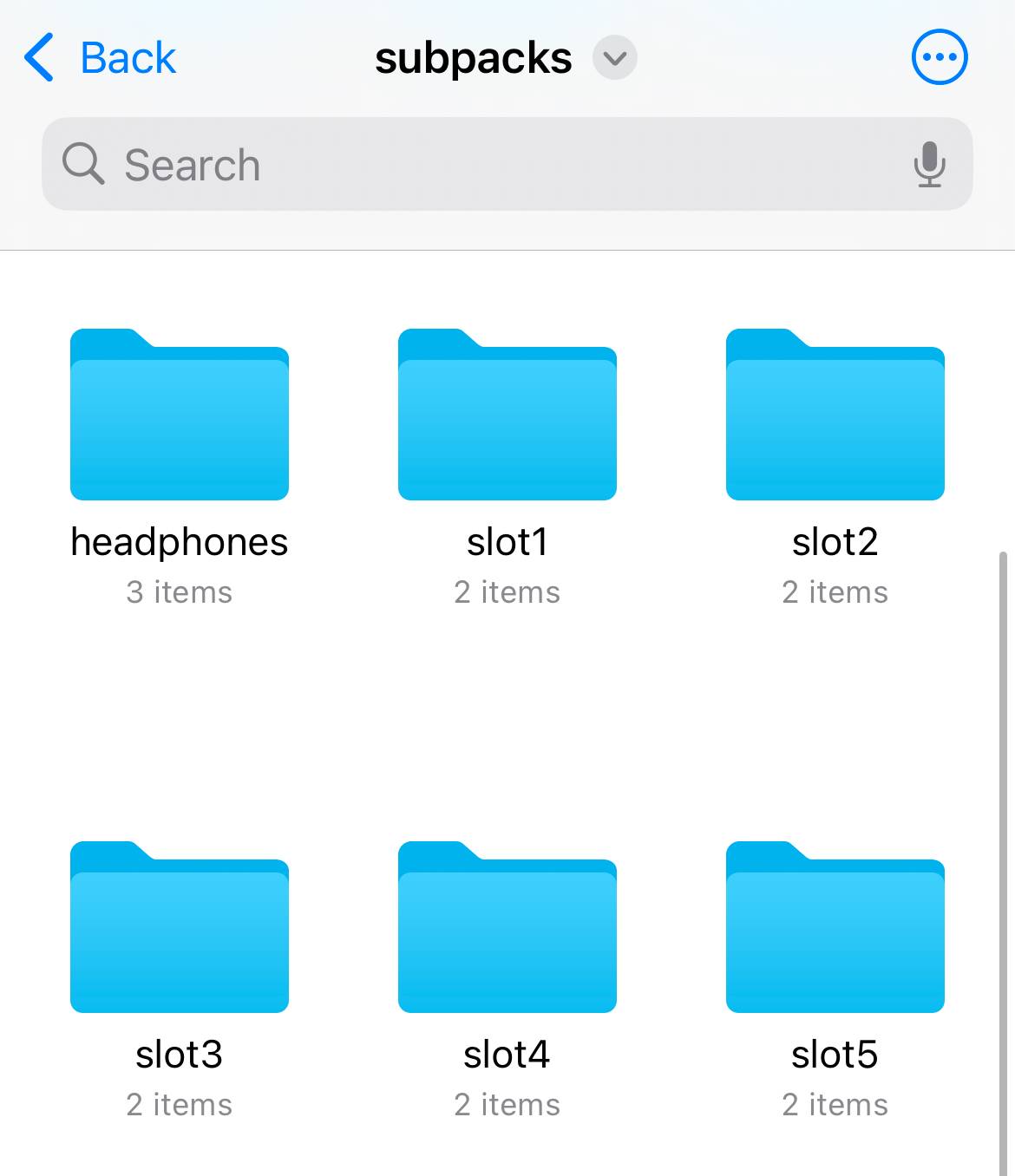
3. Import the model to Blockbench. On all platforms, you can drag and drop the "mobs.json" file. It is contained inside the “models” folder and has the placeholder model.
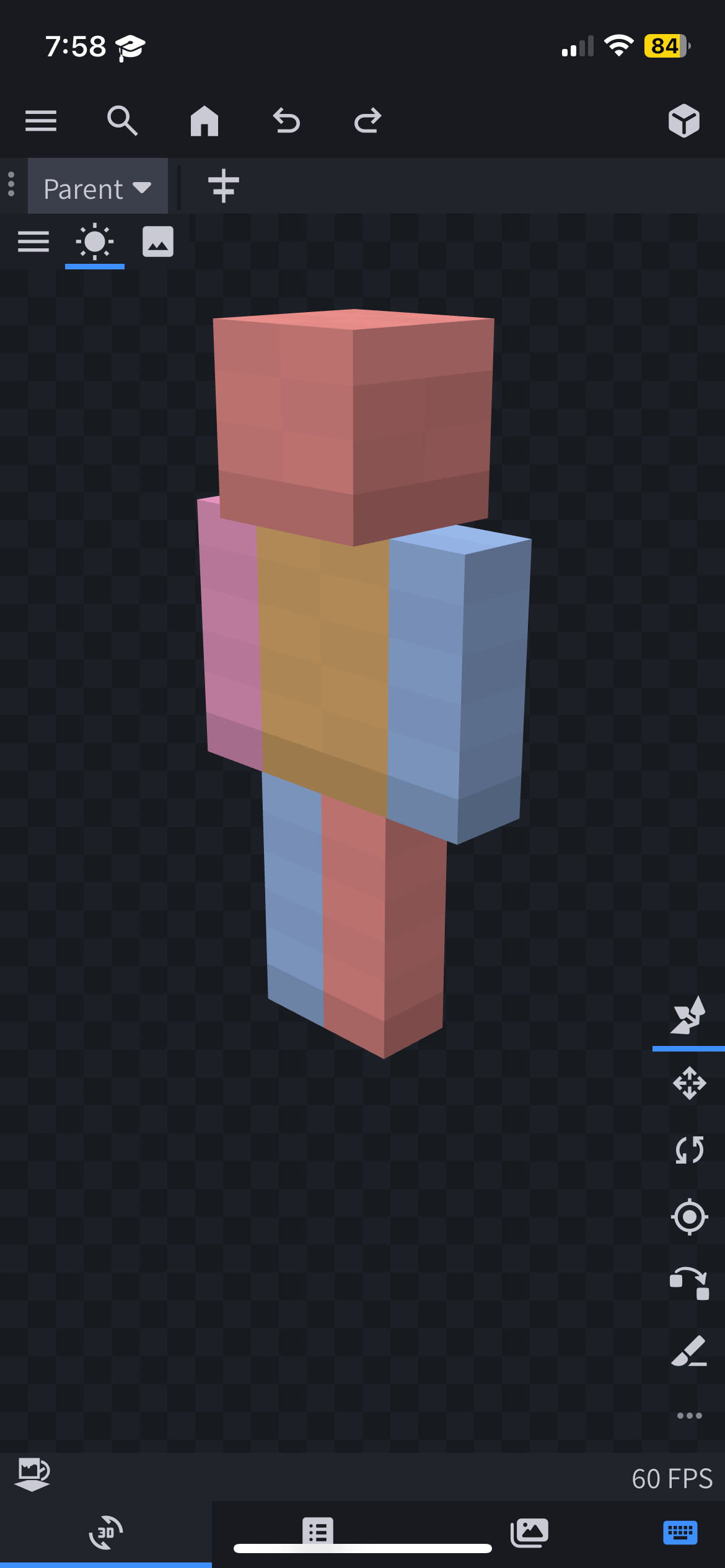
4. View the model. The first thing you’ll notice is that the model resembles the default player model. This is just a placeholder for creators.
Important Notes:
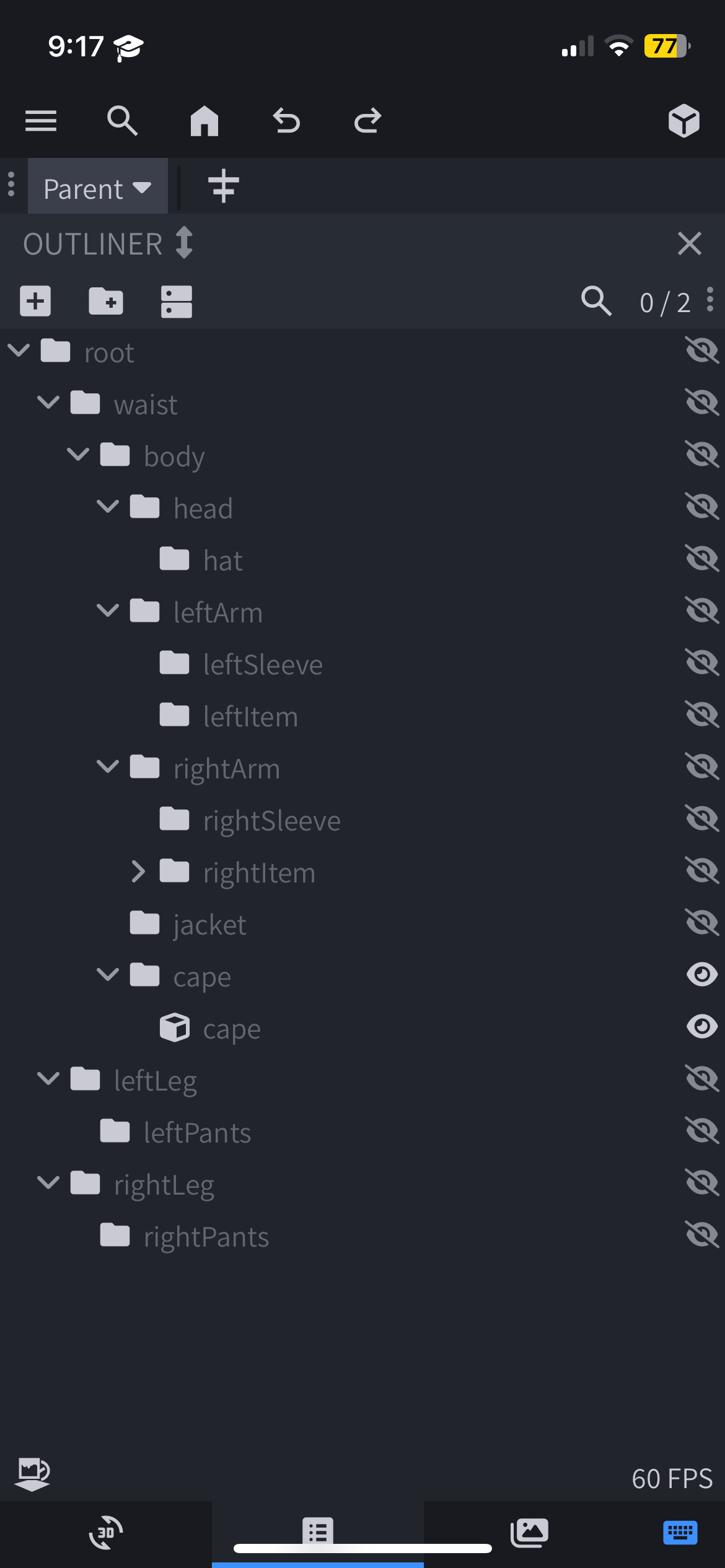
-- Do not remove any of the bones as this can cause issues. Bones are marked as folders inside Blockbench.
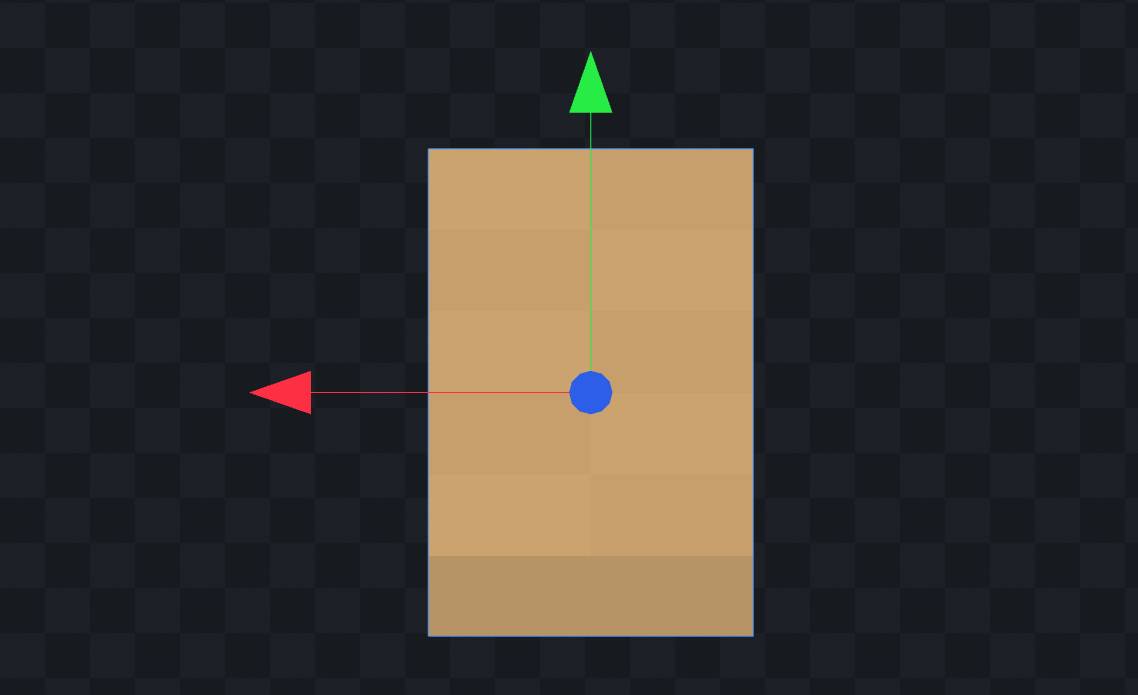
-- When making anything for the chest, ensure it is inside the “cape” bone and positioned in front. This is because the model cant be rotated 180°. Instead, a animation will handle the rotation. You can verify the orientation by checking the XYZ arrows, which should appear like this when facing north:
• At any point in the tutorial, you can undo mistakes by pressing this icon:

5. Prepare the model. Remove any unnecessary cubes and make sure to remove them (unless needed) after the model is done if they are being used as a base. For this tutorial, ill keep the chest.
6. Now its time to model it!
-- To add a cube: Press the three-lines menu > Edit > Add Cube.
-- To move the cube: Drag one of the three arrows to move along the X, Y, or Z axis.
-- To resize: Use the resize tool and drag one of the 6 ends.
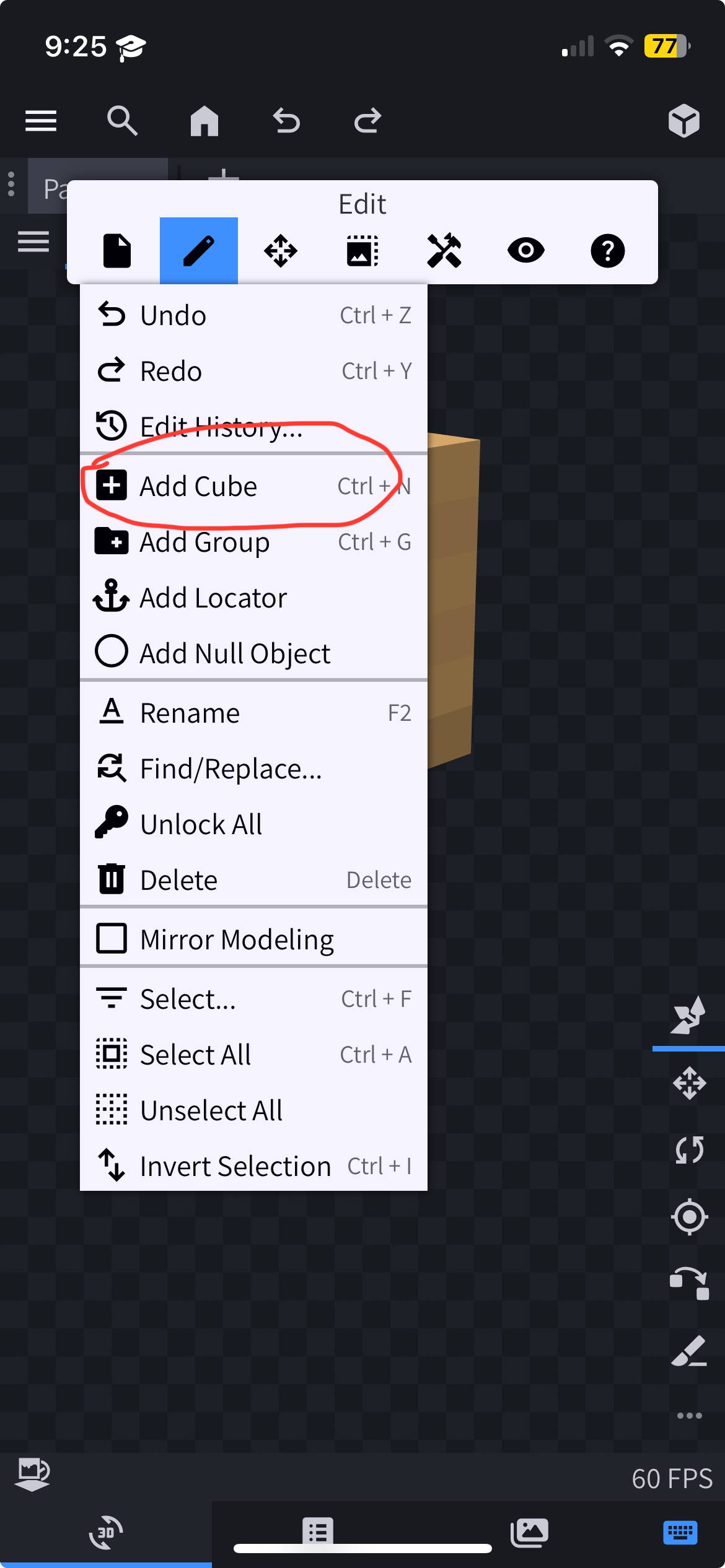
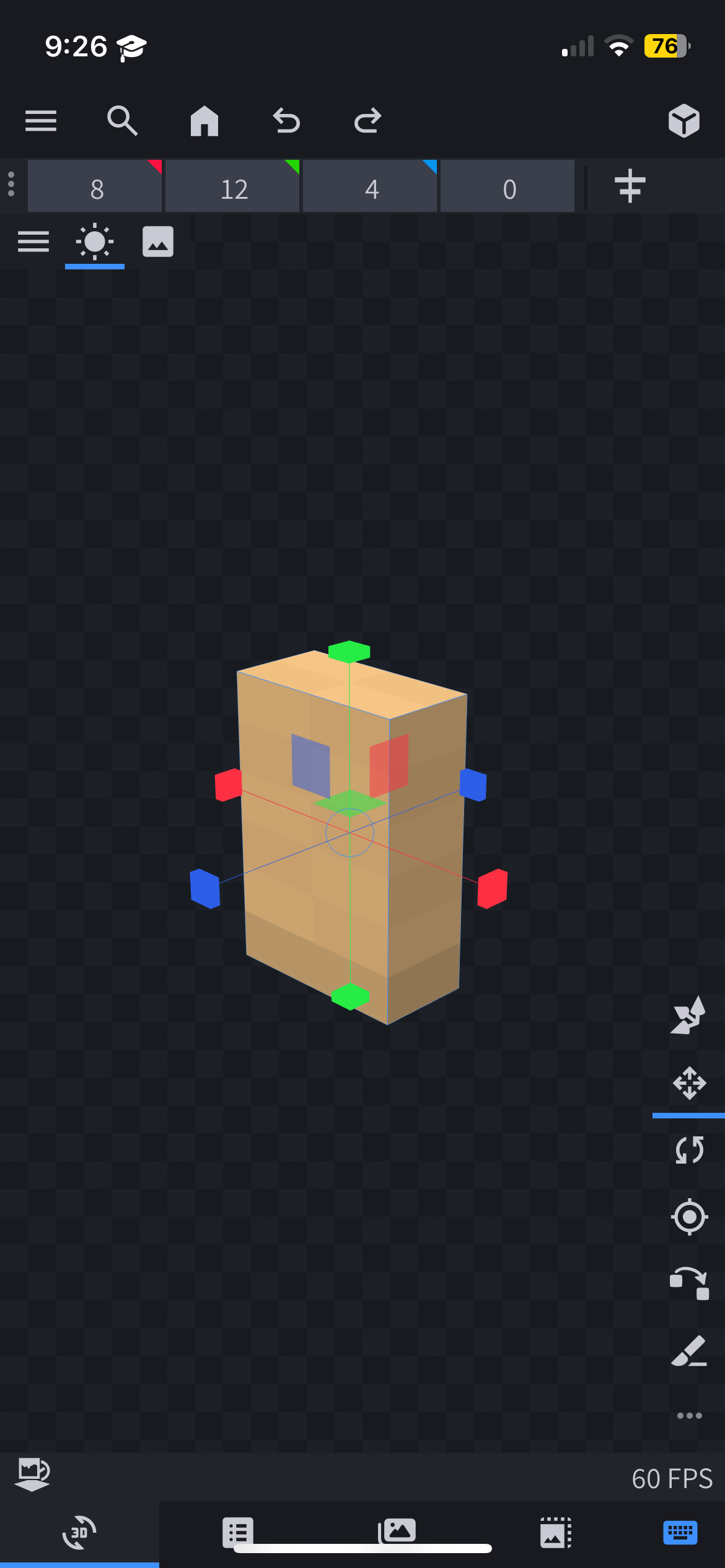
7. Assign cubes to bones. Before painting, ensure the cubes are placed in the appropriate bone for them to animate properly. For example, anything intended for the head must be in the “head” bone so it moves with the head. Otherwise, it will not follow the head.

8. Painting setup.
-- Create a texture by pressing this icon:

-- Ignore all other options and simply press “Confirm”.
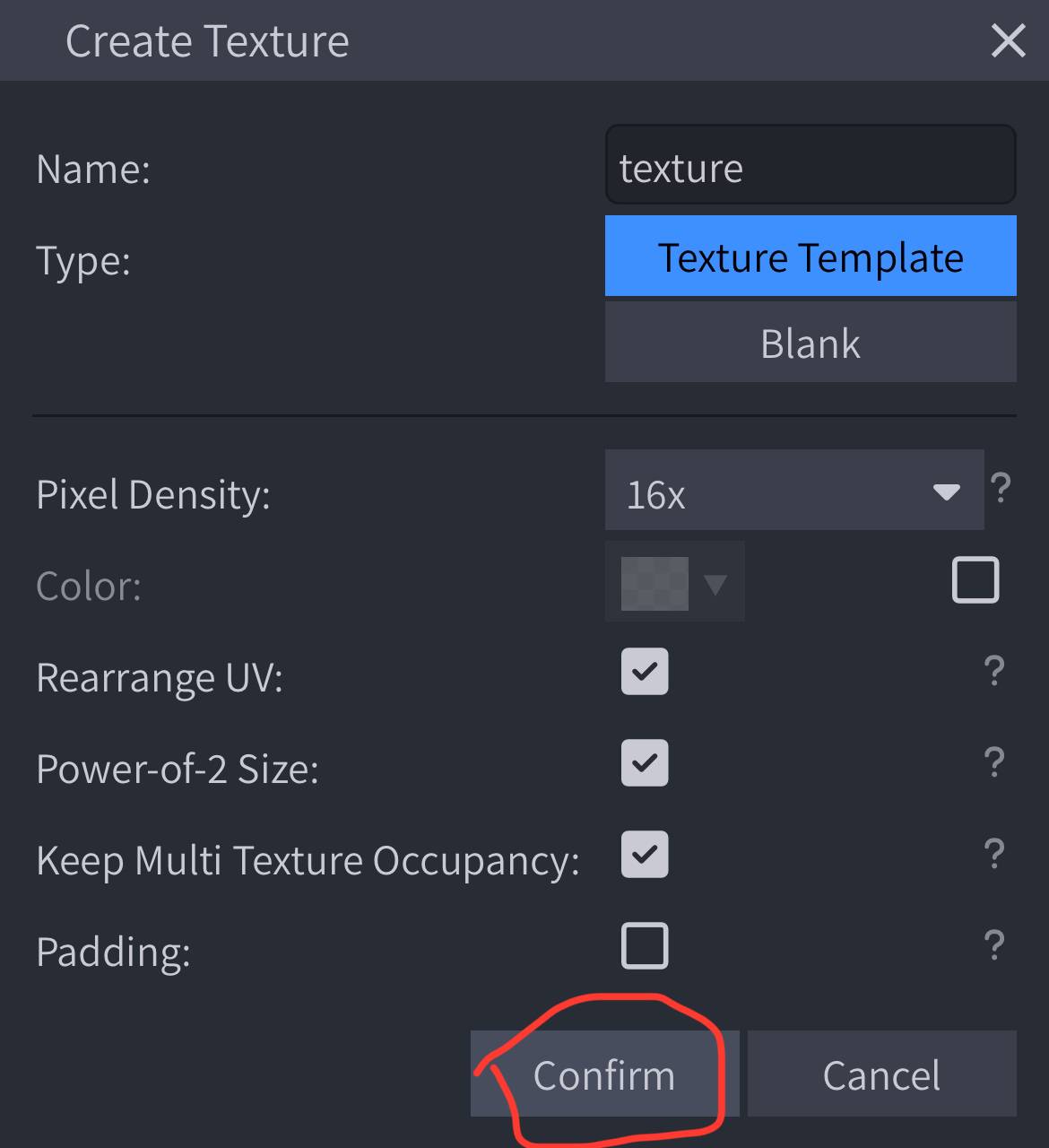
-- Switch to the Paint tab (press the cube icon).
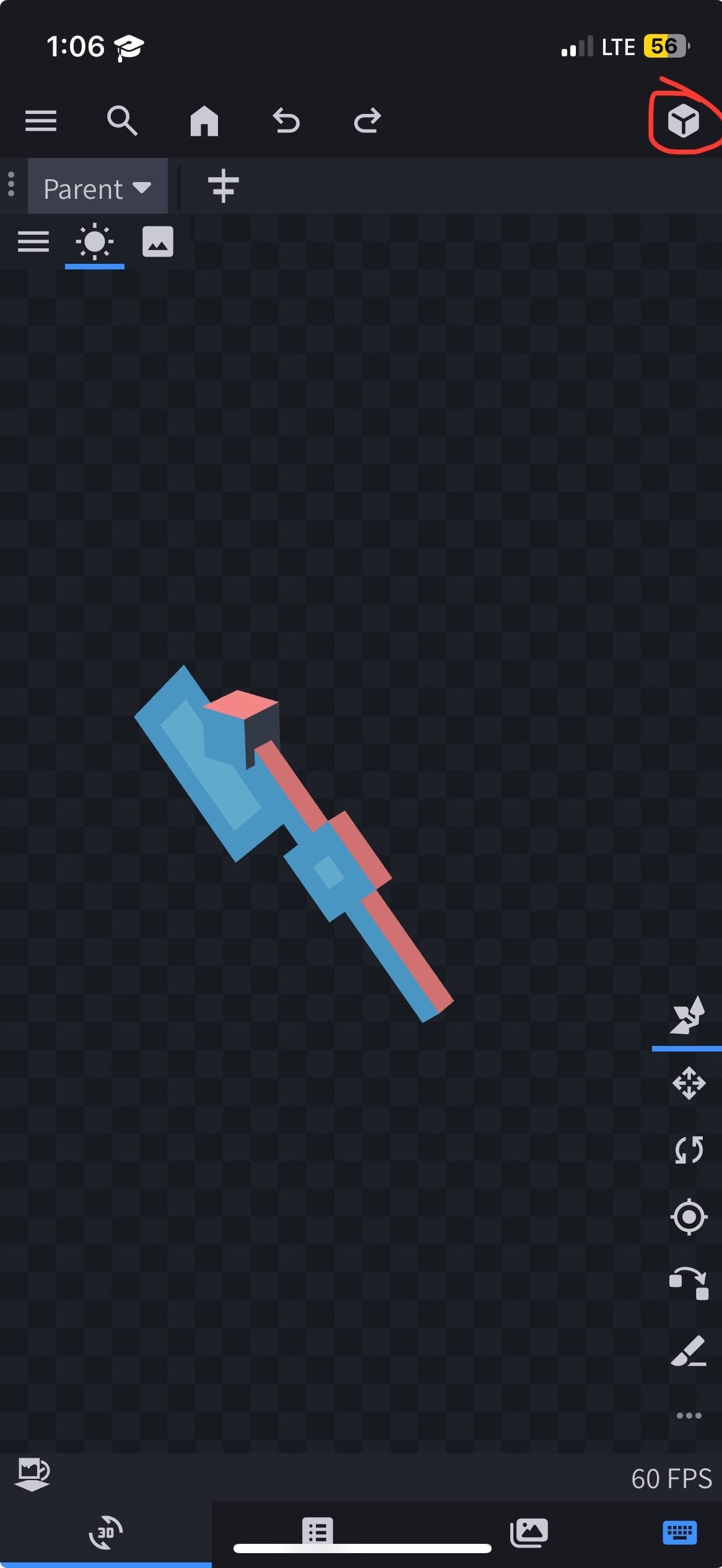
-- Press the “Paint” icon to begin.
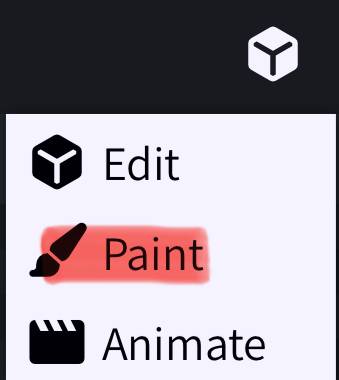
9. Changing colors.
-- Use the palette icon to access colors. Adjust the slider below to add more colors.
-- Experiment with the tools on the right (Mobile) before painting for real.
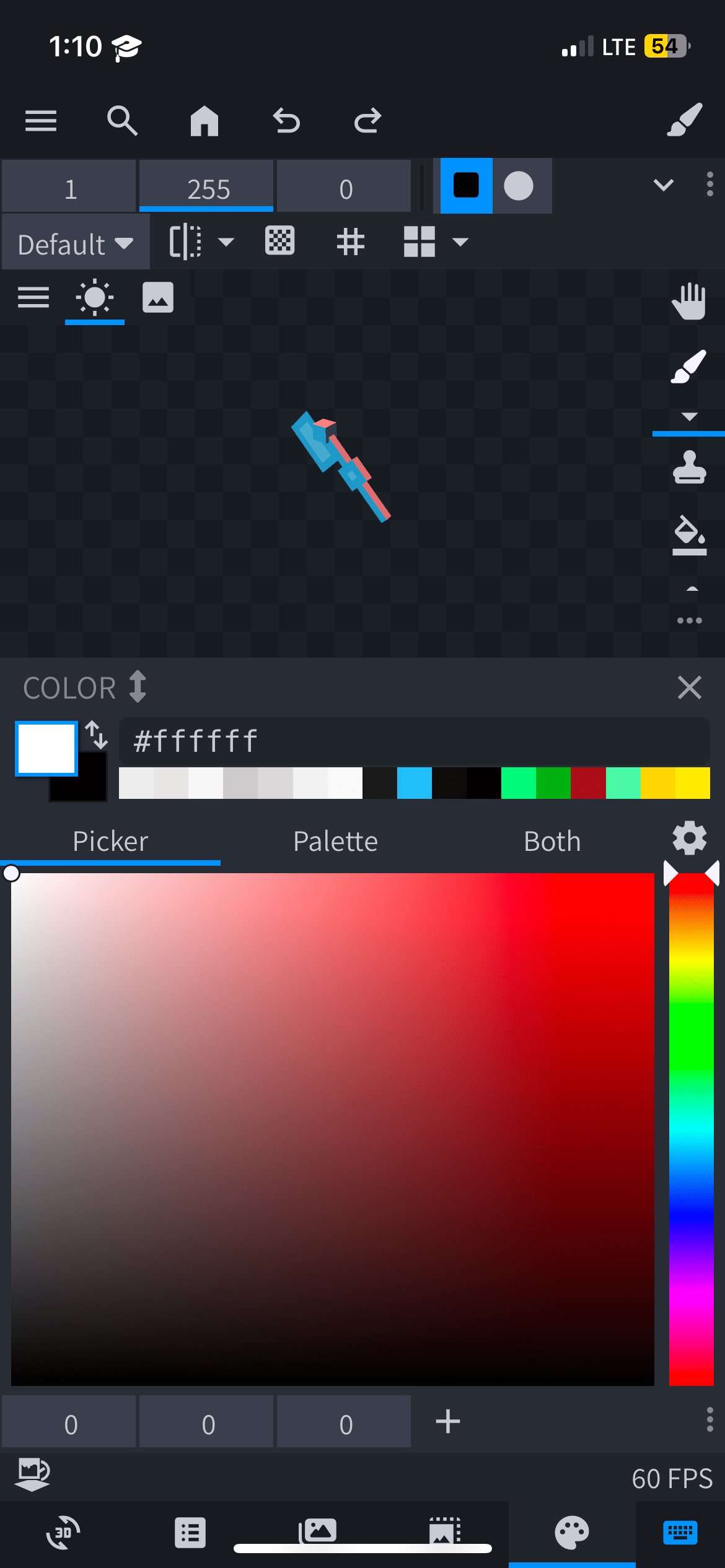
10. Now its time to paint! Press a pixel on the model to colour/change it. For this tutorial, I will not include the painting process. Just know that there are tutorials for certain thing not mentioned in this tutorial.
11. At this point, we are done modeling! Now its time to export for the cosmetic to be visible ingame.
-- First, lets save the texture. Save your texture by navigating to File > Save Model. A prompt will appear asking where to save it.
-- Save it to the following path:
--- iOS: On My iDevice/Minecraft/games/com.mojang/resource_packs/Cake’Cosm/subpack/slot1-5/textures/entity
--- Android: Android/com.mojang.minecraftpe/files/games/com.mojang/resource_packs/Cake’sCosm/subpack/custom1-5/textures/entity
--- Windows: C:/Users/(your pc username)/AppData/Local/Packages/Microsoft.MinecraftUWP_8wekyb3d8bbwe/LocalState/games/com.mojang/resource_packs/Cake’sCosm/subpack/custom1-5/textures/entity
--- Console: Good luck
12. Delete the old texture and rename the new one to "custom.png". Once we are done, this texture will be used ingame.
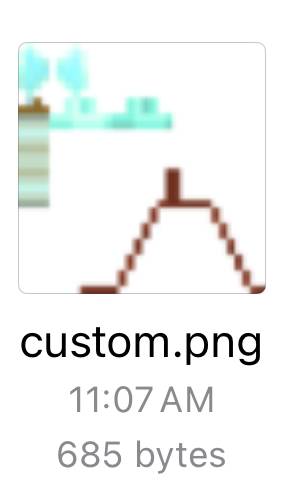
13. Export the updated model. Repeat Step 11, but this time save the model to the following path:
-- iOS: On My iPhone/Minecraft/games/com.mojang/resource_packs/Cake’sCosm/subpack/custom1-5/models
-- Android: Android/com.mojang.minecraftpe/files/games/com.mojang/resource_packs/Cake’sCosm/subpack/custom1-5/models
-- Windows: C:/Users/(your pc username)/AppData/Local/Packages/Microsoft.MinecraftUWP_8wekyb3d8bbwe/LocalState/games/com.mojang/resource_packs/Cake’sCosm/subpack/custom1-5/models
-- Console: Good luck
-- Replace the old file and rename the new one to "mobs.json".
14. Test your model in-game. If the model appears as desired, you’re done! Enjoy the game with your new cosmetic.
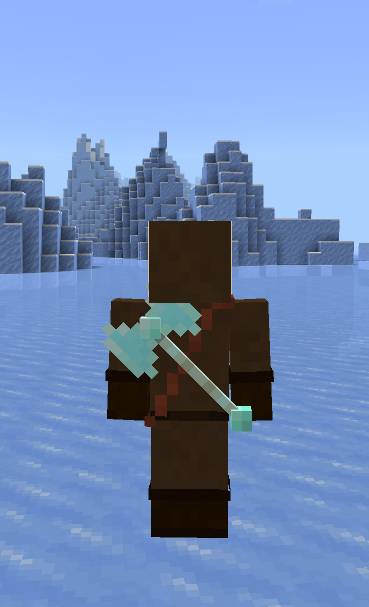
-- If there are leftover cubes from the placeholder model, remove them to avoid rendering issues like Z-fighting (when two elements with the same position tries to render simultaneously).
2nd Tutorial: Character creator compatibility for head cosmetics
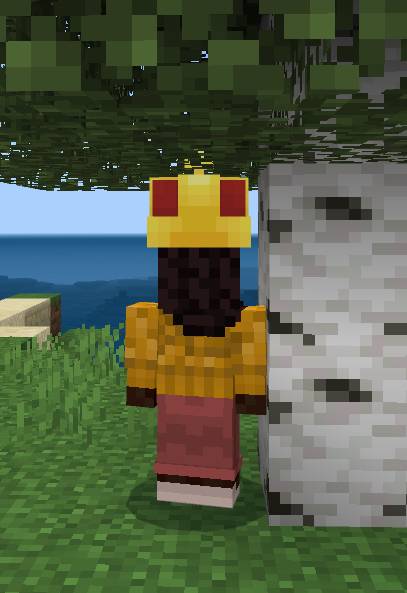
• Character Creator skins (also referded as Persona in the files) are unique because they work differently than the player’s base entity file. Due to this, the base player.entity.json file doesnt render character creators skins.
• However, a well-known resource pack creator named Rainvay has found a way, and the persona enabler resource pack uses this method to enable Character Creator skins! Credits to her.
-- Explanation aside, This section of the tutorial is dedicated to adding Character Creator compatibility for basic head cosmetics, as they require some setup. Compared to back cosmetics. Arm cosmetics compatibility may be added later and more complicated cosmetics, may not work properly.
• What you'll need:
-- The same tools from the first tutorial
-- A text editor for the bonus step
1. Either import your model onto blockbench, or use a text editor to open your model. The crown model in the cosmetic pack will be used in this tutorial with blockbench as the easier option.
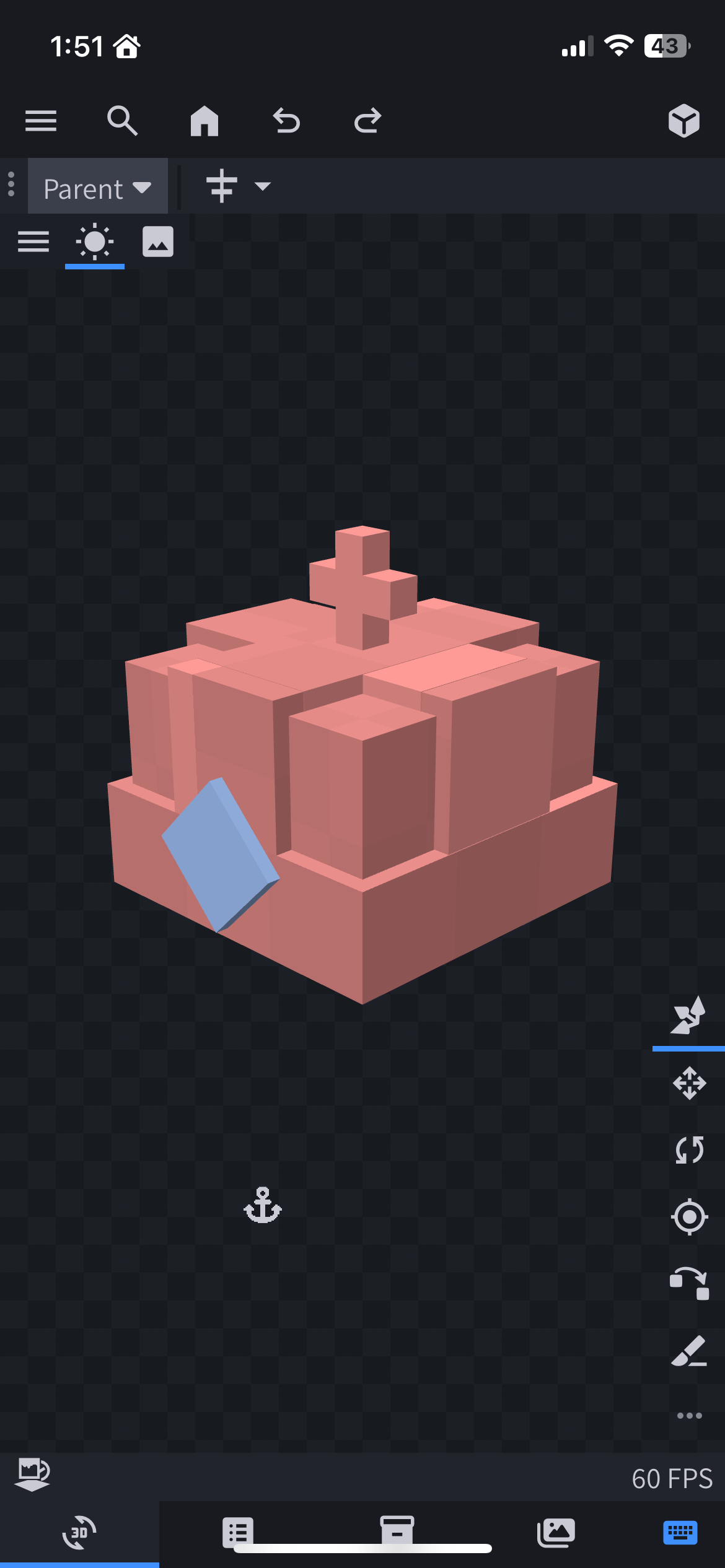
2. Create a bone inside the head’s bone named "persona". This is needed to have the cosmetic move on the head.
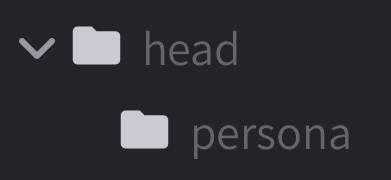
3. Import all your current cubes inside the "persona" bone.
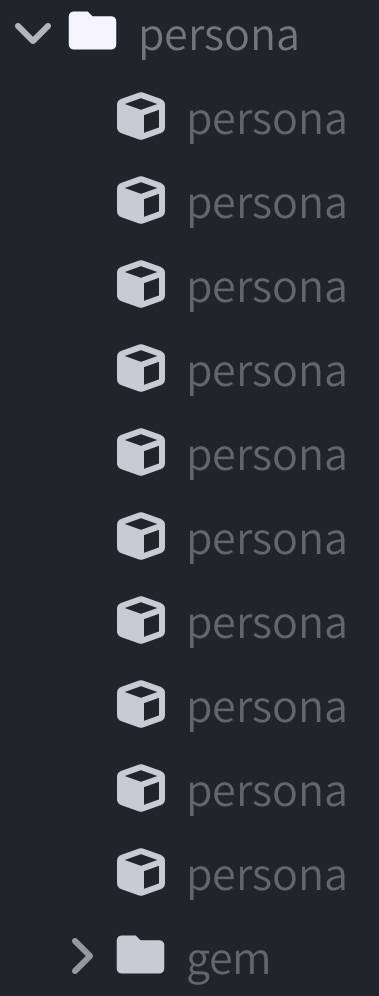
4. Import you model into the pack’s files. You can refer to Step 3 in the basic tutorial as a refresher.
5. Test your model in-game. If the cosmetic gets offset with the player’s size, tutorial done!
Bonus step: To add compatibiltiy for back cosmetics with custom animation, import this line of code inside the "cape" bone above the rotation. You’ll need a text editor for this one:
"position" : [ 0.0, "q.get_root_locator_offset('armor_offset.default_neck', 1)", 0.0 ],
3rd Tutorial: Use the players texture
• Sometimes, you may want to make a cosmetic that uses one, or multiple player textures. Well thats where this tutorial comes for those who dont know!
-- Side note: The tutorial will automaticaly assume you finish the first tutorial and have your model finished, as those basics steps will not be mentioned.
• What you'll need:
-- A file editor, mostly.
1. locate or create a "render_controllers" folder. This is where we will do most of our work.
-- If youre using one of the custom slots, it is recommended that you create the folder within the slot, as to avoid breaking things.
2-1. Create the following file:
-- Name: cape.render_controllers.json
--- It could have any name really, but i recommend that you keep the ".render_controllers.json" part, as its somewhat necessary.
-- Contents (copy-paste the following):
{
"format_version": "1.8.0",
"render_controllers": {
"controller.render.cape": {
"geometry": "Geometry.cape",
"materials": [ { "*": "Material.cape" } ],
"textures": [ "Texture.default" ],
"is_hurt_color": {
"r": 0,
"g": 0,
"b": 0,
"a": 0
},
"on_fire_color": {
"r": 0,
"g": 0,
"b": 0,
"a": 0
}
}
}
}
2-2. If the file already exist, replace the textures section with "Texture.default". DO NOT change anything else, only the textures section!
3. Save any changes, if manual saves has to be done.
4. And thats it! You should now be able to use the player's skin in your cosmetics!
-- Why this works: The reason why is because the default texture is the player's texture. So bu doing this, you're telling the game to apply the default texture to the cosmetic.
Final Notes
-- If anything is unclear, check out additional Blockbench tutorials online. More specifically, the ones for minecraft bedrock mob modeling.
5 Update Logs
2.4.0: The Wizardry Update : by Cakeofcraft 10/04/2025 6:12:45 pmOctober 4, 2025 @ 10:12 pm UTC
You're a wizard Harry...
This is the main content update, while the one before didn't have much, this one adds new companion packs and fixes bugs, as usual.
also i completely forgot to update the pack on Planet Minecraft when it reached its first birthday (of the backpack cape, not the cosmetic pack)
-----------------
COMPANION PACKS:
-----------------
• The first companion pack of this update doenst have a specific theme, but have some spooky cosmetic for the Halloween season! Here are the cosmetics:
-- Halo: Always an angel.
-- Scythe: Harness the power of souls...
-- Pumpkin: A cute fruit with a little stem on top! (Enderman Protection not included)
-- Ghost Necklace: Found in an ancient temple. Seems to stay visible with the gem glowing when in spectator mode.
• The second companion pack's theme are "Magic Hats". While i wont show the cosmetics in the changelog, there are 18 unique designs in total! Some hats are base on some of Belka3's Magic Hats designs.
-----------------
CHANGES AND ADDITIONS:
-----------------
• Improved the headphones cosmetic:
-- Tweak the colours of the white version.
-- Improved the black version, so that it doesnt use inverted colours and has more pronoun details.
-- trimmed the model to be 1 pixel thick in all cases.
• Improved the Purple Heart cosmetic's flashes in the Backbling Cape Companion Pack, especially the damage glint.
-----------------
FIXES:
-----------------
• Changes to the "Character Creator Enabler" companion pack:
-- Added a special version of the Compatibility Mode which adds proper Actions & Stuff compatibility.
--- I know, im sorry for lying about actual compatibility 6 months ago, I actually didn't test if the compatibility mode works with Actions & Stuff until i bought it in early May.
--- There are some content errors that seem to appear with this mode, but it seems like no major issues appear, for the moment.
-- Fixed all content errors caused by updating to 1.21.90.
--- While untested, the pack is useable on older version with no major issues.
-- Cosmetics are no longer invisible with/uses the vanilla cape model when Aspects 6.4.0 is enabled.
-- Improved compatibility with animated cosmetics.
• Fix typos in the changelog.
-----------------
PACK DOCUMENTS:
-----------------
• Added an note in on the "Character Creator Enabler" pack regarding using the "Compatibility Mode" in 1.21.60
-- In short, it will allow using packs with character creator skins, like Actions & Stuff, but these special skins wil appear as steve. Im not sure how that happened.
• Changes to the tutorials:
-- Added a "What you'll need" section for each tutorial in order to tell newer users what are the minimum software required for the tutorial.
-- Added an extra tutorial for using the player's texture.
-- Tutorials are now numbered, with the custom cosmetic one being the first, and the character creator compatibility one being the second.
• Tweaked the notes inside the "player.animation.json" file in the Character Creator Enabler Pack.
• Slightly made some wording changes in the changelog.
• Made some small changes to match Cake's D°Uzi Tweaks's changelog.
• Changed UUID in order to prevent replacing the pack’s contents every update.
• Changed Version number to 2.4.0.
-----------------
NOTES:
-----------------
• I've been thinking of how to make back cosmetics easier to make without ruining preexisting cosmetics. If only i hadn't made it flipped... Anyway, one idea that came to mind is by putting a variable on the model's rotation and apply the rotation if not present.
-- The problem is that by doing so, if it works, it may break compatibility with other packs, which is one of the fudamentals of Cake's Cosmetic Pack; ensuring as much compatibility with other packs as possible that could conflict.
--- I'll try by the next update to see if its possible, if not, it wouldn't be a feature in the changelog.
This is the main content update, while the one before didn't have much, this one adds new companion packs and fixes bugs, as usual.
also i completely forgot to update the pack on Planet Minecraft when it reached its first birthday (of the backpack cape, not the cosmetic pack)
-----------------
COMPANION PACKS:
-----------------
• The first companion pack of this update doenst have a specific theme, but have some spooky cosmetic for the Halloween season! Here are the cosmetics:
-- Halo: Always an angel.
-- Scythe: Harness the power of souls...
-- Pumpkin: A cute fruit with a little stem on top! (Enderman Protection not included)
-- Ghost Necklace: Found in an ancient temple. Seems to stay visible with the gem glowing when in spectator mode.
• The second companion pack's theme are "Magic Hats". While i wont show the cosmetics in the changelog, there are 18 unique designs in total! Some hats are base on some of Belka3's Magic Hats designs.
-----------------
CHANGES AND ADDITIONS:
-----------------
• Improved the headphones cosmetic:
-- Tweak the colours of the white version.
-- Improved the black version, so that it doesnt use inverted colours and has more pronoun details.
-- trimmed the model to be 1 pixel thick in all cases.
• Improved the Purple Heart cosmetic's flashes in the Backbling Cape Companion Pack, especially the damage glint.
-----------------
FIXES:
-----------------
• Changes to the "Character Creator Enabler" companion pack:
-- Added a special version of the Compatibility Mode which adds proper Actions & Stuff compatibility.
--- I know, im sorry for lying about actual compatibility 6 months ago, I actually didn't test if the compatibility mode works with Actions & Stuff until i bought it in early May.
--- There are some content errors that seem to appear with this mode, but it seems like no major issues appear, for the moment.
-- Fixed all content errors caused by updating to 1.21.90.
--- While untested, the pack is useable on older version with no major issues.
-- Cosmetics are no longer invisible with/uses the vanilla cape model when Aspects 6.4.0 is enabled.
-- Improved compatibility with animated cosmetics.
• Fix typos in the changelog.
-----------------
PACK DOCUMENTS:
-----------------
• Added an note in on the "Character Creator Enabler" pack regarding using the "Compatibility Mode" in 1.21.60
-- In short, it will allow using packs with character creator skins, like Actions & Stuff, but these special skins wil appear as steve. Im not sure how that happened.
• Changes to the tutorials:
-- Added a "What you'll need" section for each tutorial in order to tell newer users what are the minimum software required for the tutorial.
-- Added an extra tutorial for using the player's texture.
-- Tutorials are now numbered, with the custom cosmetic one being the first, and the character creator compatibility one being the second.
• Tweaked the notes inside the "player.animation.json" file in the Character Creator Enabler Pack.
• Slightly made some wording changes in the changelog.
• Made some small changes to match Cake's D°Uzi Tweaks's changelog.
• Changed UUID in order to prevent replacing the pack’s contents every update.
• Changed Version number to 2.4.0.
-----------------
NOTES:
-----------------
• I've been thinking of how to make back cosmetics easier to make without ruining preexisting cosmetics. If only i hadn't made it flipped... Anyway, one idea that came to mind is by putting a variable on the model's rotation and apply the rotation if not present.
-- The problem is that by doing so, if it works, it may break compatibility with other packs, which is one of the fudamentals of Cake's Cosmetic Pack; ensuring as much compatibility with other packs as possible that could conflict.
--- I'll try by the next update to see if its possible, if not, it wouldn't be a feature in the changelog.
LOAD MORE LOGS
More like this
 Cake’s Ore UI16x Minecraft Bedrock Themed Texture Pack
 Cakeofcraft
4/21/25 2:12
• posted 1/24/25 12:14
5.6k 303 4x 12620
Cakeofcraft
4/21/25 2:12
• posted 1/24/25 12:14
5.6k 303 4x 12620![Sniffer cosmetics [HMCCosmetics] Minecraft Texture Pack](https://static.planetminecraft.com/files/image/minecraft/texture-pack/2026/862/20109972-sniffer_s.jpg) Sniffer cosmetics [HMCCosmetics]16x Minecraft 26.1 Themed Texture Pack
Sniffer cosmetics [HMCCosmetics]16x Minecraft 26.1 Themed Texture Pack w11shes
•8/31/26 8:55
185 10x 1124
w11shes
•8/31/26 8:55
185 10x 1124![Copper cosmetics [HMCCosmetics] Minecraft Texture Pack](https://static.planetminecraft.com/files/image/minecraft/texture-pack/2026/632/20115369-copper-cosmetics-title_s.jpg) Copper cosmetics [HMCCosmetics]16x Minecraft 26.1 Themed Texture Packw11shes
•9/2/26 11:12
203 10x 171
Copper cosmetics [HMCCosmetics]16x Minecraft 26.1 Themed Texture Packw11shes
•9/2/26 11:12
203 10x 171![Creaking cosmetics [HMCCosmetics] Minecraft Texture Pack](https://static.planetminecraft.com/files/image/minecraft/texture-pack/2026/860/20109967-creaking_s.jpg) Creaking cosmetics [HMCCosmetics]16x Minecraft 26.1 Themed Texture Packw11shes
•8/31/26 8:52
174 5x 1103
Creaking cosmetics [HMCCosmetics]16x Minecraft 26.1 Themed Texture Packw11shes
•8/31/26 8:52
174 5x 1103
 Fidzz0
6405048
4



 DarkHablts


 KorinMC



 Yumi_20s

 mskitti3x
 Airy
Airy

Have something to say?
I thank everyone who has lead me to this moment, you guys are the real MVP!
Happy birthday to the pack that kickstarted a fortune of stuff that i still appreciate today, and Merry Christmas!
https://mcpedl.com/cake-s-backpacks/
Note: if you are on mobile and cannot download, try to use the legacy website here: https://legacy.curseforge.com/
if you are going to fix “player.entity.json” to allow custom animations and scripts, atleast don’t do it to my pack
literally, everything is invisible