


• 7/23/25 4:28 am
- 5.3k views • 5 today
- save_alt 1.7k downloads • 1 today
- Game Version
- Minecraft 1.8.9
- Resolution
- 16x
- Progress
- 100% complete
- Changes include
- Mobs
- Models
Added CreditMade with blockbench :)

2
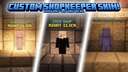
Do you hate browsing through hypixel's shopkeeper skins and realizing that they all SUCK or require TO MUCH TOKENS to buy?
Well fortunately, I have a solution for you!
This resource pack allows you to UPLOAD your OWN CUSTOM skin for a shopkeeper. It replaces the classic villager with a player model using YOUR uploaded skin! This means, you don't even need to buy a new shopkeeper! Simply equip your resource pack, select the default villager cosmetic, then hop into a game of bedwars to see the new change!
Tools:
Find skins via:
https://namemc.com/
I MADE A TOOL THAT HELPS YOU QUICKLY CREATE YOUR RESOURCE PACK!!! (thanks claude)
https://berniecodez.github.io/custom-shopkeeper-creator/
Instructions:
1. download your desired skin from namemc
2. upload the skin to my github project: https://berniecodez.github.io/custom-shopkeeper-creator/
3. it should auto-detect your skin's size but if it doesn't or does it incorrectly you can manually modify it
4. change the file name as you wish
5. click "generate resource pack"
6. doing so should download a zip file to your computer
7. instructions should appear on screen for you to follow
8. open minecraft's settings menu with "esc" and click options > resource packs > open resource pack folder
9. a new folder should open up
10. simply drag your resource pack into there and close out the folder and return to minecraft
11. if you don't see it close out of the pack menu then click it open again to reload the pack items
Enjoy :)
If you choose to download straight from the Planet Minecraft download resource pack button here is how you can configure your pack to have your custom skin!
1. download both the resource pack and the desired skin from namemc
2. extract the resource pack file and open it
3. navigate to assets > minecraft > optifine > cem
4. you should see a skin.png
5 replace the skin.png with your own skin from namemc
6. make sure the file is properly named as skin.png!
7. your skin should be correctly uploaded now
8. open minecraft's settings menu with "esc" and click options > resource packs > open resource pack folder
9. a new folder should open up
10. simply drag your resource pack into there and close out the folder and return to minecraft
11. if you don't see it close out of the pack menu then click it open again to reload the pack items
Enjoy :)
Note: Requires Optifine on 1.8 to function. This pack is designed for bedwars.
EXTRA MESSAGE:
Would you like me to add capes to the player models with uploadable images for that too?
Well fortunately, I have a solution for you!
This resource pack allows you to UPLOAD your OWN CUSTOM skin for a shopkeeper. It replaces the classic villager with a player model using YOUR uploaded skin! This means, you don't even need to buy a new shopkeeper! Simply equip your resource pack, select the default villager cosmetic, then hop into a game of bedwars to see the new change!
Tools:
Find skins via:
https://namemc.com/
I MADE A TOOL THAT HELPS YOU QUICKLY CREATE YOUR RESOURCE PACK!!! (thanks claude)
https://berniecodez.github.io/custom-shopkeeper-creator/
Instructions:
1. download your desired skin from namemc
2. upload the skin to my github project: https://berniecodez.github.io/custom-shopkeeper-creator/
3. it should auto-detect your skin's size but if it doesn't or does it incorrectly you can manually modify it
4. change the file name as you wish
5. click "generate resource pack"
6. doing so should download a zip file to your computer
7. instructions should appear on screen for you to follow
8. open minecraft's settings menu with "esc" and click options > resource packs > open resource pack folder
9. a new folder should open up
10. simply drag your resource pack into there and close out the folder and return to minecraft
11. if you don't see it close out of the pack menu then click it open again to reload the pack items
Enjoy :)
If you choose to download straight from the Planet Minecraft download resource pack button here is how you can configure your pack to have your custom skin!
1. download both the resource pack and the desired skin from namemc
2. extract the resource pack file and open it
3. navigate to assets > minecraft > optifine > cem
4. you should see a skin.png
5 replace the skin.png with your own skin from namemc
6. make sure the file is properly named as skin.png!
7. your skin should be correctly uploaded now
8. open minecraft's settings menu with "esc" and click options > resource packs > open resource pack folder
9. a new folder should open up
10. simply drag your resource pack into there and close out the folder and return to minecraft
11. if you don't see it close out of the pack menu then click it open again to reload the pack items
Enjoy :)
Note: Requires Optifine on 1.8 to function. This pack is designed for bedwars.
EXTRA MESSAGE:
Would you like me to add capes to the player models with uploadable images for that too?
More like this
 Guns for Hypixel armed bedwars2048x Minecraft 1.8.9 Other Texture Pack
 Vebou
•2/5/22 12:31
18.2k 3k 2x 71111
Vebou
•2/5/22 12:31
18.2k 3k 2x 71111 Allay Shopkeepers For Bedwars16x Minecraft 1.8.9 Other Texture Pack
 Quitsaquadle
•7/22/25 4:32
4.1k 1.3k 1x 11
Quitsaquadle
•7/22/25 4:32
4.1k 1.3k 1x 11 BEDWARS ARMED UPGRADE16x Minecraft 1.16.5 PvP Texture Pack
 BaTTeRFeeD
•11/29/23 10:18
1.8k 164 2x 975
BaTTeRFeeD
•11/29/23 10:18
1.8k 164 2x 975 Dragon Shopkeepers For Bedwars!16x Minecraft 1.8.9 Other Texture PackQuitsaquadle
•7/23/25 4:25
1.1k 307 2x 341
Dragon Shopkeepers For Bedwars!16x Minecraft 1.8.9 Other Texture PackQuitsaquadle
•7/23/25 4:25
1.1k 307 2x 341 Bedwars Armor: Battle Garments16x Minecraft 1.20.1 PvP Texture Pack
 IvanTheSpaceBiker
•6/16/26 2:00
182 7x 92
IvanTheSpaceBiker
•6/16/26 2:00
182 7x 92
6682359
4

 myusername




 TryzzMC
 Yumi_20s
 JeZoofyGopter17
 Wavy2203
 Virus5600
Have something to say?