


• 3/14/26 8:41 pm
- 981 views • 4 today
- save_alt 234 downloads • 1 today
- Game Version
- Minecraft 1.21.11
- Resolution
- 16x
- Progress
- 20% complete
- Changes include
- Items
Added CreditMy team; The Emerald Demons, and the Live Texture Editor mod

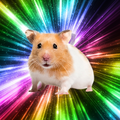
150
Bro the pack.png took like 10 times as long as the actual texture for the sword cause I only had 3 colors. FUN FACT: I only used colors from the normal emerald texture. I made this because my team on a server is emerald themed. I will PROBABLY be updating for more of the netherite stuff. Maybe.
1 Update Logs
Update 1.1 : by Neo64 03/15/2026 10:27:34 amMarch 15 @ 2:27 pm UTC
Fixed the file so now it works yippee
More like this
 Terraria Swords in Minecraft! 1.16+16x Minecraft 1.16 Themed Texture Pack
 indinull
•8/30/21 12:41
7.5k 426 3x 784
indinull
•8/30/21 12:41
7.5k 426 3x 784 Twilight Legendary Sword from Guild Wars 216x Minecraft 1.16 Themed Texture Pack
 Trickfully
•7/25/20 10:18
3.8k 704 2x 4126
Trickfully
•7/25/20 10:18
3.8k 704 2x 4126


 Cedoche_
 TheGman
 Calebspiano
6523861
4

 Neo64
Neo64






 zOrg
zOrg
 Noier_x7
 NotSK_Craft
 Vanilatte
![[Half-Life 2 Beta] Skyboxes from 2000 (maybe 1999-2001) Minecraft Texture Pack](https://static.planetminecraft.com/files/image/minecraft/texture-pack/2026/875/20058136_s.jpg)
 BigJonny456
Have something to say?
Me looking at bro after use them all to trade a single sword:
So he lowkey cracked me-
:P
That the pack took much longer than the texture isn't surprising, figuring out the needed folder structure and the mcmeta formatting is not as straightforward as it might be. (Fortunately, most of this translates to future packs.)
One critical error is that the zip in the download does not work:
what needs to be put in the resource folder is the Emerald Sword 2.0 folder that is the sole top level folder of the zip. [Don't feel bad about this, I did the same thing with my first published pack ( Improved Directional Glazed Magenta Terracotta [which I really ought get around to fixing 😗] )]
Less important, it also won't work before 1.13 (when the resource pack folder textures/items got renamed to textures/item ) [pack version #4]. This particular issue can't be fixed with overlays as those weren't added until 1.20.2 [pack version #18]
Something you may find helpful to do is changing the way you format the mcmeta (and any JSON) files; this is your pack.mcmeta reformatted in my standard style:
{"pack":{"pack_format":75,
"supported_formats":{"min_inclusive":1,"max_inclusive":9999},
"min_format":1,
"max_format":9999,
"description":"the pack.png took longer than the actual texture by like at least 7x\nBy Ne0N64 @Neo64 on PMC and SBG"
}
}
This has absolutely no functional effect, but makes proofreading far easier. (There isn't anything magic about the specifics of the line breaks and spaces, they are just what I find convenient.)
WRT getting a pic of the texture itself; you can open and manipulate the netherite_sword.png file, adding titles & whatnot (or just use that png itself)
Working in Windoze, one would select the assets/pack.mcmeta/pack.png then compress them to a zip using:
right click / Send to / Compressed (zipped) folder
This produces a zip with one of those names which one can then rename.
The important thing is that the pack.png, pack.mcmeta, and assets folder [etc] be in the top layer of the zip