




• • 7/11/23 9:09 am • 1 logs
- 9.8k views • 6 today
- save_alt 1.2k downloads • 1 today
- Game Version
- Minecraft 1.20
- Resolution
- 16x
- Progress
- 100% complete
- Changes include
Added CreditSpecial thanks to hypherionsa for creating th… info


16
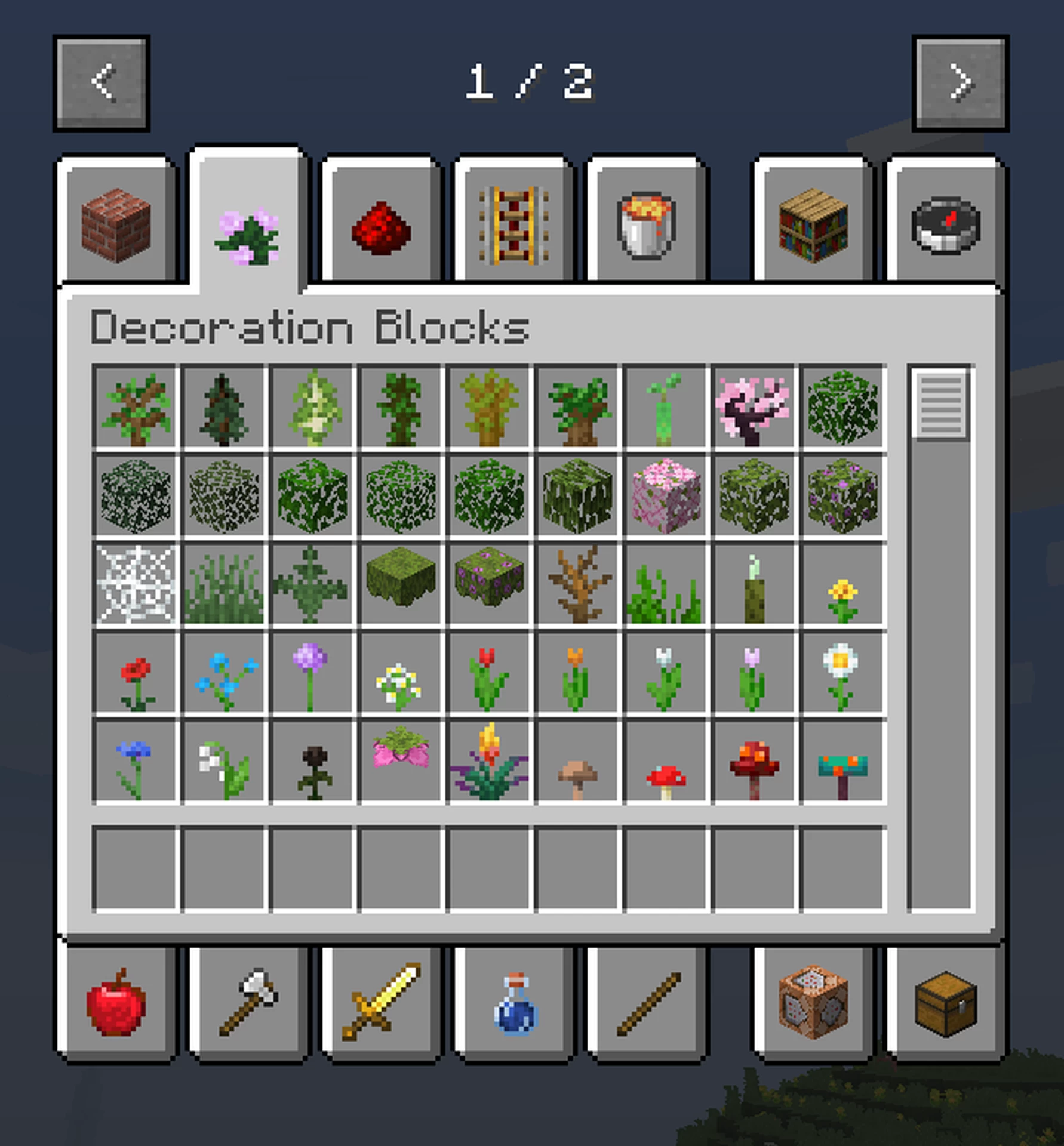
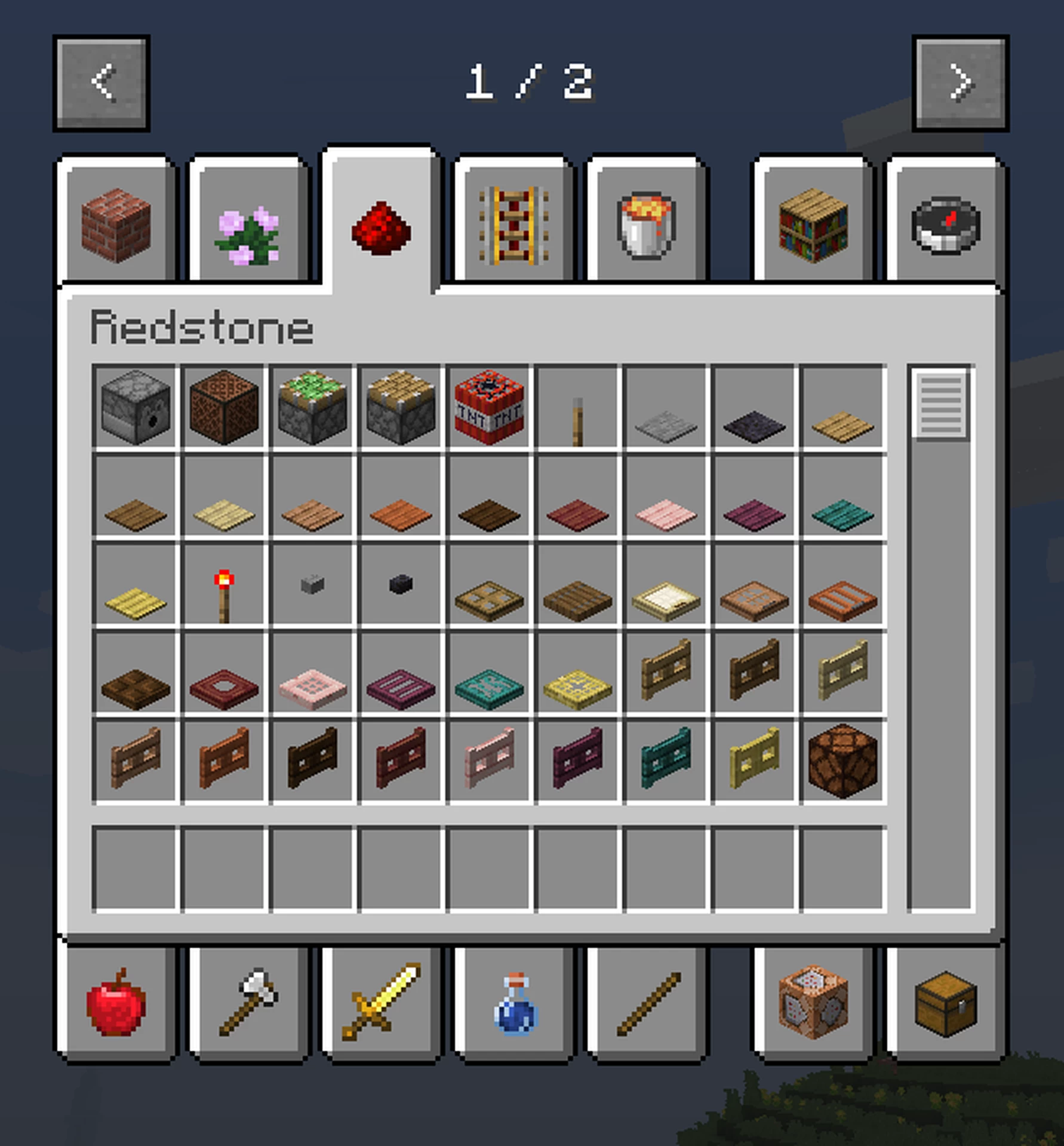
In 1.19.3, the creative inventory was completely overhauled, changing the tabs and their contents. This resourcepack ports the OLD creative inventory to new versions (1.19.3+).
MoreCreativeTabs mod (version 1.2.0 and onward) is needed in order for this resource pack to work.
Link: modrinth.com/mod/morecreativetabs
Currently officially supported on versions 1.19.3-1.20.1.
Known issues:
-"OP" tab doesn't show in version 1.20.1 (issue with the "MoreCreativeTabs" mod itself).
MoreCreativeTabs mod (version 1.2.0 and onward) is needed in order for this resource pack to work.
Link: modrinth.com/mod/morecreativetabs
Currently officially supported on versions 1.19.3-1.20.1.
Known issues:
-"OP" tab doesn't show in version 1.20.1 (issue with the "MoreCreativeTabs" mod itself).
1 Update Logs
Update 1.1 : by Terrazon 07/11/2023 9:09:19 amJuly 11, 2023 @ 1:09 pm UTC
-Now officially supports versions 1.20-1.20.1;
-The thumbnail now features new potion colours.
-The thumbnail now features new potion colours.
More like this
 Old Style Menu - FancyMenu128x Minecraft 1.20.4 Themed Texture Pack
 KeebleKapaa
•2/9/24 11:04
7.5k 569x 162
KeebleKapaa
•2/9/24 11:04
7.5k 569x 162![Unique Discs! [1.19.3-1.20] Minecraft Texture Pack](https://static.planetminecraft.com/files/image/minecraft/texture-pack/2023/833/16622518-uniquediscscover_s.jpg) Unique Discs! [1.19.3-1.20]16x Minecraft 1.20 Other Texture Pack
Unique Discs! [1.19.3-1.20]16x Minecraft 1.20 Other Texture Pack Qncognito
6/7/23 9:41
• posted 12/24/22 12:02
4.9k 604 3x 52930
Qncognito
6/7/23 9:41
• posted 12/24/22 12:02
4.9k 604 3x 52930 Creative Menu: Reloaded16x Minecraft 1.21.5 Simplistic Texture Pack
 7eventy7
•3/2/25 3:12
5k 275x 21813
7eventy7
•3/2/25 3:12
5k 275x 21813![Renamable keys 2.0 [1.19.3] Minecraft Texture Pack](https://static.planetminecraft.com/files/image/minecraft/texture-pack/2023/098/16615408-keys_s.jpg) Renamable keys 2.0 [1.19.3]16x Minecraft 1.19.3 Other Texture Pack
Renamable keys 2.0 [1.19.3]16x Minecraft 1.19.3 Other Texture Pack Pumpkin_Mallow
•3/22/23 12:07
3.9k 692 1x 41710
Pumpkin_Mallow
•3/22/23 12:07
3.9k 692 1x 41710 OHi's Rainbow Rain Restore For 1.2016x Minecraft 1.20 Other Texture Pack
 MattGliMTCBruh
•8/2/23 5:28
1.9k 166x 31510
MattGliMTCBruh
•8/2/23 5:28
1.9k 166x 31510
5977798
4


 TIBR
TIBR


 ASoldVinylRecord

 User6556430G
 BOX-rgb
 oLun4
oLun4
 alexsssi

Have something to say?
1) Go into the resourcepack folder;
2) Open «assets» folder;
3) Open «minecraft» folder;
4) Open «morecreativetabs» folder;
5) Open «ordered_tabs.json»;
6) Remove the «, "existing"» string right at the end (make sure to remove the comma, too);
7) Save changes;
8) If nothing changed, restart Minecraft.
Hope this helps!
I noticed, however, that the search tab doesn't work properly. When you click on it, it displays all of the items/blocks normally, but if you type anything into it, all blocks/items disappear and the tab is essentially unusable, even if you type the whole name of what you're looking for. I wonder if that's caused by the mod or this resource pack specifically, do you know anything about it?
Специально для перфекционистов)