


• 12/30/22 7:33 pm
- 7.3k views • 2 today
- save_alt 1.4k downloads
- Game Version
- Minecraft 1.19.3
- Resolution
- 16x
- Progress
- 100% complete
- Changes include
- Items
- Misc
- Models


152
Just something that so many other people have done but i too have also done because i was bored
Classic and Slim variants in the zip
**To change the skin**
Drag folder onto Desktop* and open
In the zip there is a shortcut named skins, (why must be on Desktop)
delete the pre-existing image named "skin" (there will be a second image named steve or alex to indicate classic or slim)
get desired skin and paste into the folder and rename skin
**drag into minecraft and use**
Alternate way is to go through the files assets>minecraft>textures>item>skin(no need for desktop)
Classic and Slim variants in the zip
**To change the skin**
Drag folder onto Desktop* and open
In the zip there is a shortcut named skins, (why must be on Desktop)
delete the pre-existing image named "skin" (there will be a second image named steve or alex to indicate classic or slim)
get desired skin and paste into the folder and rename skin
**drag into minecraft and use**
Alternate way is to go through the files assets>minecraft>textures>item>skin(no need for desktop)
More like this
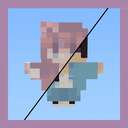 AlphaLeoli's Customizable Totem of Undying16x Minecraft 1.21.11 Other Texture Pack
 AlphaLeoli
10/5/25 12:34
• posted 2/26/23 9:40
12.4k 2.3k 4x 81818
AlphaLeoli
10/5/25 12:34
• posted 2/26/23 9:40
12.4k 2.3k 4x 81818 Custom 2D Totems16x Minecraft 1.19.2 Other Texture Pack
 Lewo1964
•10/22/21 10:02
8.1k 855 10x 61410
Lewo1964
•10/22/21 10:02
8.1k 855 10x 61410 Cinnamon Toast Crunch Totem16x Minecraft 1.19.1 Other Texture Pack
 Butterd
•8/14/22 9:53
2.1k 341 1x 1107
Butterd
•8/14/22 9:53
2.1k 341 1x 1107

 PotatoMinion_
 Sssmmilles
5810545
4


 RagingCalamity








 Pato_Taza

 heycronusdev
 Helder_12
Have something to say?