


• • 12/16/25 8:36 am • 1 logs
- 2.1k views • 1 today
- save_alt 142 downloads
- Compatibility
- Minecraft 1.21
- Changes include
- Advancements
- Functions
- Loot Tables
- Predicates
- Recipes
Added CreditToo many people to list lmfao - just look at … info

10
 SwitchedCube
⚠ This page is not up-to-date. To see an up-to-date description, please visit the modrinth page! ⚠
Aeternum is an RPG Datapack for minecraft 1.21.4 inspired by the Origins Mod!
⚠ Click on a spoiler to see more details!
List of all the abilities
Overview
Aeternum is an RPG Datapack for Minecraft, featuring:
- 350 + new abilities
- 16 classes (11 upcoming™)
- dungeons (upcoming™)
- an energy system
- A level-up system
- Magic (upcoming™)
- Custom items + mobs
- and so much more (upcoming™)!
- 350 + new abilities
- 16 classes (11 upcoming™)
- dungeons (upcoming™)
- an energy system
- A level-up system
- Magic (upcoming™)
- Custom items + mobs
- and so much more (upcoming™)!
Class Table
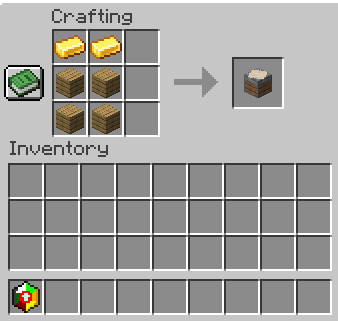
Use /loot give @s loot aeternum:class_table to give yourself a class table
Found in plains villages
Allows you to:
- Choose your first ever class
- Learn class abilities
- Change your class using a class stone
- Change the slots in your ability wheel
- Choose a new class once you’ve mastered your selected class
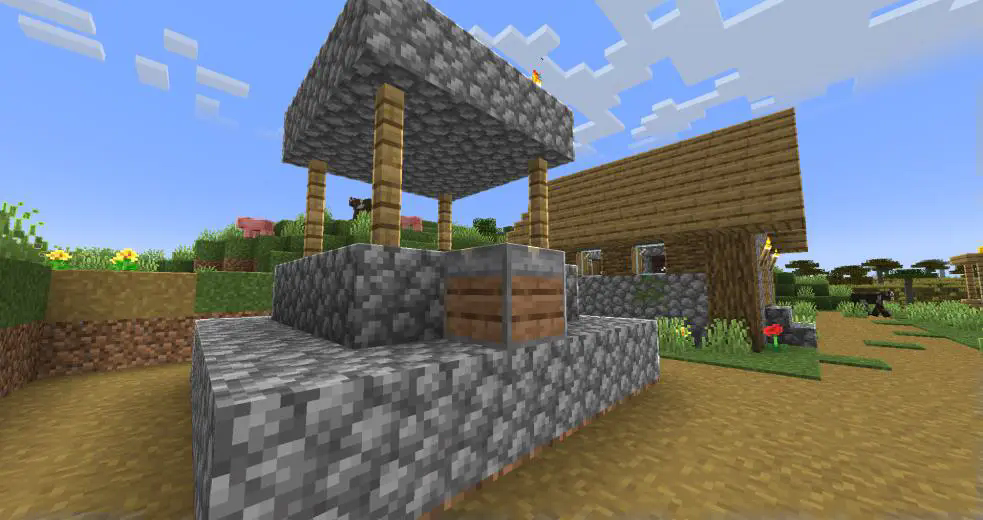
Found in plains villages
Allows you to:
- Choose your first ever class
- Learn class abilities
- Change your class using a class stone
- Change the slots in your ability wheel
- Choose a new class once you’ve mastered your selected class
Choosing a new class
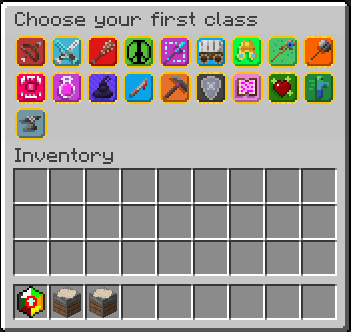
In order to use Aeternum's features, it is advised to learn a choose a class first. In the class table, and as of release alpha, there are 5 classes to select.
- Archer
- Mage
- Swordsman
- Rogue
- Healer
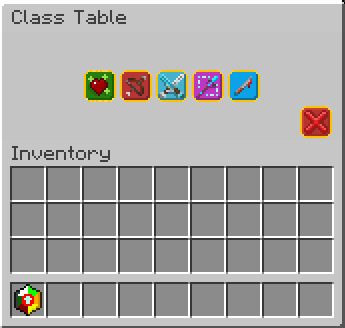
Choosing a new class will give you a starting ability to use, and might provide custom items (for example, swordsman's longswords and rogue's daggers).
After you choose a class, you might master that class by leveling up to level 10 in that class.
After doing so, you will able to choose another class.
- Archer
- Mage
- Swordsman
- Rogue
- Healer
Choosing a new class will give you a starting ability to use, and might provide custom items (for example, swordsman's longswords and rogue's daggers).
After you choose a class, you might master that class by leveling up to level 10 in that class.
After doing so, you will able to choose another class.
Dungeon Merchant
Use /function aeternum:merchant/summon to summon a merchant
The merchant has a rare chance to spawn in place of a wandering trader. The merchant will sell class scrolls, and class stones (upcoming™).
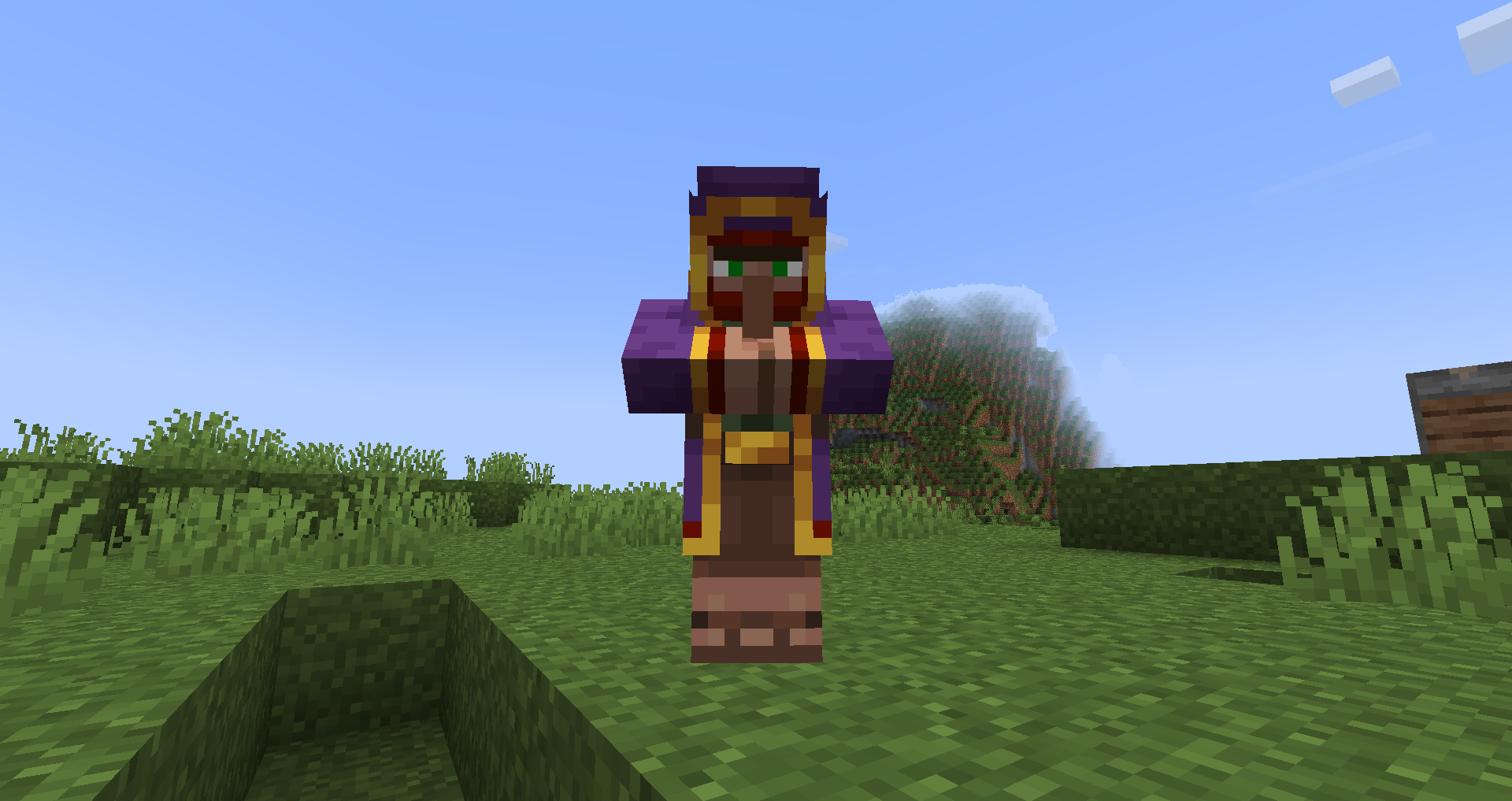
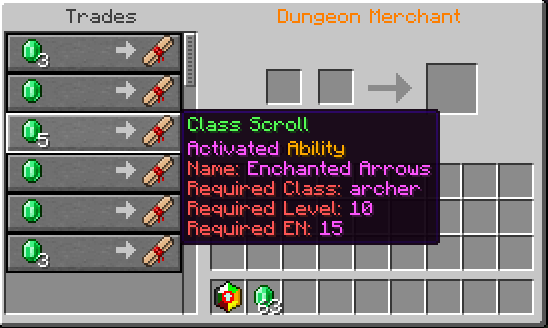
The merchant has a rare chance to spawn in place of a wandering trader. The merchant will sell class scrolls, and class stones (upcoming™).
Learning abilities
Use /loot give @s loot aeternum:scrolls/... to give yourself class scrolls
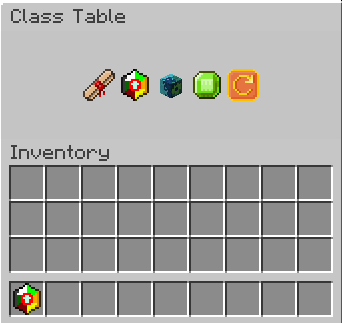
Throughout your journey in the minecraft world, you may find class scrolls (obtained from dungeon merchants as of alpha release), which are the various abilities your class gives you. To add a class scroll to your unlocked abilties, you may use the "Use a class scroll" menu in the class table.
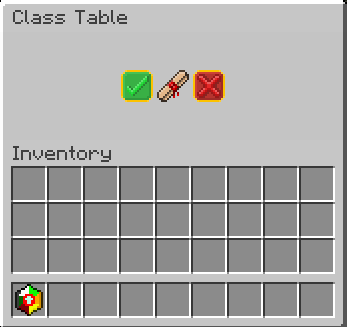
Each class scroll can only be used in this menu **if you have the required class and its required level.** This information can be seen in the tooltip of the scroll.
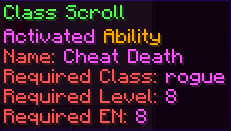
Throughout your journey in the minecraft world, you may find class scrolls (obtained from dungeon merchants as of alpha release), which are the various abilities your class gives you. To add a class scroll to your unlocked abilties, you may use the "Use a class scroll" menu in the class table.
Each class scroll can only be used in this menu **if you have the required class and its required level.** This information can be seen in the tooltip of the scroll.
Selecting an Ability
As Aeternum offers 500 unique abilties, this menu will serve as a guide to keep track of them all. Here you can select abilities to put in your ability wheel, remove them from the slots in the ability wheel, and scroll through 24 pages of possible abilities to choose from (that is, if you unlocked all of them).
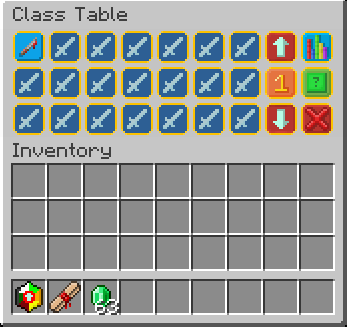
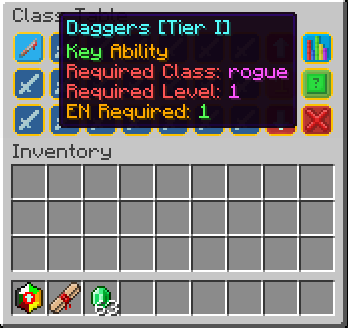
- Clicking on the number button (between the arrow buttons) will cycle between all the ability wheel slots you can modify
- Left-clicking on an ability will result in that ability being selected
- The arrow buttons will change pages
- The button on the top right (when clicked on) will show all the abilities that are currently in the ability wheel.
- The green button below it clears the currently selected slot.
- Clicking on the number button (between the arrow buttons) will cycle between all the ability wheel slots you can modify
- Left-clicking on an ability will result in that ability being selected
- The arrow buttons will change pages
- The button on the top right (when clicked on) will show all the abilities that are currently in the ability wheel.
- The green button below it clears the currently selected slot.
Ability types
- Activated: activate when used through the ability wheel item.
- Passive: will give you passive effects, as long as the ability is in the ability wheel.
- Key: grant you access to special items only available to specific classes, with unique effects such as increased reach or attack damage!
- Passive: will give you passive effects, as long as the ability is in the ability wheel.
- Key: grant you access to special items only available to specific classes, with unique effects such as increased reach or attack damage!
Ability wheel and Ability slots
The ability wheel is the item that lets you use all of your active-type abilities.
It cannot be removed from the inventory.
When holding it in hand, you will see the amount of energy you have on the bottom, and you can rightclick to activate an ability, or put the item in offhand (F by default) to swap between your available ability wheel slots.
When using an ability, it will consume your energy. Each ability will use up various amounts of EN. If you do not have enough EN for an ability, you cannot use that ability.
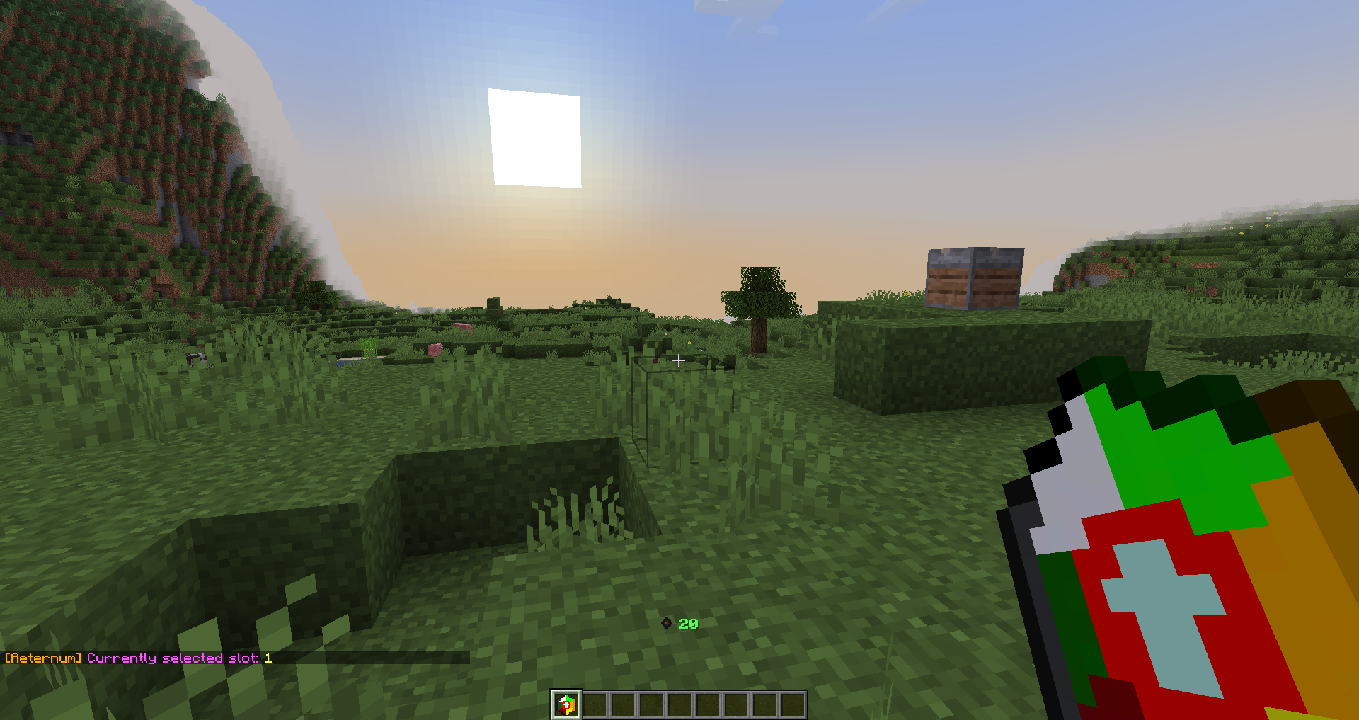
Unlocking ability wheel slots is pretty straightforward. When you level up your first class, you will automatically unlock new ability wheel slots. The maximum amount of ability wheel slots is 8. This is to balance the features in the datapack.
It cannot be removed from the inventory.
When holding it in hand, you will see the amount of energy you have on the bottom, and you can rightclick to activate an ability, or put the item in offhand (F by default) to swap between your available ability wheel slots.
When using an ability, it will consume your energy. Each ability will use up various amounts of EN. If you do not have enough EN for an ability, you cannot use that ability.
Unlocking ability wheel slots is pretty straightforward. When you level up your first class, you will automatically unlock new ability wheel slots. The maximum amount of ability wheel slots is 8. This is to balance the features in the datapack.
Energy
The energy system works as a system to make sure you can't use too many abilities at once.
- It regenerates like normal health.
- *Generally* an ability costs an EN amount equivalent to the level of the ability to use.
- Passive abilities and Key abilities do not use EN.
- Your current amount of EN displayed when you hold the ability wheel.
- A different icon will show depending on your current class. (Have fun seeing them in survival - or by ripping them from the resourcepack!)

This is just an example lol
Icon list:
- Summoner - Spirits
- Smith - Metal
- Archer - Focus
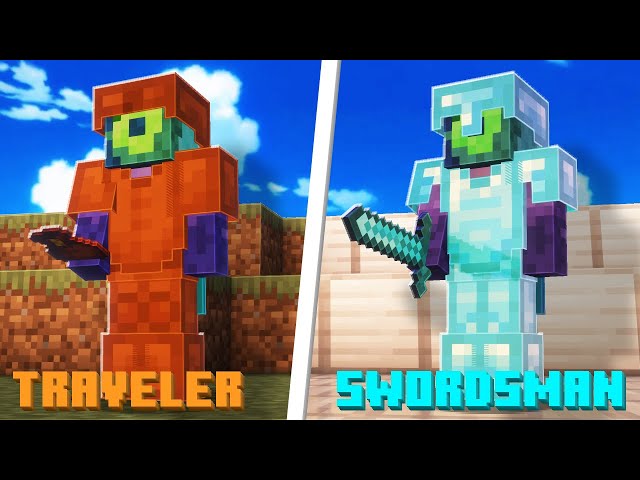
- Swordsman - Slash
- Barbarian - Charge
- Mage - Mana
- Traveler - XP
- Druid - Nature
- Warrior - ???
- Monster - Blood
- Alchemist - Potion
- Soldier - Shield
- Healer - Life
- Rogue - Shadow
- Miner - Rock
- Enchanter - Paper
- It regenerates like normal health.
- *Generally* an ability costs an EN amount equivalent to the level of the ability to use.
- Passive abilities and Key abilities do not use EN.
- Your current amount of EN displayed when you hold the ability wheel.
- A different icon will show depending on your current class. (Have fun seeing them in survival - or by ripping them from the resourcepack!)
This is just an example lol
Icon list:
- Summoner - Spirits
- Smith - Metal
- Archer - Focus
- Swordsman - Slash
- Barbarian - Charge
- Mage - Mana
- Traveler - XP
- Druid - Nature
- Warrior - ???
- Monster - Blood
- Alchemist - Potion
- Soldier - Shield
- Healer - Life
- Rogue - Shadow
- Miner - Rock
- Enchanter - Paper
Leveling Up
To level up a class in aeternum you need to do a specific thing related to your current class.
This functionality will be changed in a future release, when quests become a reality.
But for now, here are all the ways to level up a class:
- Summoner - Breed animals
- Smith - Use weapons (change durability of weapons)
- Archer - Kill enemies (bow/crossbow ranged damage)
- Swordsman - Kill enemies (swords)
- Barbarian - Kill enemies (axes)
- Mage - Eat a potion ingredient (Will change)
- Traveler - Ride an entity (Will change)
- Druid - Use hoes (change durability of hoes)
- Warrior - Kill enemies (mace/trident)
- Monster - WIP
- Alchemist - Brew Potions
- Soldier - Entity hurt player
- Healer - Cure zombie villager
- Rogue - Use potions of invisibility
- Miner - Use pickaxes (change durability of pickaxes)
- Enchanter - Enchant Items
This functionality will be changed in a future release, when quests become a reality.
But for now, here are all the ways to level up a class:
- Summoner - Breed animals
- Smith - Use weapons (change durability of weapons)
- Archer - Kill enemies (bow/crossbow ranged damage)
- Swordsman - Kill enemies (swords)
- Barbarian - Kill enemies (axes)
- Mage - Eat a potion ingredient (Will change)
- Traveler - Ride an entity (Will change)
- Druid - Use hoes (change durability of hoes)
- Warrior - Kill enemies (mace/trident)
- Monster - WIP
- Alchemist - Brew Potions
- Soldier - Entity hurt player
- Healer - Cure zombie villager
- Rogue - Use potions of invisibility
- Miner - Use pickaxes (change durability of pickaxes)
- Enchanter - Enchant Items
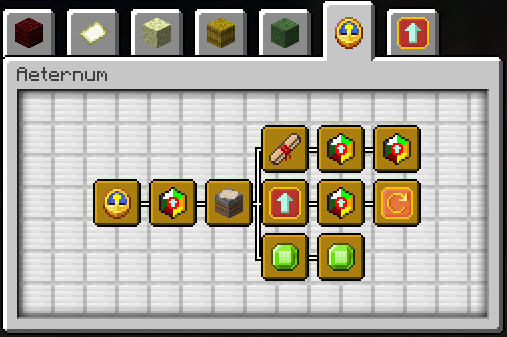
Advancements
Class Stones
An upcoming feature in release beta
Allows you to learn classes that are outside of the base 5 you see in version alpha.
Obtained from the dungeon merchant.
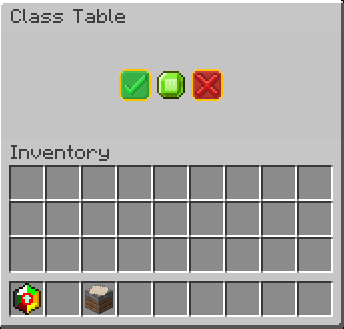
Allows you to learn classes that are outside of the base 5 you see in version alpha.
Obtained from the dungeon merchant.
???
Credits
Use /trigger aeternum.credits to view credits in-game
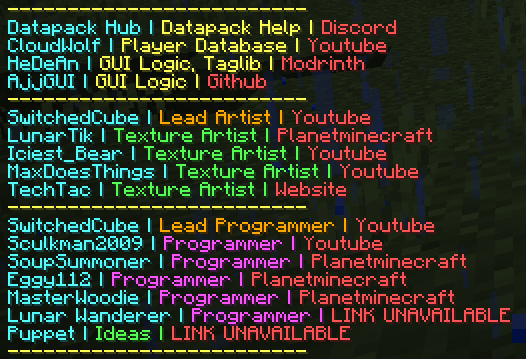
Did you know?
- Aeternum was a project that started in 2022, and was discontinued after a year. But now, i've remade it, and hope to show it to the world!
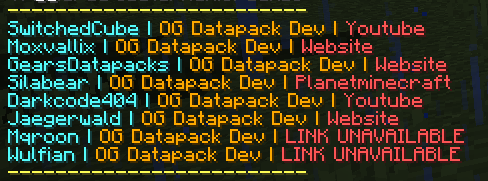
- Shout out to the OG Creators:
- "Aeternum" in latin means "forever"! How cool!
- The pronounciation for "aeternum" in the datapack title is ay-tur-nuh-m
- Shout out to the OG Creators:
- "Aeternum" in latin means "forever"! How cool!
- The pronounciation for "aeternum" in the datapack title is ay-tur-nuh-m
=====License=========================================================
Aeternum © 2024-2026 by ShardGate is licensed under Attribution-NonCommercial-NoDerivatives 4.0 International
An exception is made for video content, which can be monetized. However,
video creators must give appropriate credit by leaving a link to this page and/or the ShardGate discord in the video description.
1 Update Logs
Update #1 : by SwitchedCube 12/16/2025 8:36:52 amDecember 16, 2025 @ 1:36 pm UTC
Updated to show new branding
More like this
 Origins - Datapack Variation - V2.0 Update!Minecraft 1.17 - 1.18 Game Mechanic Data Pack
 GoldSlimeling91
7/8/21 1:43
• posted 4/15/21 9:56
75.8k 9.5k 245x 2139147
GoldSlimeling91
7/8/21 1:43
• posted 4/15/21 9:56
75.8k 9.5k 245x 2139147 Chunklock :: A Brand New Minecraft Game ModeMinecraft 1.20 Game Mechanic Data Pack
 avid
•9/20/23 11:08
35.3k 8.8k 20x 15661
avid
•9/20/23 11:08
35.3k 8.8k 20x 15661 D&D Stats Datapack v1.17Minecraft 1.17 - 1.18 Game Mechanic Data Pack
 DJChimodragon
1/30/22 7:55
• posted 10/20/21 8:30
17.6k 658 29x 23234
DJChimodragon
1/30/22 7:55
• posted 10/20/21 8:30
17.6k 658 29x 23234 Armor Trim AbilitiesMinecraft 1.20 - 1.21 Game Mechanic Data Pack
 TQNL
•8/27/23 10:11
9.5k 700 1x 198
TQNL
•8/27/23 10:11
9.5k 700 1x 198 Mahou shoujo: Become a magical girl!Minecraft 1.20 Game Mechanic Data Pack
 NaomiS2
11/30/23 5:43
• posted 9/23/23 4:20
8.5k 551 24x 82828
NaomiS2
11/30/23 5:43
• posted 9/23/23 4:20
8.5k 551 24x 82828
6483889
119








 X1miyaStudio
Have something to say?
Resourcepack can be downloaded like this