



• • 2/2/25 11:02 pm • 4 logs
- 1.4k views • 0 today
- save_alt 102 downloads
- Compatibility
- Minecraft 1.21
- Changes include
- Functions


15
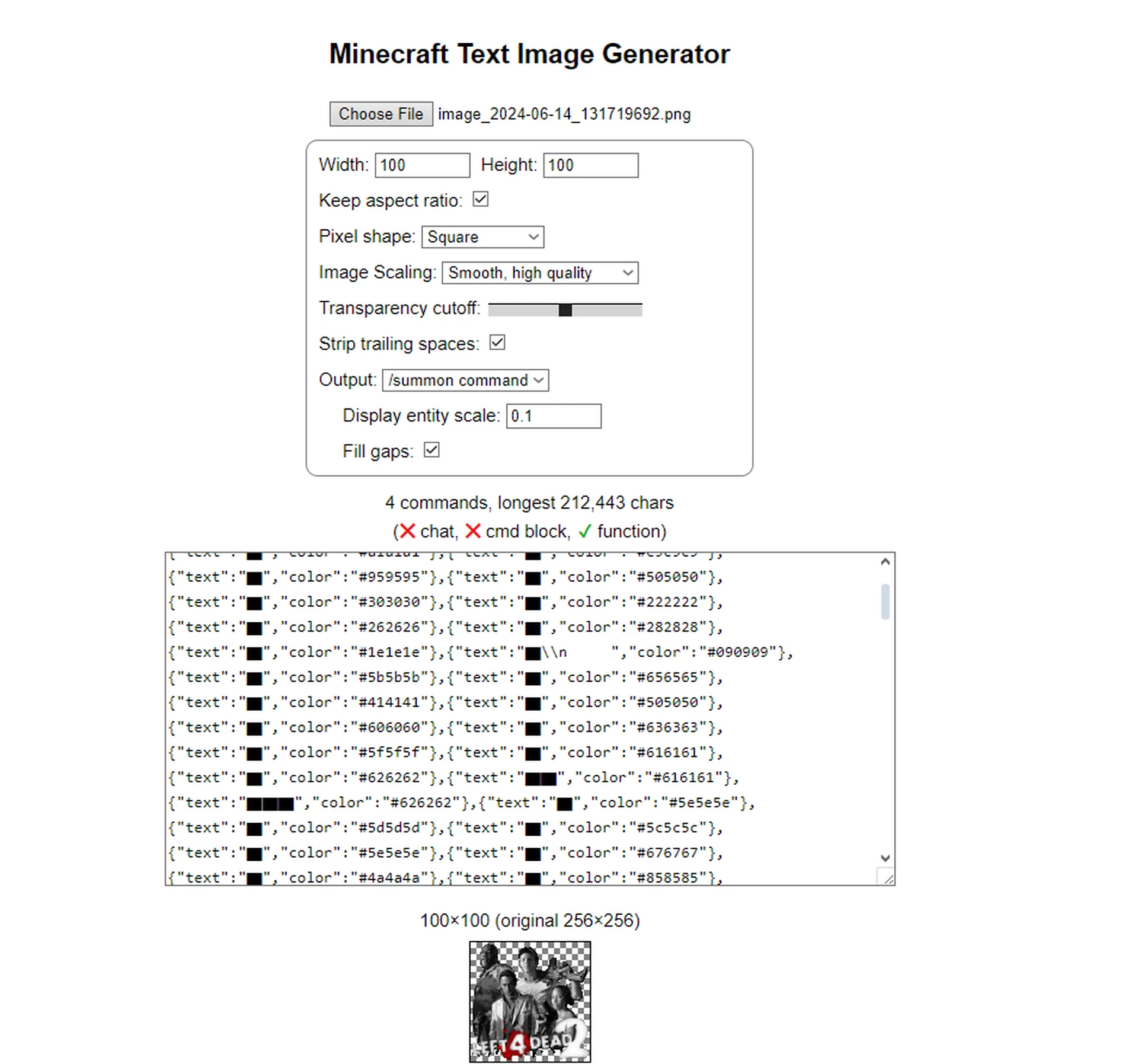
This is a easy to use Custom Spray Datapack, inspired by the spray system from L4D2, TF2 and CSS. No resource pack required, it is all text based
Step1. Goto [url=www.soltoder.com/mc-text-image/
]www.soltoder.com/mc-text-image/
[/url]You can also use MC Stacker as well if you wanna get more technical with your image to text
Step2. Copy the command
Step3.unzip the Datapack as a folder
Step4.locate the functions folder and go in it, Then look for Spray1, 2 or 3, then paste in the command in one of those using Notepad and once its pasted then save
Step5.give yourself your spray book by typing in /function sprays:spray_book
Step6.You can place your spray anywhere you want by clicking one of the Sprays in your spray book and YOUR ALL DONE. Enjoy
Please note, that too many sprays in one area can cause lag. You can decrease your lag by changing entity size
Step1. Goto [url=www.soltoder.com/mc-text-image/
]www.soltoder.com/mc-text-image/
[/url]You can also use MC Stacker as well if you wanna get more technical with your image to text
Step2. Copy the command
Step3.unzip the Datapack as a folder
Step4.locate the functions folder and go in it, Then look for Spray1, 2 or 3, then paste in the command in one of those using Notepad and once its pasted then save
Step5.give yourself your spray book by typing in /function sprays:spray_book
Step6.You can place your spray anywhere you want by clicking one of the Sprays in your spray book and YOUR ALL DONE. Enjoy
Please note, that too many sprays in one area can cause lag. You can decrease your lag by changing entity size
4 Update Logs
Update #4 : by djmaster180 02/02/2025 11:02:07 pmFebruary 3, 2025 @ 4:02 am UTC
Added a Video tutorial
LOAD MORE LOGS
More like this

 TheAI123
 Zigdust09

 Hexasan
 LuoWu
LuoWu6306153
119






 Wolfiiye

 Adamic39

 Rynerch

 _Dazai_
 InfernalDevice
![DustyMania [1.21.11] Minecraft Data Pack](https://static.planetminecraft.com/files/image/minecraft/data-pack/2026/998/20013936-logo_s.jpg)

Have something to say?