

• 9/16/12 11:54 am
- 1.8k views • 0 today
- save_alt 52 downloads
- Game Version
- Minecraft 1.3.1
- Progress
- 15% complete
Added CreditAnthonyyoyo copy rigth


9
Follow me on twitter:
https://twitter.com/Anthonyyoyomods
Dublacation blocks is a mod that adds more blocks to the game...Currently tho there is only 1 block in the game called the Dublacation stone,it is really hard to craft and thats what makes it not overpowered! This mod is for minecraft 1.3.2 and minecraft 1.3.1
--------------------------------------------------------------------------------------------------------------------------------------
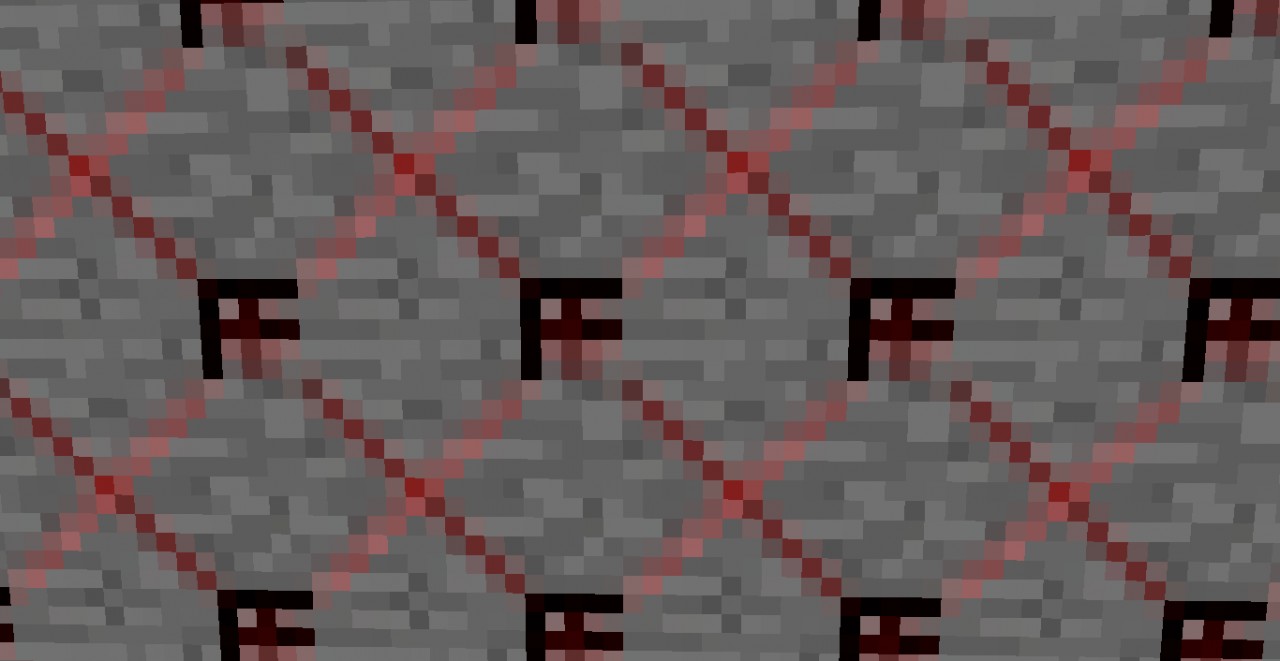
Dublacation stone:
The dublacation stone is the first stone of this mod...It is "stone" and that means that it will only be mineable with a picaxe from wood to diamond...Gold is the best tho, here is the crafting for this stone:

4 redstone dust...1 diamond block....4 stone= Dublacation stone!
-----------------------------------------------------------------------------------------------------------------------------------------------------------------------
Downloads:
Welcome to the download section...The current version for this mod is V.1.0.
YOU WILL NEED MINECRAFT FORGE FOR EVERY DOWNLOAD!!!!!!
download v1.0 for minecraft 1.3.2: http://www.mediafire.com/?wa2a2bnydquyz03
--------------------------------------------------------------------------------------------------------------------------------------
How to download this mod?:
1. Download the latest Minecraft forge for minecraft 1.3.2
2.After downloading minecraft forge go to %appdata% in your folder(search it up)
3.Go to .minecrfat after your in %appdata%
4.After that go into your bin your folder on top should look like this:
C:UsersYour nameAppDataRoaming.minecraftbin
5.Now download jzip at jzip.com
6.Right click the minecraft.jar in the in folder and open the forge j zip folder...Now delete the meta-inf
7.now slide all the forge folders in the minecraft.jar
8.start your minecraft..
part 2:
1.Now there should be a new folder in the minecraft %appdata% folder...Download this mod and slide every thing that says "put in mods folder" if there is no folder make one...
2.Start your minecraft again
part 3:
1.Now when your done opening your %appdata% after opening your minecraft first there will also be a new folder called "usermods"
2.Now in the usermod folder in this mod's folder there will be a "put in usermods" So just slide all of the stuff inside to the usermod folder in the %appdata%/.minecraft
If you dont understand i will be trying to make a video about this or you can and i will upload it to this forme!
https://twitter.com/Anthonyyoyomods
Dublacation blocks is a mod that adds more blocks to the game...Currently tho there is only 1 block in the game called the Dublacation stone,it is really hard to craft and thats what makes it not overpowered! This mod is for minecraft 1.3.2 and minecraft 1.3.1
--------------------------------------------------------------------------------------------------------------------------------------
Dublacation stone:
The dublacation stone is the first stone of this mod...It is "stone" and that means that it will only be mineable with a picaxe from wood to diamond...Gold is the best tho, here is the crafting for this stone:
4 redstone dust...1 diamond block....4 stone= Dublacation stone!
-----------------------------------------------------------------------------------------------------------------------------------------------------------------------
Downloads:
Welcome to the download section...The current version for this mod is V.1.0.
YOU WILL NEED MINECRAFT FORGE FOR EVERY DOWNLOAD!!!!!!
download v1.0 for minecraft 1.3.2: http://www.mediafire.com/?wa2a2bnydquyz03
--------------------------------------------------------------------------------------------------------------------------------------
How to download this mod?:
1. Download the latest Minecraft forge for minecraft 1.3.2
2.After downloading minecraft forge go to %appdata% in your folder(search it up)
3.Go to .minecrfat after your in %appdata%
4.After that go into your bin your folder on top should look like this:
C:UsersYour nameAppDataRoaming.minecraftbin
5.Now download jzip at jzip.com
6.Right click the minecraft.jar in the in folder and open the forge j zip folder...Now delete the meta-inf
7.now slide all the forge folders in the minecraft.jar
8.start your minecraft..
part 2:
1.Now there should be a new folder in the minecraft %appdata% folder...Download this mod and slide every thing that says "put in mods folder" if there is no folder make one...
2.Start your minecraft again
part 3:
1.Now when your done opening your %appdata% after opening your minecraft first there will also be a new folder called "usermods"
2.Now in the usermod folder in this mod's folder there will be a "put in usermods" So just slide all of the stuff inside to the usermod folder in the %appdata%/.minecraft
If you dont understand i will be trying to make a video about this or you can and i will upload it to this forme!
1 Update Logs
Update #1 : by anthonyyoyo 09/16/2012 11:57:49 amSeptember 16, 2012 @ 3:57 pm UTC
Updated a little bit of stff
More like this
![Mineguns! [1.3.2] Minecraft Mod](https://static.planetminecraft.com/files/resource_media/screenshot/1234/2012-08-24_225117_3384845_thumb.jpg)
![Zerf Food [1.3.2] Minecraft Mod](https://static.planetminecraft.com/files/resource_media/screenshot/1235/zerffoodtitle_3345639_thumb.jpg) Zerf Food [1.3.2]Minecraft 1.3.1 New Content Mod
Zerf Food [1.3.2]Minecraft 1.3.1 New Content Mod zerfgog
8/22/12 7:16
• posted 8/21/12 5:57
2.5k 215 13x 173
zerfgog
8/22/12 7:16
• posted 8/21/12 5:57
2.5k 215 13x 173 Erothmod {1.3.2}Minecraft 1.3.1 New Content Mod
 erero7
9/14/12 4:36
• posted 7/22/12 12:46
2.4k 168 8x 1041
erero7
9/14/12 4:36
• posted 7/22/12 12:46
2.4k 168 8x 1041 bgwoo's Blocks and Items (1.3.2)Minecraft 1.3.1 New Content Mod
 bgwoo
9/11/12 4:59
• posted 9/9/12 3:55
2.2k 150x 441
bgwoo
9/11/12 4:59
• posted 9/9/12 3:55
2.2k 150x 441
 Pestyben
 GamerX101
1432126
7
![[1.3.2] Dublacation blocks Minecraft Mod](https://static.planetminecraft.com/files/resource_media/screenshot/1237/2012-09-16_120839_3606879_thumb.jpg)


 MinecrafterMP









 Luquicio
 Taso54
![Runic Curiosities [Magic & Items] Minecraft Mod](https://static.planetminecraft.com/files/image/minecraft/mod/2026/073/20092168-icon_s.jpg)
 SavistarIT


Have something to say?