



• 11/9/11 4:41 pm
- 4.5k views • 0 today
- save_alt 353 downloads
- Game Version
- Minecraft 1.8 beta
- Progress
- 85% complete
Added Creditmo',nether,mod,texatlanta,texatlanta1,new,content,v1.0

4
My great texture maker, Greennick7777, stumbled upon a small inconvenience during the making of this mod. Therefore, he was not able the make the textures of this mod. Instead, I had to make them.
Me and him will be working on improving some of the textures as soon as we can.
We are aware of the few slightly odd - sized images!
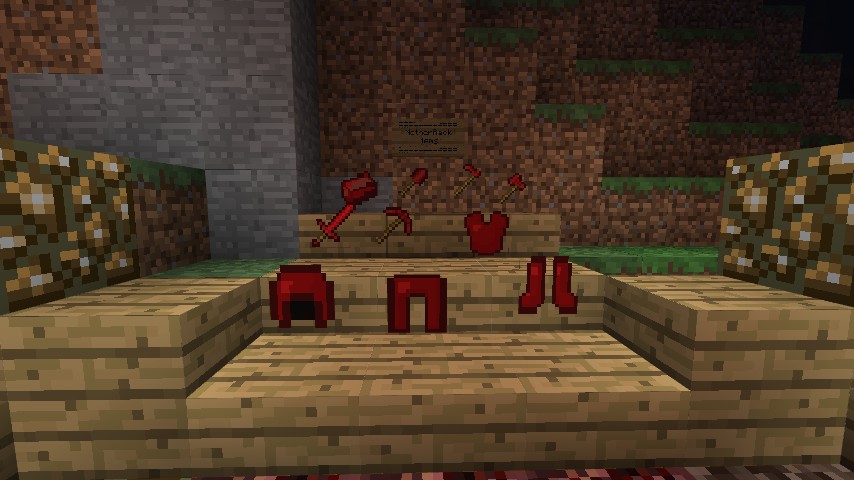
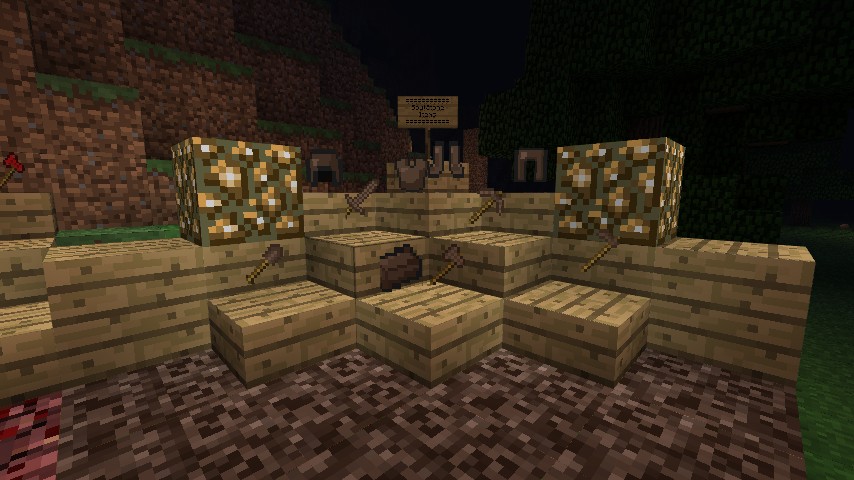
This mod adds tools, armor, and an ingot for soulstone, glowstone, and netherrack.
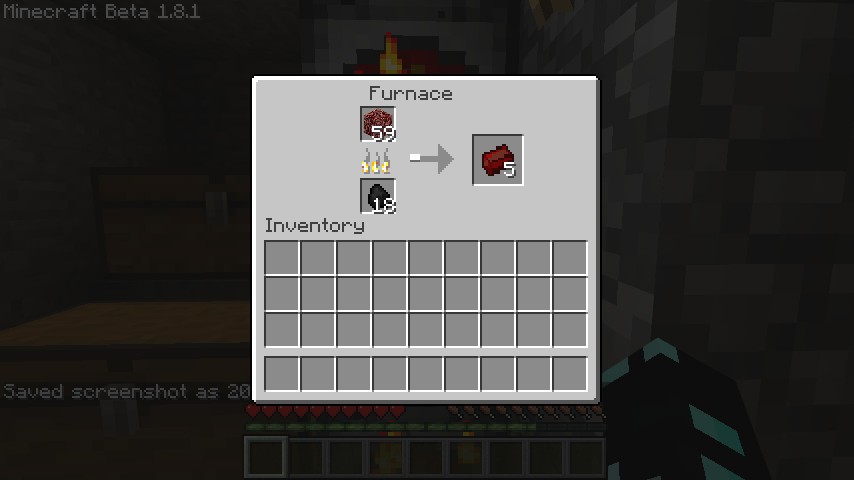
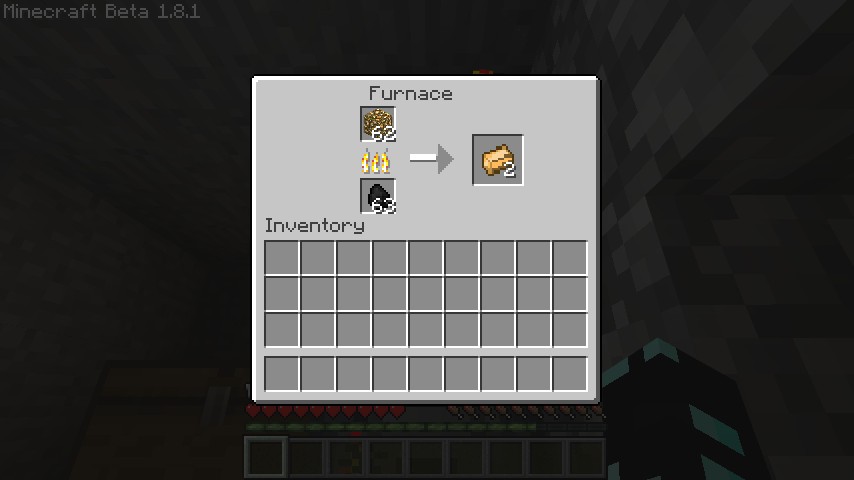
The tool recipes and armor recipes are the same as default except you use the ingots added in this mod to make them. All the smelting recipes and items are shown in the pictures above.
INSTALLATION: All of these steps are required!
1. Install Risugami's ModLoader
2. DELETE Meta-INF in the Minecraft.jar
3. Open the "put in minecraft.jar" folder in this mod
4. Drag everything but the "put into armor" folder into the minecraft.jar.
5. Drag THE CONTENTS of the "put into armor" folder into the"armor" fold in the minecraft.jar, the the folder itself!
6. Enjoy the Mo' Nether Mod v1.0 :D
BACKUP YOU MINECRAFT BEFORE DOING ANY MODDING!
If there are any problems, try redoing these steps.
Please leave suggestions, this is for minecraft 1.8.1!
Planned: Tools using multiple ingots creating combination nether tools.
Me and him will be working on improving some of the textures as soon as we can.
We are aware of the few slightly odd - sized images!
This mod adds tools, armor, and an ingot for soulstone, glowstone, and netherrack.
The tool recipes and armor recipes are the same as default except you use the ingots added in this mod to make them. All the smelting recipes and items are shown in the pictures above.
INSTALLATION: All of these steps are required!
1. Install Risugami's ModLoader
2. DELETE Meta-INF in the Minecraft.jar
3. Open the "put in minecraft.jar" folder in this mod
4. Drag everything but the "put into armor" folder into the minecraft.jar.
5. Drag THE CONTENTS of the "put into armor" folder into the"armor" fold in the minecraft.jar, the the folder itself!
6. Enjoy the Mo' Nether Mod v1.0 :D
BACKUP YOU MINECRAFT BEFORE DOING ANY MODDING!
If there are any problems, try redoing these steps.
Please leave suggestions, this is for minecraft 1.8.1!
Planned: Tools using multiple ingots creating combination nether tools.
More like this
 Mo'Ore Mod v1.0_01Minecraft 1.7 beta New Content Mod
 OMARATION
8/8/11 7:31
• posted 6/25/11 4:10
27k 2.6k 124x 31512
OMARATION
8/8/11 7:31
• posted 6/25/11 4:10
27k 2.6k 124x 31512 Magic Mod 1.0Minecraft 1.7.2 New Content ModJunikos
10/21/14 12:31
• posted 10/1/14 3:39
14k 3k 16x 1810
Magic Mod 1.0Minecraft 1.7.2 New Content ModJunikos
10/21/14 12:31
• posted 10/1/14 3:39
14k 3k 16x 1810


 AZZAZAH
 SimonDesignsHD
321303
7











 Magersers
 Cozy Glow
 KateGirlSK
Have something to say?
helmet but with glowstone in the middle
How cool would that be
some suggestions
how about some ores from the nether or even a tree