
• • 10/12/25 9:27 am • 4 logs
- 47k views • 16 today
- save_alt 16.6k downloads • 5 today
- Game Version
- Minecraft Bedrock
- Resolution
- 1024x
- Progress
- 100% complete
- Changes include
- Environment
- GUI
- Misc
- Particles
- Terrain
152
![Hyper Realistic Sky [Bedrock] Minecraft Texture Pack](https://i.imgur.com/8gXDGTX.png)
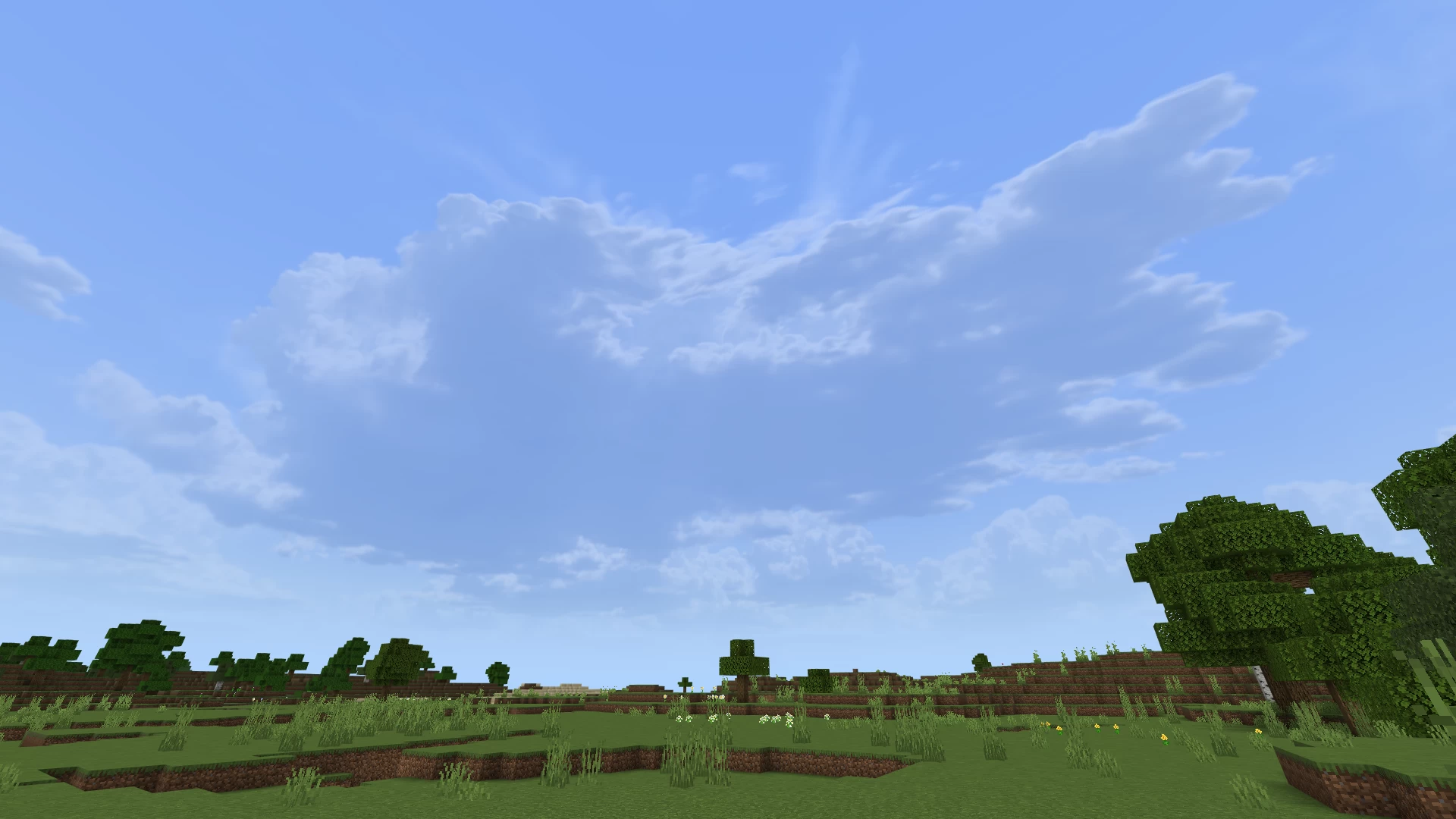
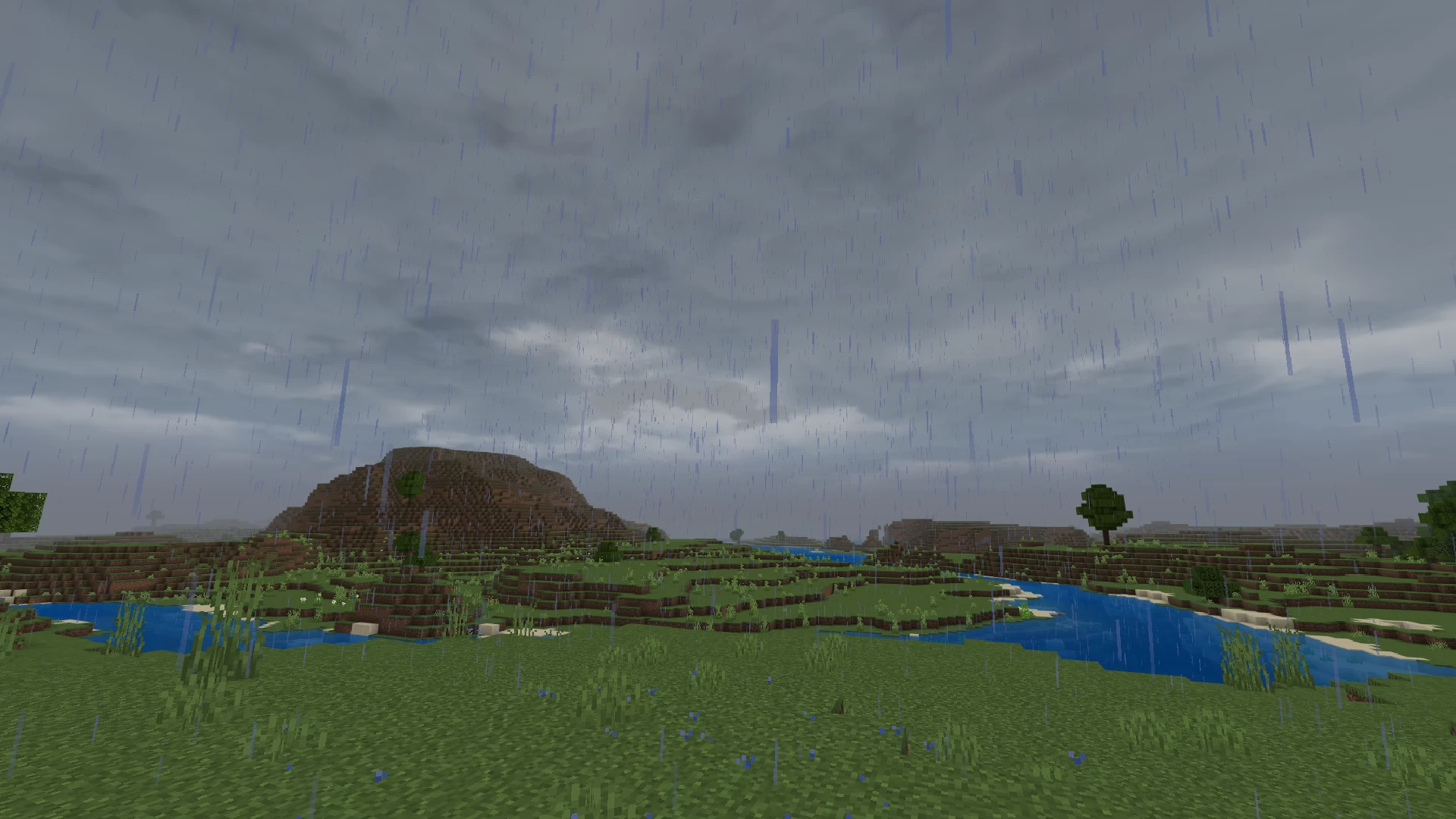
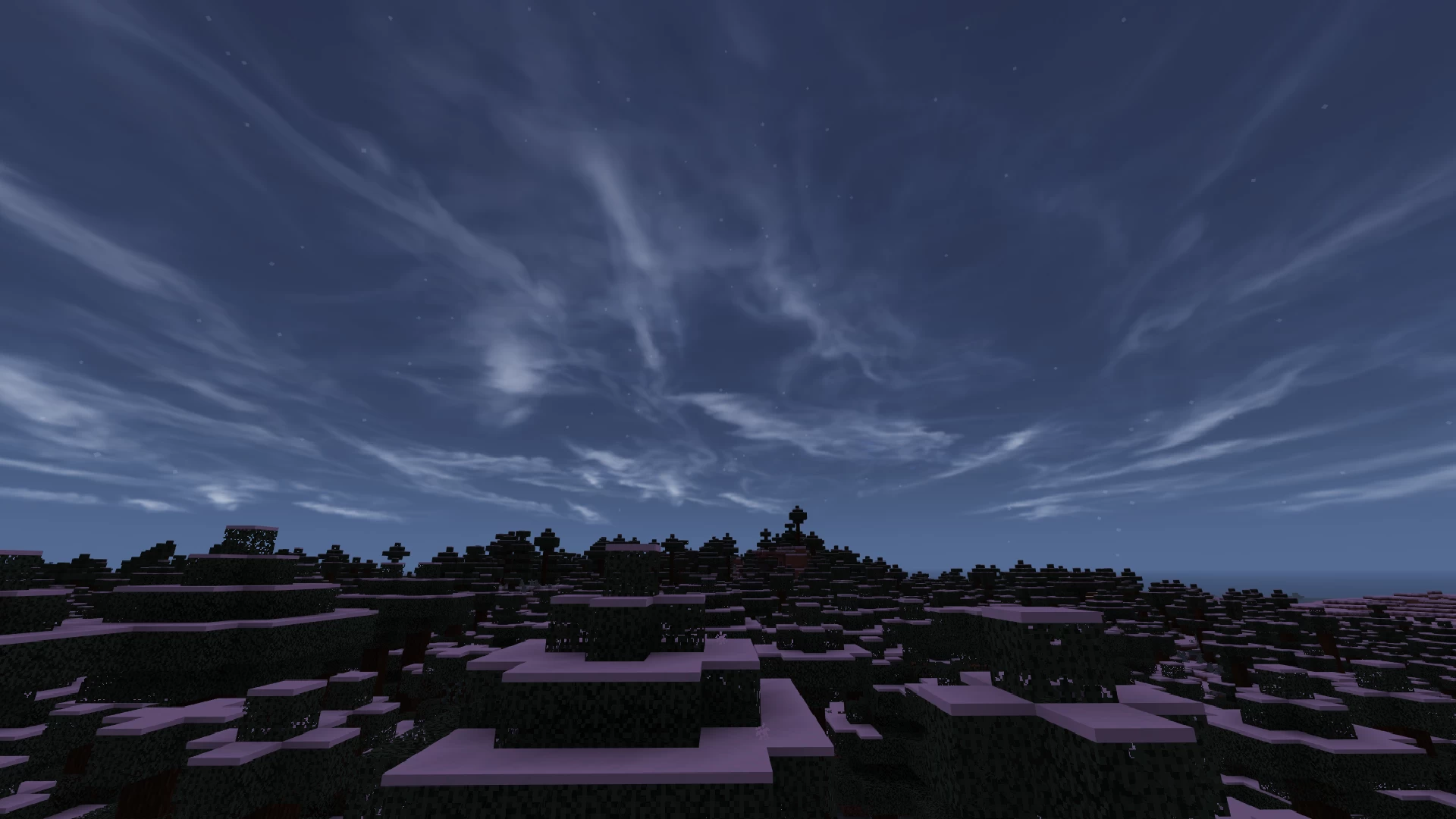
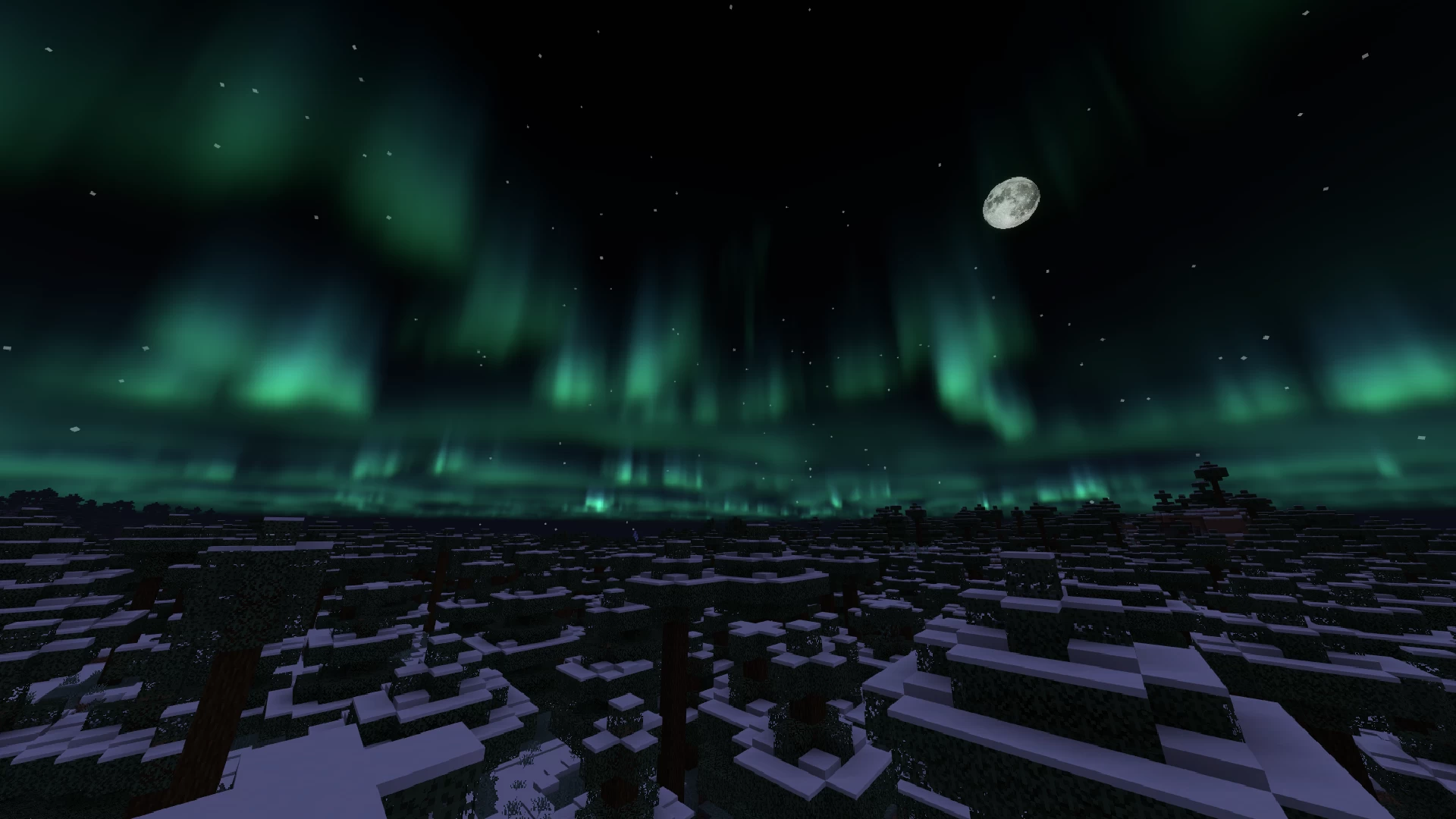
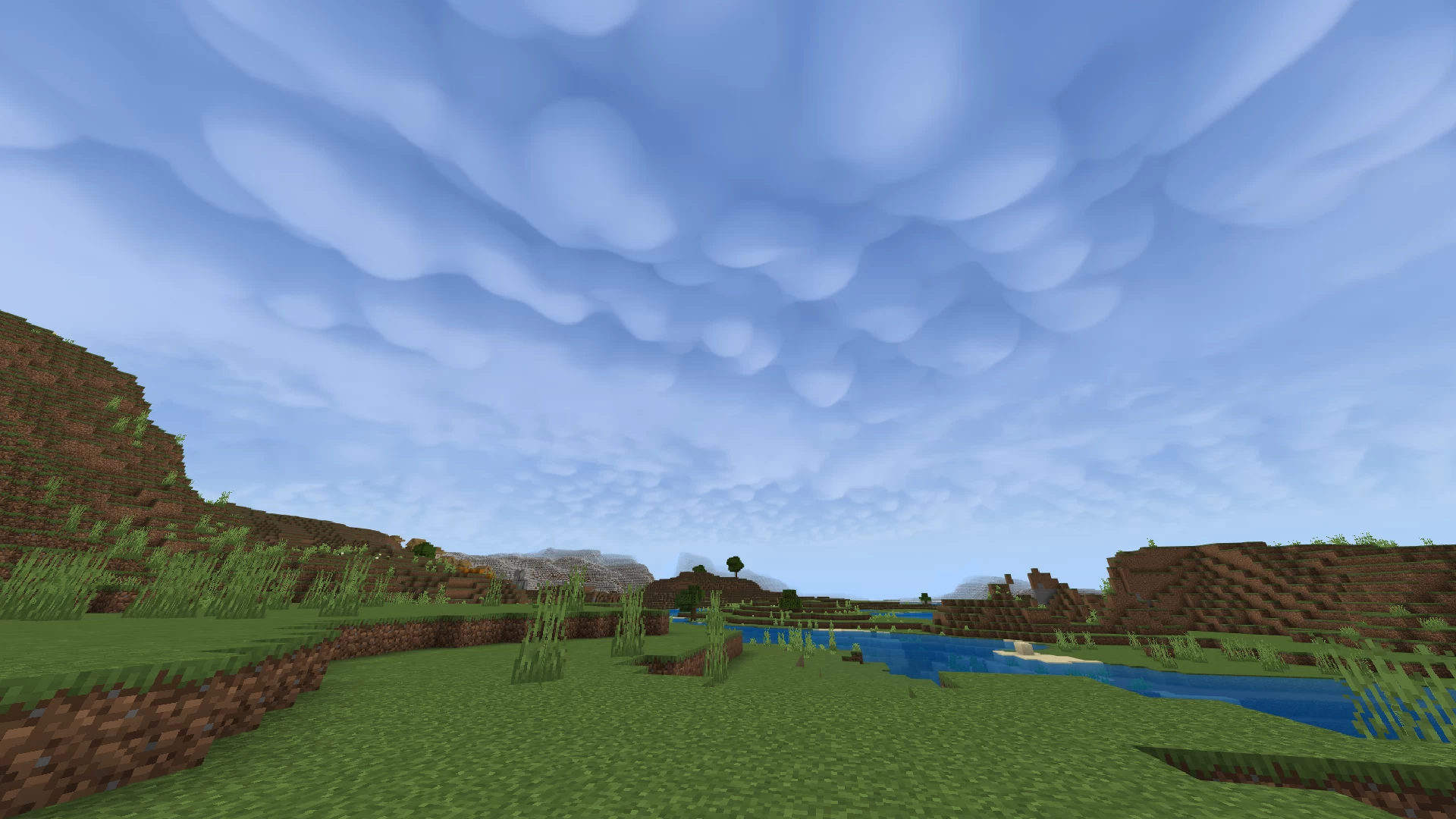
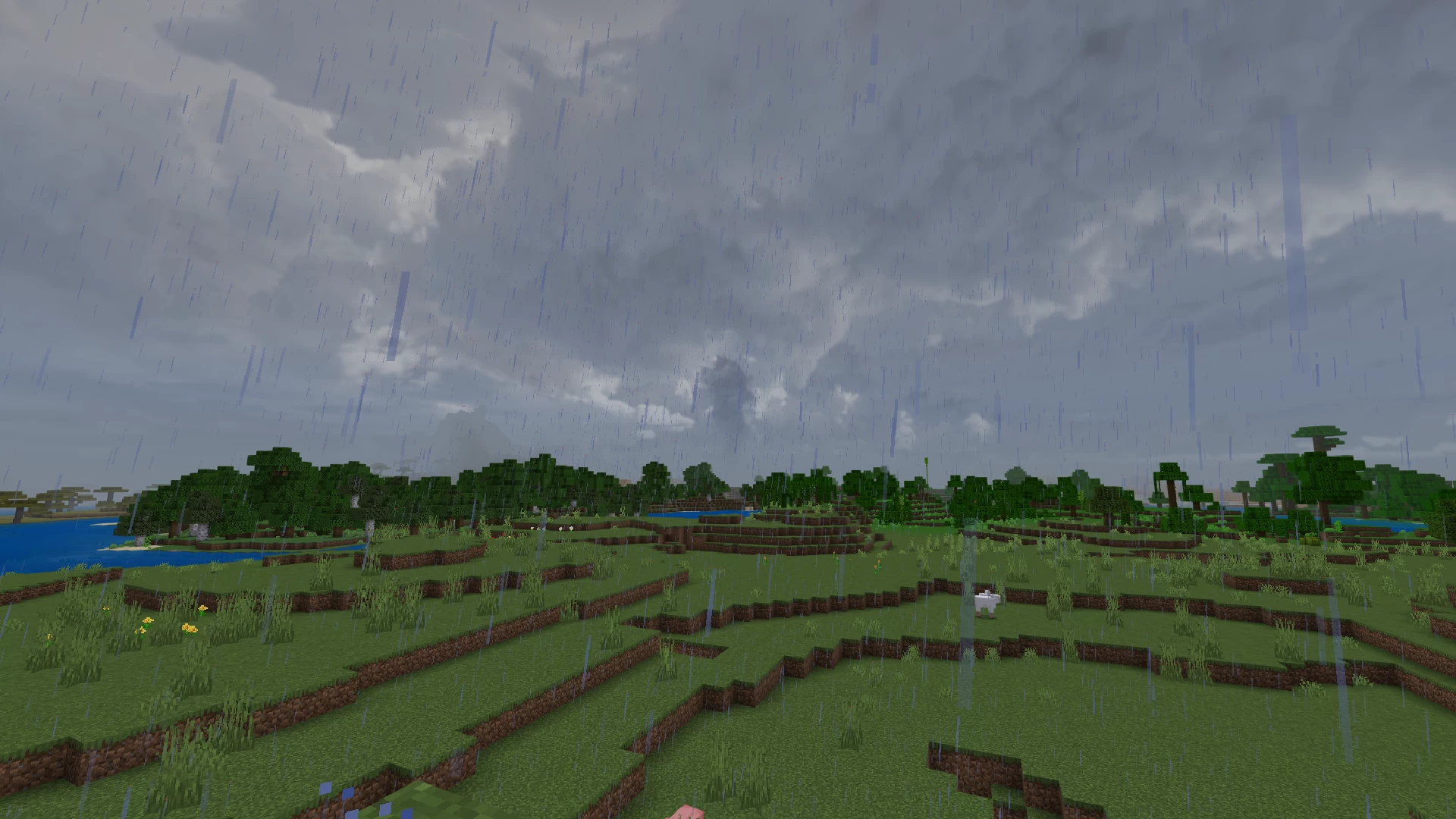
This is a Bedrock port of my Hyper Realistic Sky pack, and as such, it has been greatly simplified and changed to work with Bedrock's very limited support for custom skies. Currently the pack has 18 different skyboxes you can choose from via the subpack system. These skies include cubemaps with various sizes of clouds, rainy skies, sandstorms, auroras, tornadoes and many special rare cloud types as well, such as asperitas and mammatus clouds.
This pack is completely free, so if you like what you see, and would like to support me, you can donate through PayPal. Any and all donations are greatly appreciated. Thank you!
Check out the main Hyper Realistic Sky project here.
Skies
![Hyper Realistic Sky [Bedrock] Minecraft Texture Pack](https://i.imgur.com/YORWbrr.png)
![Hyper Realistic Sky [Bedrock] Minecraft Texture Pack](https://i.imgur.com/y4UOKEh.png)


So that's about it, I hope you'll enjoy this pack!
4 Update Logs
Hyper Realistic Sky v1.3 : by UsernameGeri 10/12/2025 9:27:35 amOctober 12, 2025 @ 1:27 pm UTC
- Added Fiery sunset subpack
LOAD MORE LOGS
More like this
 Hyper Realistic Sky1024x Minecraft 26.2 Realistic Texture Pack
 UsernameGeri
9/7/26 3:34
• posted 8/5/20 3:47
232.8k 68.6k 297x 6342358
UsernameGeri
9/7/26 3:34
• posted 8/5/20 3:47
232.8k 68.6k 297x 6342358 Snowy Mountains Sky1024x Minecraft 26.2 Realistic Texture PackUsernameGeri
2/15/26 5:59
• posted 11/18/23 6:46
25.6k 6.9k 23x 85248
Snowy Mountains Sky1024x Minecraft 26.2 Realistic Texture PackUsernameGeri
2/15/26 5:59
• posted 11/18/23 6:46
25.6k 6.9k 23x 85248 Paramount - 8K Realistic Sky (#1)4096x Minecraft 1.18 Realistic Texture Pack
 Obscuria
•12/19/21 5:46
11.6k 2.9k 5x 64838
Obscuria
•12/19/21 5:46
11.6k 2.9k 5x 64838 A Star-Crossed Wasteland - 8K Realistic Sky (#2)4096x Minecraft 1.18 Realistic Texture PackObscuria
•12/19/21 7:14
9.3k 2k 2x 53733
A Star-Crossed Wasteland - 8K Realistic Sky (#2)4096x Minecraft 1.18 Realistic Texture PackObscuria
•12/19/21 7:14
9.3k 2k 2x 53733 Realistic Skys Bedrock1024x Minecraft Bedrock Realistic Texture Pack
 thebaum64
12/15/25 1:23
• posted 8/13/25 5:51
8.1k 434 7x 41317
thebaum64
12/15/25 1:23
• posted 8/13/25 5:51
8.1k 434 7x 41317
6444327
4


![Hyper Realistic Sky [Bedrock] Minecraft Texture Pack](https://static.planetminecraft.com/files/image/minecraft/texture-pack/2025/327/18534503-mediumclouds_s.jpg)








 2D_World

Have something to say?
In the menu it still works as it should but upon loading a world I get no clouds whatsoever. Have tried toggling render clouds on and off, deleting the resource pack from storage in settings and then reinstalling, enabling the resource pack both globally and locally to the world and vice versa (just global or just local), have even tried different presets from within the settings, alas, no bueno. Any suggestions? I miss those beautiful clouds :(
Even after a complete reinstall of MC & removal of all texture and resource packs it doesn't function outside of the game menu, I end up with a completely cloudless sky. Happy to provide screenshots if you deem it necessary.