
• 2/4/25 7:30 pm
- 1.2k views • 0 today
- save_alt 78 downloads
- Compatibility
- Minecraft 1.21
- Changes include
- Functions


30
VisuFX - Visual Effects for Mapmakers! 🎨✨
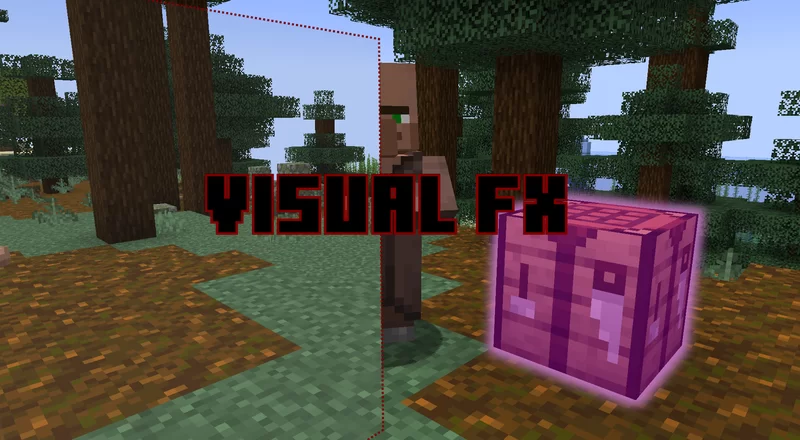
Welcome to VisuFX, a data pack designed to add visual effects using the properties of Text Display Entity! With this pack, you can highlight blocks, create colored overlays, tint the player’s vision, and make player invisible
🌟 Features
🔹 Highlight Blocks - Easily highlight any block with animated opacity shifts! 🔦
🔹 Custom Rectangles & Squares - Place single or double-sided shapes in any color and opacity.
🔹 Tinted View - Apply a color filter to a player's vision for immersive effects. 👀🎨
🔹 Invisible Entities - Use clever visual tricks to make entities vanish! 🫥
📜 Commands & Usage
🟥 Summoning Shapes
execute positioned ~ ~ ~ run function visu_fx:summon_rect {Red:[0,255],Green:[0,255],Blue:[0,255],Opacity:[0,255],ScaleX:Value,ScaleY:Value,Side:[0,5],Group:{0,1}}
Creates a rectangle of size ScaleX x ScaleY (Scale: 4 = 1 block ) in the given RGB color and opacity.
Opacity:
- 0-25 = invisible,
- 255 = fully opaque.
0 → South1 → Bottom2 → East3 → Top4 → West5 → North Grouping:
If Group is 1, the shape is assigned a group ID (useful for advanced effects).
- Unique ID: Each shape is assigned an individual ID in
scoreboard textdisplay_id- Group ID: Some shapes are assigned a group ID in
scoreboard textdisplay_group_id🔹 Summon a Square: Use
visu_fx:summon_square (no need to specify ScaleY, it’s a perfect square ther is only Scale).🔹 Double-Sided Shapes: Use
visu_fx:summon_rect_double or visu_fx:summon_square_double. (Only Side 0-2 allowed.)✨ Block Highlighting
execute positioned block_x block_y.5 block_z run function visu_fx:apply_highlight {Red:[0,255],Green:[0,255],Blue:[0,255]}
Adds a highlight effect to a block with a smooth opacity animation! The animation settings can be tweaked via the
option scoreboard. 🎭🎨 Tinted Player View
execute as @p run function visu_fx:tinted_view {Red:[0,255],Green:[0,255],Blue:[0,255],Opacity:[0,255]}
Covers the player’s screen with a color filter! The effect follows the player’s movement and applies the chosen RGB color & opacity.🌈
🫥 Invisible Entities
execute as @p run function visu_fx:invisible_entity
This function hides an entity by surrounding it with an invisible text_display box! 👻
🗑️ Removing Effects
❌ Remove Specific Shape
function visu_fx:kill {Id:Value}
Deletes a specific text_display by its ID.
❌ Remove Grouped Shapes
function visu_fx:kill_group {GroupId:Value}
Deletes all text_displays in a specified group.
🔄 Remove the Oldest Shape
function visu_fx:kill_last_textdisplay
Deletes the oldest created shape.
🔄 Remove the Oldest Group
function visu_fx:kill_last_textdisplay_group
Deletes the oldest created group of shapes.
🎥 Credits & Inspiration
This data pack was inspired by Cymaera, particularly their amazing work in this video: Watch here! 🎬
📥 Download & Installation
1️⃣ Download the .zip file.
2️⃣ Place it in your datapacks folder (.minecraft/saves/YourWorld/datapacks).
3️⃣ Type /reload
💬 Feedback
I’d love to hear your thoughts on this data pack! If you have any suggestions, issues, or cool ideas, feel free to leave a comment or message me. Your feedback helps!
More like this
 Gravity Gun Data-packMinecraft 1.16 - 1.20 Tool Data Pack
 Oignontom8283
7/21/23 3:31
• posted 9/5/22 6:40
4.6k 577 2x 71210
Oignontom8283
7/21/23 3:31
• posted 9/5/22 6:40
4.6k 577 2x 71210 Teleport Bow Data PackMinecraft 1.21 Tool Data Pack
 TheUknownCreator
4/7/25 12:47
• posted 4/29/24 11:13
3.7k 608 3x 51511
TheUknownCreator
4/7/25 12:47
• posted 4/29/24 11:13
3.7k 608 3x 51511
 Parkour Timer 1.0Minecraft 1.16 - 1.17 Tool Data Pack
 TristanDaSavage
•4/6/21 6:43
1.5k 129x 421
TristanDaSavage
•4/6/21 6:43
1.5k 129x 421
 rumaks
 SubChronos
6529422
119





 Two-Bird




 Legends11
Have something to say?