


• • 6/16/26 1:16 pm • 34 logs
- 44.7k views • 4 today
- save_alt 6.6k downloads
- Progress
- 100% complete
Added CreditYZEROgame, Evtema3, Chronos22, DorkOrc

 CubeKrowd


85
Installation Guide
The map currently only supports Minecraft Java Edition version 26.2. It should also be compatible with Spigot/Paper servers, although Vanilla is preferred. When you download it, you should have a zip file named "rocket-riders.zip" (or alternatively, if using the GitHub download link, "Rocket.Riders.zip".
If you wish to play with your friends, you can upload this zip file directly to server hosting platforms such as Minehut, Aternos, and StickyPiston, or to your own Realm. Please refer to the instructions there for map installation.
If you wish to play in singleplayer or open your world to LAN (local area network), you will want to copy this file to your world saves directory. This is located in the following places per operating system:
If you wish to play with your friends, you can upload this zip file directly to server hosting platforms such as Minehut, Aternos, and StickyPiston, or to your own Realm. Please refer to the instructions there for map installation.
If you wish to play in singleplayer or open your world to LAN (local area network), you will want to copy this file to your world saves directory. This is located in the following places per operating system:
- Windows: "%APPDATA%\.minecraft\saves"
- macOS: "~/Library/Application Support/minecraft/saves"
- Linux: "~/.minecraft/saves"
Then go ahead and extract the zip file directly to your saves directory. It should place the world files in a folder called "Rocket Riders". This will be how you find the world in your Minecraft worlds list.
If these instructions are confusing, please refer to the Minecraft Wiki for more information.
If these instructions are confusing, please refer to the Minecraft Wiki for more information.
Update Guide
If you have an existing Rocket Riders world that you would like to update to the latest version while still keeping your player/world data, read below (or alternatively, watch this video!).
This process involves copying over the new datapack folders from the Rocket Riders GitHub repository.
You will need to go to the releases page and download the Source Code zip file for the latest release.
Then drag this file to your Rocket Riders world save folder, typically located in the following places depending on your operating system:
Extract the zip file and then copy everything except "LICENSE.txt" and "README.md", as these files should not change.
Navigate to your world's "datapacks" folder and delete the same folders you just copied from there before pasting the new ones in. Then delete the extracted folder and corresponding zip file now that you've pasted the new datapacks in.
Finally, run "/reload" ingame to load in the new datapacks! (Alternatively, close and reopen your world.) All of your world data should be saved, and the code should be fully up to date.
Note: for updating to Version 1.1.0+, you will need to run the command "/function rr_crusade:install" in chat in order to play Crusade Mode.
Note: for updating to versions that are on different Minecraft versions, Minecraft should handle region file conversion automatically. If they do not, then redownload the map and copy the regions folder.
This process involves copying over the new datapack folders from the Rocket Riders GitHub repository.
You will need to go to the releases page and download the Source Code zip file for the latest release.
Then drag this file to your Rocket Riders world save folder, typically located in the following places depending on your operating system:
- Windows: "%APPDATA%\.minecraft\saves\Rocket Riders"
- macOS: "~/Library/Application Support/minecraft/saves/Rocket Riders"
- Linux: "~/.minecraft/saves/Rocket Riders"
Extract the zip file and then copy everything except "LICENSE.txt" and "README.md", as these files should not change.
Navigate to your world's "datapacks" folder and delete the same folders you just copied from there before pasting the new ones in. Then delete the extracted folder and corresponding zip file now that you've pasted the new datapacks in.
Finally, run "/reload" ingame to load in the new datapacks! (Alternatively, close and reopen your world.) All of your world data should be saved, and the code should be fully up to date.
Note: for updating to Version 1.1.0+, you will need to run the command "/function rr_crusade:install" in chat in order to play Crusade Mode.
Note: for updating to versions that are on different Minecraft versions, Minecraft should handle region file conversion automatically. If they do not, then redownload the map and copy the regions folder.

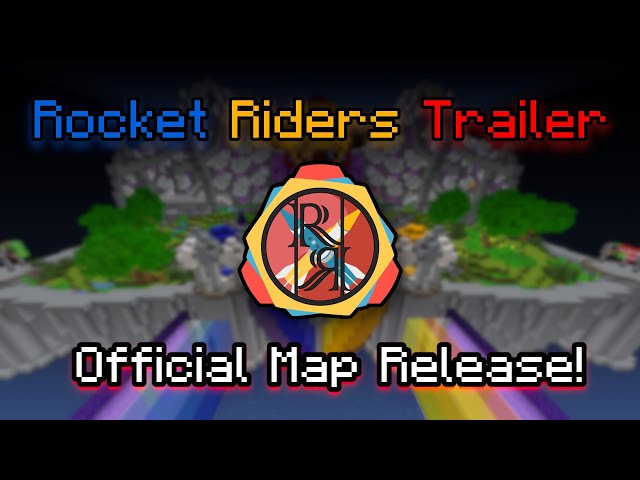
🚀 ROCKET RIDERS 🚀
A refreshing take on Missile Wars for modern Minecraft!
Made in 4+ years by Evtema3, YZEROgame, and Chronos22
Multiplayer, Minecraft Version 26.2
Current Map Version: 1.3.3
Play now on CubeKrowd: play.cubekrowd.net!
* Note: CubeKrowd is currently on Minecraft 1.21.10 with compatibility up to 26.1.
Interested in Rocket Riders? Join the Zeronia Discord Server and check out the RR Wiki!
Rocket Riders is a reimagination of SethBling and Cubehamster's Missile Wars, featuring all new missiles, utility items, custom achievements, challenging gamemodes and modifiers, and tons more ways to customize your gameplay!

The map includes 20 all new, community-made missiles ranging in speed and explosive power. Ride missiles across to the enemy base and explode their nether portals* to win the game!
* Some gamemodes (for instance, Capture the Flag, Chase, and Crusade) have different winning criteria.

In addition to the Shield and Fireball from Missile Wars, new utility items like the Vortex (floating sky-mine), Canopy (leaf platform), Nova Rocket (explosive firework crossbow), and Obsidian Shield allow for complex and unique gameplay strategies!

Rocket Riders also features 7 new gamemodes and 22 game modifiers which bring new gameplay objectives and challenges to the table so the game always stays exciting!

The Modification Room in the center of the Lobby allows you to select active items, base decorations, game modifiers, game rules, and more, giving you the ability to fully customize your gameplay!

Rocket Riders has a set of 41 custom achievements! See if you can earn them all along the way!
This map was made over the course of 8+ years.
We couldn't have done it without the help of so many members of the community who tested features, reported bugs, submitted missiles, shared feedback, advised development, constructed our Lobby, hosted servers, and more over the years.
Thank you, and we hope you all enjoy playing Rocket Riders as much as we've enjoyed making it!
- Zeronia Development Team
34 Update Logs
Version 1.3.3 : by ZeroniaServer 06/16/2026 1:16:28 pmJune 16 @ 5:16 pm UTC
Minecraft Version Support
This release of Rocket Riders requires Minecraft 26.2.
With this update, we are officially dropping support for Minecraft 1.21.10, 1.21.11, and 26.1.x. If you still play on these versions, please download our prior v1.3.2 release here: https://github.com/ZeroniaServer/RocketRiders/releases/download/v1.3.2/Rocket.Riders.zip
Gameplay Changes
Utilities:
- The Impact Utilities game rule is now off by default, where projectiles now can still deploy if they hit something within 4 ticks (0.25 seconds) of its normal deployment time.
- Arrows are no longer restricted to 4 while the Item Stacking game rule is enabled.
- Vortices once again have a “primed“ state that they enter after being approached once. This state is clearly distinguished by its larger size, faster spin speed, and subtle shaking. The primed state can see players from further away.
- The leaves of canopies no longer delete blocks while the canopy is deploying.
- Cluster Fireballs and Obsidian Shields that are being pushed slowly by a water stream will not deploy/split. This now requires a minimum speed of 2 blocks per second.
- Fireballs more consistently burn canopies when exploding near them.
- Deflecting an Obsidian Shield is more effective as their deployment now gets delayed by 0.5 seconds when they are punched.
- Throwable utilities breaking or failing to deploy will now show the thrower a red action bar message.
Crusade Mode:
- Arrows shot through damage spells in Crusade Mode will absorb the spell, destroying the spell and converting the arrow into a Wither Arrow. If the Wither Arrow lands on the ground, it can be picked up by any archer and used later.
- Arrows are no longer restricted to 4 for archers.
- The end crystals that protect each team’s portal are once again called “Nexuses”, which was accidentally removed at some point.
- Some aspects of the Castle map have been tweaked.
- Some of the tips have been changed.
Capture The Flag Mode:
- Flags in CTF Mode are now 1 block further back when the Hardcore modifier is enabled, rather than hanging over the edge.
- The CTF Mode exclusive Overtime game rule is now remembered separately from the Tiebreakers game rule.
- While a flag in CTF Mode is being lowered, the glass will be gray. It will also be unbreakable until 9 ticks before it can be captured (only 1 tick before when the Instamine modifier is enabled).
- Capturing a flag in CTF Mode while the Hardcore modifier is enabled now requires you to go further back towards your base.
Other Game Modes:
- The region of blocks that get destroyed when the Powerups Platform deactivates has been extended down by 3 blocks.
- The checkered flag in Chase Mode is now 1 block further back when the Hardcore modifier is enabled.
- Space around the base of the checkered flag pole in Chase Mode is now cleared if a missile or utility is deployed or pushed inside of it.
- The bases in the pre game queue will alternate between colors in Swap Mode, to hide what team will have which set of items first.
- Nova Rockets are now stackable in Sandbox Mode.
Miscellaneous:
- The Punchable TNT modifier’s physics has been tweaked:
- Punches deal 25% more knockback.
- The player’s velocity has 20% less effect.
- TNT will now bounce off of any immediately adjacent wall when punched, not just the ground, unless a block on that wall is a honey block.
- Players can now join a team during the tie window before a win has been confirmed.
- Leave messages will no longer appear after a win has been confirmed (for players exiting to the lobby early).
- You can now shift-click the Restore Default Base Details sign to remove all base details instead.
- It is no longer possible to obtain infinite arrows in the pre-game queue by repeatedly shooting your arrows at the ground then leaving and rejoining.
- Added a “Version Info“ page to the pause screen and to the Navigation Book.
- In CubeKrowd public lobbies, there is now a 1% chance of a match (in any game mode) starting with classic Missile Wars team colors (red and green) rather than the normal Rocket Riders team colors (blue and yellow).
Audiovisual Changes
- Updated the look of the bases in Swap Mode to make the light and dark teams far more distinctive, and made the arena as a whole more visually unique from other modes:
- The middle and front colors of the yellow team’s base are now black & orange respectively when dark (changed from orange & yellow).
- The accent and detailing colors on base details now both match the white/black block of the middle base layer, and the main color matches the the front layer.
- If white glass panes appear in any base details, those will also be updated to be black when the team is in dark mode.
- The hue of the yellow team's armor in Swap Mode while it is dark has been shifted to more of a dark orange rather than a murky yellow.
- ICBM items are now called “I.C.B.M.“ instead.
- Each boss bar in Crusade Mode now individually gives more information about the team that it represents, and says that its nexuses are destroyed when it reaches 0.
- Added the “Flight Duration“ tooltip to all throwable utilities, Nova Rockets, and Obsidian Shields.
- Added a tooltip description for Obsidian Shield items.
- Missile item prefixes are given a contrasting color to the team color in Chase Mode when the player’s color matches with the prefix’s standard color.
- Added some new win splashes.
- Win messages now say “ Team Wins!“ rather than “Team Won!“
- End Crystals in Chase Mode are now called Chase Crystals.
- The color patterns of base details for the checkered base in Chase Mode have been tweaked.
- Updated the texture of the Chase Crystal chase blocks in Chase Mode.
- The checkered flag in Chase Mode now glows when the Sonar modifier is enabled.
- The nexuses in Crusade Mode now glow when the Sonar modifier is enabled.
- The fog and ambient light in the parkour area has been removed, so the parkour area is once again a fully pitch black void. (Experimental Only)
- The action bar error messages for failing to obtain arrows, tipped arrows, and canopies (in CTF mode) now say “Maximum already obtained“ rather than only “ already obtained” which previously implied a maximum of one.
- Damage spells have additional particles and sounds for when they break.
- The warning in the Elytra tooltip about breaking near the enemy base is no longer present when giving yourself an unbreakable elytra in Sandbox Mode.
- “You have too many items, so you can't get any more.“ is now “All usable slots are filled; you cannot receive new types of items“.
- The blocks behind signs in the Customizer will change to light gray when locked by a game mode.
- Added social media links for Zeronia to the Rocket Riders menu in the pause screen, added our BlueSky link, and added icons for each site.
- Removed the elipsis from the Rocket Riders button in the pause menu.
- Removed the additional welcome message from CubeKrowd lobbies.
- The secret message buttons in the lobby now produce grey and italic text.
- The secret levers will now reset whenever there’s no one in the lobby.
- Updated the text on some secret signs.
- Shields breaking or deploying now produce 50% white particles and 50% team color particles.
- Splashes and Lava Splashes now have particles and sounds for when they are thrown out of bounds.
Admin Changes
- Admin functions have been renamed:
admin:enable_death_messages→admin:death_messages/onadmin:disable_death_messages→admin:death_messages/offadmin:enable_splash_messages→admin:splash_messages/onadmin:disable_splash_messages→admin:splash_messages/offadmin:enable_team_balancing→admin:team_balancing/onadmin:disable_team_balancing→admin:team_balancing/offadmin:enable_titles→admin:titles/onadmin:disable_titles→admin:titles/offadmin:unlock_modification_room→admin:modification_room/onadmin:lock_modification_room→admin:modification_room/offadmin:repeat_forever→admin:repeat_forever/onadmin:repeat_stop→admin:repeat_forever/off
- Added admin functions for showing debug messages in the server console. These aren’t strictly meant to be used as they only show very specific things that are relevant to us as developers.
admin:show_debug_logs/onadmin:show_debug_logs/off
Resource Pack Changes
- The custom model data ID for the Surprise Egg item has been changed from
surprise_missile/alltosurprise_egg. - The custom model data ID for the Celebratory Fireworks item has been changed from
celebratory_fireworkstocelebratory_firework.
Fixed Bugs
- Archers in Crusade Mode could not pick up arrows after throwing and moving away from them.
- Thrown arrow items could be picked up during the closing phase.
- The checkered base in Chase Mode had started regenerating its back layer in 1.3.
- Join pads in Chase Mode had stopped producing rainbow particles in 1.3.
- Cannon base details on the checkered base in Chase Mode contained yellow glazed terracotta.
- Nova Rockets’ trail particles appeared vertically offset from the rocket’s location.
- Particles produced by yellow vortices moved differently than those from blue vortices while chasing a player.
- Particles produced by stationary vortices in Chase Mode were larger than the same particles in any other game mode.
- The color of the middle section of the checkered base in Chase Mode was a different color in the pre-game queue area than in the arena.
- The winner in Chase Mode respawned inside of the flag pole rather than in front of it.
- The flag support blocks in hardcore CTF Mode would regenerate even if a player was nearby.
- The blocks in the back base layers in CTF Mode and Chase Mode would not regenerate if there were spectators near them.
- The blocks in the floors of bases in Crusade Mode would not regenerate if there were spectators near them.
- The obsidian at the base of the flag in Chase Mode was not placed correctly while the Hardcore modifier was enabled.
- Some of the obsidian at the base of the flag in Chase Mode could be overwritten and would not regenerate itself, unlike the rest of the obsidian around it.
- Bedrock pathways in the The Castle map did not line up correctly with all of the archways.
- The stationary dummy vortex in the lobby used the wrong particle color when not looking at a player.
- Pluralization in the I.C.B.M. tooltip was incorrect.
- Blue team banner colors in Crusade Mode were inconsistent.
- Players could interact with blocks such as cannon buttons, and missile trapdoors/fence gates during the closing phase.
- The parkour timer in the action bar lingered when leaving or finishing the parkour course.
- The flag carrier action bar message lingered when capturing a flag.
- Deploying a shield near the back of the base in CTF Mode would delete all of its white stained glass.
- Spectators could fly into the lobby through the arena ceiling.
- Some obsidian blocks in the team base frames near spawnpoints did not always regenerate correctly in Powerups Mode, allowing it to be replaced by spawning missiles and utilities inside of it.
- The “Simple and Easy” achievement was impossible to achieve in Crusade Mode.
- The “Swiss Cheese“ achievement required far fewer air blocks in the base to be broken in Crusade Mode.
- A column of air appeared in the middle of the map in Crusade Mode whenever a team won.
- The Flag of Shameful Loss showed “Unbreakable“ in the tooltip.
- Obsidian Shields could be used to break portals.
- Spawning a Fireball or Obsidian Shield on the ceiling would spawn it inside of that ceiling rather than below it.
- Fireballs pushed by water streams would continue to create flame particles after it had stopped moving.
- The central Cluster Fireball would sometimes explode upon splitting.
- Punctuation in the actionbar was inconsistent.
- Nova Rockets would not create a firework burst when exploding on a Vortex.
- “Ingame“ was missing a hyphen.
- The Achievements menu took you back to the main pause screen when exiting, rather than navigating backwards normally.
- The Achievements menu was visible in the pause screen, even if achievements were not enabled (the main CK server modes).
- Conditional win splashes had started showing nothing if their condition failed rather than falling back to the default win splash message.
- Late join messages had stopped appearing on CubeKrowd.
- The secret paintings in the lobby would sometimes not change when their pressure plate was stood on.
- Some decorative signs in the lobby train could be interacted with.
- Joining the world with too many tags or attribute modifiers could cause an invalid state and erase your Rocket Riders player data.
- Utilities could sometimes hit the world border, but other times would break before impact. They now always break when thrown within 2 blocks of the world border.
- Splashes and lava splashes could be used to break your own team’s portal when Snipe Portals was enabled.
LOAD MORE LOGS
More like this
 Honey Missile WarsChallenge / Adventure Map
 Supersette
10/1/24 3:18
• posted 7/8/20 10:19
10.3k 1.5k 2x 42924
Supersette
10/1/24 3:18
• posted 7/8/20 10:19
10.3k 1.5k 2x 42924


 voltavidTony
 Screenfun
 Kenbluyt
 sami1814
5221198
2




 MaskOfGambit




![Yandere High School (City remake) [Modded Commission] Minecraft Map & Project](https://static.planetminecraft.com/files/image/minecraft/project/2026/941/20150427-yhs_s.jpg)
 MegaMinerDL
![Shadows of Statues[Download][PARKOUR MAP][1.21.8] Minecraft Map & Project](https://static.planetminecraft.com/files/image/minecraft/project/2026/293/20151390-sos-prev_s.jpg)
 LGSC team
 Ebassol
![The Hardest Dungeon [1.19.2][DOWNLOAD] Minecraft Map & Project](https://static.planetminecraft.com/files/image/minecraft/project/2026/463/20148473-thd-prev_s.jpg)

 Squishyjon
Have something to say?
I personally can really recommend it. Since they got multiple gamemodes I think everyone can find the right one.
I personally love crusade but less capture the flag mode (in contrast to many others).
...And for those who think this is a copy of MW: You're wrong! It's a completely different game experience so try it out!
Props to Zeronia
It should work for versions 1.19+, but there's also a 1.18.2 download available on this page.
It may also be an issue related to plugins, but considering that it's LAN I don't think it is, and perhaps you're using an older version of Minecraft.
I hope you can get it to work, if not you could always join our Discord server, so we can help you out directly!
Perhaps something is wrong with the server (some plugins can intervere with datapack-based minigames)
If you want to play it but can't manage to get it to work, please join our Discord server so we can help you more quickly and easily there.