

• • 6/19/20 3:29 pm • 1 logs
- 4.5k views • 0 today
- save_alt 221 downloads
- Compatibility
- Minecraft 1.15
- to version
- Minecraft 1.16
- Changes include
- Functions


16
To use this datapack, just place the .zip file into the datapacks folder of your world
Moveable, Upgradable, Dependable Spawners, or MUD Spawners, is a datapack that allows the player to obtain and upgrade spawners in vanilla Minecraft.
Obtaining a Spawner
To obtain a spawner, you must place a diamond block under the spawner and then light tnt above it. Once the tnt blows up, the diamond block will be consumed and the spawner will drop.
Creating the Spawner Table
To upgrade the spawner, a multi-block is used called the Spawner Table. The Spawner Table is created by throwing a quartz pillar into a cauldron. To upgrade a spawner, simply throw a spawner onto the Spawner Table. When this is done, the spawner will appear above the table and its stats will be displayed in chat. The stats of a spawner are redisplayed whenever an upgrade is applied or a paper is thrown onto the table, this will not consume the paper.
Upgrading the Spawner
There are two upgrades that can be applied to each spawner, speed and quantity. Speed will increase the rate that mobs spawn and quantity will increase the number of mobs that spawn. To upgrade speed a redstone block is required, and to upgrade quantity an emerald block is required. Please note, in order to properly upgrade a spawner, it must be obtained via the method explained above.
Getting the Spawner Back
To get the spawner back from the table, a diamond block needs to be thrown at the table, this will not consume the diamond block. Additionally, destroying the Spawner Table will return the spawner with all upgrades intact.
Destroying the Spawner Table
To destroy the Spawner Table, the player just needs to remove the cauldron. Once the cauldron is removed, the quartz pillar will be returned. Additionally, if a spawner was inside the table when the table was destroyed, the spawner will also be returned.
Moveable, Upgradable, Dependable Spawners, or MUD Spawners, is a datapack that allows the player to obtain and upgrade spawners in vanilla Minecraft.
Obtaining a Spawner
To obtain a spawner, you must place a diamond block under the spawner and then light tnt above it. Once the tnt blows up, the diamond block will be consumed and the spawner will drop.
Creating the Spawner Table
To upgrade the spawner, a multi-block is used called the Spawner Table. The Spawner Table is created by throwing a quartz pillar into a cauldron. To upgrade a spawner, simply throw a spawner onto the Spawner Table. When this is done, the spawner will appear above the table and its stats will be displayed in chat. The stats of a spawner are redisplayed whenever an upgrade is applied or a paper is thrown onto the table, this will not consume the paper.
Upgrading the Spawner
There are two upgrades that can be applied to each spawner, speed and quantity. Speed will increase the rate that mobs spawn and quantity will increase the number of mobs that spawn. To upgrade speed a redstone block is required, and to upgrade quantity an emerald block is required. Please note, in order to properly upgrade a spawner, it must be obtained via the method explained above.
Getting the Spawner Back
To get the spawner back from the table, a diamond block needs to be thrown at the table, this will not consume the diamond block. Additionally, destroying the Spawner Table will return the spawner with all upgrades intact.
Destroying the Spawner Table
To destroy the Spawner Table, the player just needs to remove the cauldron. Once the cauldron is removed, the quartz pillar will be returned. Additionally, if a spawner was inside the table when the table was destroyed, the spawner will also be returned.
1 Update Logs
Version 1.0.1 : by MedClockWork 06/19/2020 3:29:49 pmJune 19, 2020 @ 7:29 pm UTC
- Reformated the folder of the datapack
More like this
 GatSilk Silktouch SpawnersMinecraft 1.15 - 1.16 Block Data Pack
 GatKong
3/17/20 1:29
• posted 10/10/18 1:10
14k 2.5k 11x 22123
GatKong
3/17/20 1:29
• posted 10/10/18 1:10
14k 2.5k 11x 22123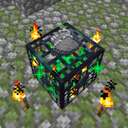
![Minecraft Spawner Tweaker and Chest Randomizer [1.20.2+] Minecraft Data Pack](https://static.planetminecraft.com/files/image/minecraft/data-pack/2025/920/18606492-lincolny-thumbglanger_s.jpg) Minecraft Spawner Tweaker and Chest Randomizer [1.20.2+]Minecraft 1.20 - 1.21 Technology Data Pack
Minecraft Spawner Tweaker and Chest Randomizer [1.20.2+]Minecraft 1.20 - 1.21 Technology Data Pack link2012
12/28/25 12:26
• posted 2/14/24 11:37
7.2k 411 5x 11814
link2012
12/28/25 12:26
• posted 2/14/24 11:37
7.2k 411 5x 11814 Craftable Mob SpawnersMinecraft 1.17 Crafting Recipe Data Pack
 FlatSwaggyBoi_i
•6/24/21 10:52
2.8k 180x 421
FlatSwaggyBoi_i
•6/24/21 10:52
2.8k 180x 421
 yoav_tc
4644229
119











 BebuPlayz
 Loupieur

 cota5
cota5

Have something to say?
was upgraded it still only dose a normal spawner mob amaont