

• • 3/14/23 7:46 pm • 2 logs
- 5k views • 0 today
- save_alt 479 downloads
- Compatibility
- Minecraft 1.19
- Changes include
- Functions


14
In vanilla Minecraft, there is barely any difference in players at a biome temperature level.
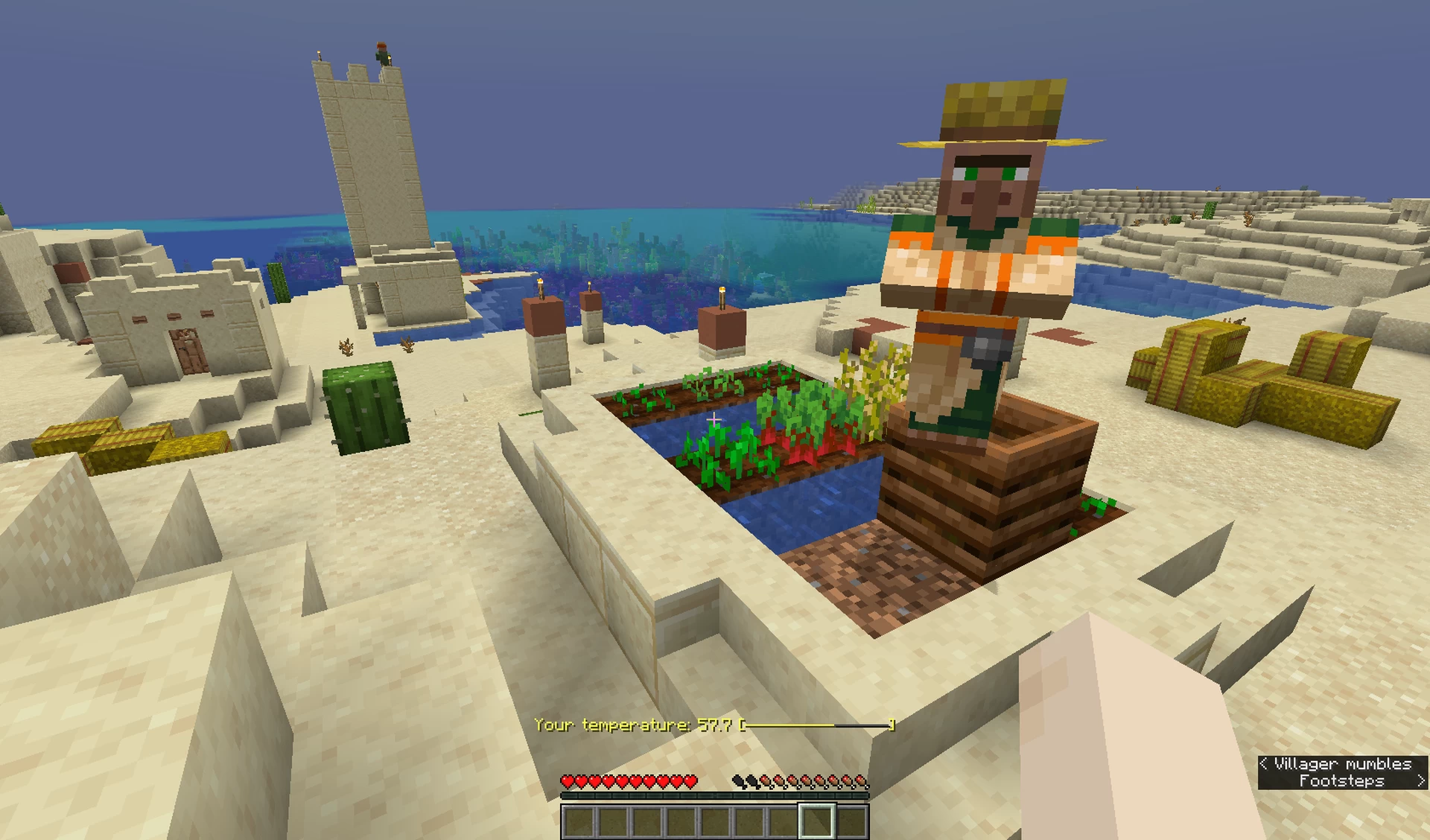
This datapack will resemble going outside in real life where you can have hypothermia/heat exhaustion (hyperthermia) for staying in the extreme temperatures for too long.
If your temperature reaches ±180 or more, you will begin to take damage. As it gets closer to ±200, you will take damage at shorter intervals. When you reach ±200, the damage you take will significantly increase.
The rate at which your temperature changes is known as your rate of change. It is measured in units per minute.
So whatever you do in the Nether, please bring plenty of water bottles to cool yourself down or find a cold block to use. Otherwise, you could end up burning in the nether due to extreme temperatures.
WARNING: Only works in the latest version of Minecraft.
This datapack will resemble going outside in real life where you can have hypothermia/heat exhaustion (hyperthermia) for staying in the extreme temperatures for too long.
HOW IT WORKS
Your player temperature is calculated through several factors. It starts at zero when you spawn and can change depending on the biome and the block you're standing on. The temperature scale ranges from -200 to 200 units, with -200 being extremely cold, 200 being extremely hot, and 0 in between.If your temperature reaches ±180 or more, you will begin to take damage. As it gets closer to ±200, you will take damage at shorter intervals. When you reach ±200, the damage you take will significantly increase.
The rate at which your temperature changes is known as your rate of change. It is measured in units per minute.
Factors that can change temperature
Biomes
- Biomes: Depending on the biome you are at, your temperature can change at different rates.
- Biome temperatures are recorded here. A temperature outside the temperate range makes the player's temperature constantly change. The further away the value is from the temperate range, the faster the rate of change.
- If it is lower than 0.5, the player's temperature will decrease. It'll also decrease faster if it is positive.
- If it is in the temperate range (0.5-1.0), the player's temperature may increase or decrease to zero. The rate of change depends on the biome temperature; lower values decrease it faster, and higher ones increase it faster. Similarly, lower values increase it slower, and higher ones decrease it slower.
- If it is higher than 1.0, the player's temperature will increase. It'll also increase faster if it is negative.
- The rate of change is 6/m for every 0.1 units outside the temperate range.
Armor
The player's rate of change will increase by 7.5/m for every armor piece equipped. Elytras, player heads, and pumpkins do not increase this rate.
Altitude (Y-coordinate)
If you are at y=74 or above, your rate of change decreases by 0.075/m per block above y=74. If you are below y=74, it is not affected.
Blocks
If you are standing on or in a block, your rate of change varies.
- Powder snow = -150/m if the initial rate of change was higher
- Blue ice = -90/m if the initial rate of change was higher
- Packed ice = -75/m if the initial rate of change was higher
- Ice = -60/m if the initial rate of change was higher
- Snow block = -30/m if the initial rate of change was higher and you're not standing on a snow layer
- Snow layer = -15/m if the initial rate of change was higher
- Water/waterlogged blocks = 0/m if the initial rate of change was higher
- Magma blocks = 30/m if the initial rate of change was lower
- Fire/campfire = 60/s if the initial rate of change was lower
- Soul fire/campfire = 90/m if the initial rate of change was lower
- Lava = 150/m if the initial rate of change was lower
Potions
Drinking a potion reduces your temperature by 50 units. If you drink a water bottle, you lose 100 units instead. However, it cannot go below zero.
So whatever you do in the Nether, please bring plenty of water bottles to cool yourself down or find a cold block to use. Otherwise, you could end up burning in the nether due to extreme temperatures.
WARNING: Only works in the latest version of Minecraft.
2 Update Logs
Update #2 : by pinksheep451 03/14/2023 7:46:07 pmMarch 14, 2023 @ 11:46 pm UTC
Fixed where armor would not increase your rate of change.
LOAD MORE LOGS
More like this
 Dynamic Temperature in MinecraftMinecraft 1.13 Game Mechanic Data Pack
 Jevex
1/17/19 2:53
• posted 1/11/19 8:24
18.4k 794 7x 31511
Jevex
1/17/19 2:53
• posted 1/11/19 8:24
18.4k 794 7x 31511 DinoBrik's Climate | Temperature, Extreme Climate SuvivalMinecraft 1.18 - 1.19 Game Mechanic Data Pack
 DinoBrik
•7/26/22 12:57
10.5k 922 19x 13231
DinoBrik
•7/26/22 12:57
10.5k 922 19x 13231 Upgraded Dash Mechanic DatapackMinecraft 1.18 - 1.19 Game Mechanic Data Pack
 mmarkov100
5/26/23 5:52
• posted 4/13/23 3:33
2.9k 186 3x 1128
mmarkov100
5/26/23 5:52
• posted 4/13/23 3:33
2.9k 186 3x 1128 Zelda Door Mechanics (No resource pack)Minecraft 1.21 - 26.1 Game Mechanic Data Pack
 ThirtyFangs
5/18/26 10:29
• posted 1/15/26 9:40
787 51x 2119
ThirtyFangs
5/18/26 10:29
• posted 1/15/26 9:40
787 51x 2119 Tie PlayersMinecraft 1.21 - 26.2 Game Mechanic Data PackThirtyFangs
•6/25/26 12:04
368 45 2x 154
Tie PlayersMinecraft 1.21 - 26.2 Game Mechanic Data PackThirtyFangs
•6/25/26 12:04
368 45 2x 154
5869637
119


![Minemart [Buy/sell items with gems] Minecraft Data Pack](https://static.planetminecraft.com/files/image/minecraft/data-pack/2023/979/16686019-minemart_s.jpg)











 AhmedTurysta



Have something to say?